Self-Hosted Notes | When You Need a Server and When You Don't
A weekend of Docker, certificates and reverse proxies, so a shopping list can sync. What self-hosting is genuinely good for, and the much smaller thing most people actually wanted.
The confession appears every Sunday, in the same shape. Fourteen hours gone: Docker compose rewritten twice, a reverse proxy that refuses to route, a certificate renewal that failed silently three weeks ago, a database that came back up but not the way it was. At the end of it, a working instance of an open-source Notion clone, containing one note. The note is a shopping list.
Everyone in the replies recognises it, because everyone has done a version of it.
The reasoning that got us here was sound: subscriptions add up, companies read what you write, services get bought and shut down. Self-hosting was the answer the internet agreed on. For a certain kind of workload it is the right answer. For one person keeping notes and a to-do list, it is usually an expensive way to get something a much smaller tool already gives away.
The job you accidentally accepted
Setting it up is the fun part, and it is the part every tutorial covers. What follows is the part that lasts.
| What happens | What it costs you |
|---|---|
| A certificate fails to renew | The board stops syncing, and you find out in a shop |
| An image updates and the schema moves | An evening restoring, or a morning reading changelogs |
| The disk fills with logs nobody reads | Writes fail quietly until something important does |
| A dependency ships a security fix | You patch it, or you are the one running the old version |
| The backup was never tested | You discover this on the one day it matters |
None of these is hard. That is what makes them insidious: each is twenty minutes, arriving unannounced, on a day you had other plans. You traded a monthly fee for an unpaid on-call rota where you are the only person on it.
And the failures land on the wrong side of the line. A to-do list that is down because your proxy is misconfigured is worse than a to-do list held by a company you distrust, because the company has someone whose job is to bring it back and you have a Sunday.
There is a security version of the same trap. Self-hosting removes the company from the picture, which is the part people are afraid of, and quietly puts you in charge of the part they are not thinking about. An instance reachable from the internet is a service with your name on the pager: the patch nobody applied, the admin password reused from somewhere else, the port opened once for a phone and left open. A hosted service has people whose job that is. Yours has you, on a weekend, if you remember.
What self-hosting is genuinely good for
This is not an argument against running your own services. It is an argument about which services.
Several people, one set of data. A family calendar, a shared photo library, a team's files. Once more than one person edits the same thing, you need something in the middle, and owning that something is a reasonable choice.
Work that actually happens on the server. Transcoding a media library, pulling feeds, running scheduled jobs, hosting something on the public internet. These need a machine that is awake when you are not, which is exactly what a server is.
Learning, on purpose. Running your own infrastructure teaches you things no course will. That is a legitimate reason, and it is a different reason from "I want my notes to be private". Worth being honest with yourself about which one you are doing.
Data that is genuinely large or shared. Terabytes of media, a service other people depend on, anything where a laptop is the wrong home for the canonical copy.
Personal notes and a personal kanban board are none of these. One writer, one reader, a few megabytes of text, no server-side work at all.
You do not need a server to hold a paragraph
The realisation behind the backlash is simple enough to sound glib, and it holds up: a note is not a workload. Client and server architecture exists to let many clients share one source of truth. With one person, the client is the only one there is, and the whole middle layer is machinery for a problem you do not have.
That is the difference between two things that get used interchangeably:
| Self-hosted | Local-first | |
|---|---|---|
| Where the real copy lives | On a server you maintain | On the disk in front of you |
| What you maintain | Updates, certificates, backups, uptime | Backups |
| With the network off | Depends on the network by design | Opens exactly the same |
| When something breaks at 11pm | You are the engineer on call | Close the window, open it again |
| What you gained over a cloud app | The company is gone | The company and the server are both gone |
Local-first removes the layer rather than relocating it, and local-first tools are now good enough that you are not paying for the privilege in features. The speed difference is not subtle either: reading from your own disk has no round trip, so a board opens in the time it takes to draw it, which is also why it keeps working with the network off.
The thing most people actually wanted
Strip the weekend project back to the requirement, and it is usually this: my notes should be mine, they should be fast, and they should still be here in five years.
Four things get you all of it without a container in sight.
A local app that stores its data in one place. One folder or one file you can point at. If you cannot say where your notes are on disk, you do not own them yet.
A sync folder, not a server. For one person on two machines, a synced folder carries the file perfectly well. Editing in both places at once is where this breaks, which is a real limit and also a rarer situation than people expect.
A backup you have restored at least once. Copy the folder somewhere else on a schedule, then restore it to a different machine once, on purpose. An untested backup is a story you tell yourself.
An export to plain text. This is the one that outlives everything. If the notes come out as .md files, no shutdown, no pricing change and no abandoned project can strand you, which is the whole argument for being able to leave.
That list has no uptime, no certificates and no on-call. It is also, roughly, what the homelab was supposed to deliver.
Where we sit, honestly
TaskNote is ours, so read this as a description rather than a review.
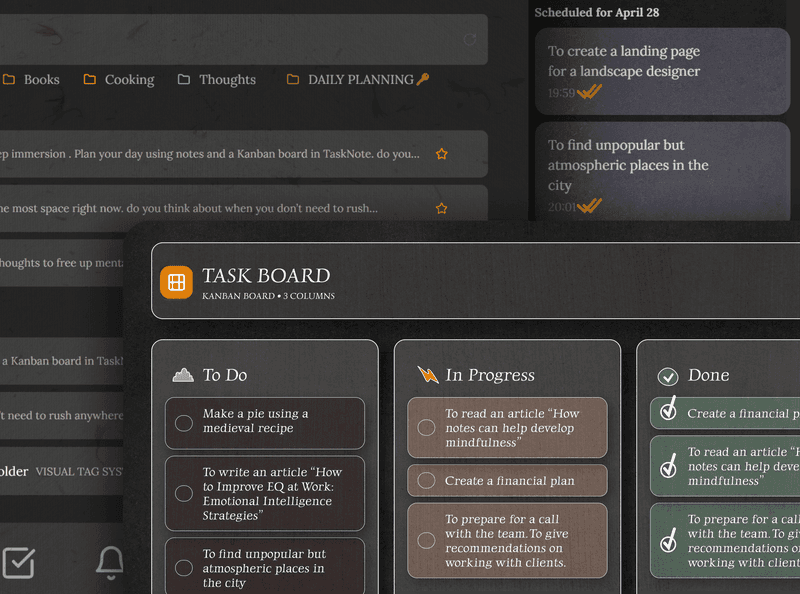
The Windows app has no server anywhere in it. There is no account, no sync and nothing to configure: you run the installer and type. Notes, the kanban board and reminders all come from one file on your own disk, so the window opens the same whether or not you have a connection, and on the machine this was written on it is up in about nine tenths of a second from cold. The installer is 17.9 MB.
Three things the enthusiastic version of this pitch usually gets wrong, including drafts of this piece.
Your notes are not plain Markdown files on disk. They are rows in a SQLite database beside the app, which is what makes search and the board fast. The text is Markdown, and exporting writes real .md files into a folder, which is the part that matters for leaving. But the storage is a database, not a directory of files, and anyone telling you otherwise is selling.
It is not air-gapped and it is not encrypted at rest. It is an ordinary local program with an ordinary local file. That is the right trade for speed and for working with no account, and the wrong one against somebody with access to your machine. If that is your threat, the web app encrypts notes on your device before they reach us.
Native does not mean light on memory. The program is Go and compiles to a single executable, which is why it starts quickly and why the download is small, and it is the shape we argue for in native apps instead of web wrappers. The window itself is drawn by the system's WebView2 runtime, so a browser engine is involved whether or not we ship one: the Go process sits at about 27 MB and the runtime behind the window costs a few hundred more. Quick to open, small to download and quiet on the network are fair claims. Tiny in memory is not.
The short version
Self-hosting solves a sharing problem. Most people reaching for it have an ownership problem, and those need different tools.
If several people need the same data, or something has to run while you sleep, build the server and accept the job that comes with it. If you are one person writing text, skip the whole layer: a local app, a synced folder, a backup you have actually restored, and an export that produces plain files. Then spend the weekend on something that is not YAML.
Questions
- Is self-hosting worth it for notes and tasks?
- For one person writing text, usually not: you take on certificates, updates, backups and uptime to gain privacy you could have had from a local app with no server at all. It becomes worth it when several people need the same data, or when the service does real work on the server, like transcoding media or running jobs on a schedule.
- What is the difference between self-hosted and local-first?
- Self-hosted still has a client and a server; you own the server. Local-first has no server: the file on your disk is the original, and the app opens with the network off. One moves the cloud into your house, the other removes it.
- Why does everyone say they are tired of their homelab?
- Because maintenance has no end and no reward. A renewal fails, an update breaks a container, a disk fills, and the person on call is you, usually while trying to do something else. The cost is not the setup weekend, it is every weekend after it.
- Do I need a server to sync notes between two computers?
- No. A folder from any sync service holds the file, and that is enough for one person moving between machines. What a server buys is several people editing at once and proper conflict handling, which is a different problem from carrying your own notes around.
- Is a self-hosted notes app more private than a cloud one?
- It removes the company, not the risk. Your unpatched instance with a port open to the internet can be a softer target than a hosted service with a security team, and a lost disk with no backup loses everything just as thoroughly. Privacy comes from where the data sits plus how it is protected, and self-hosting only answers the first half.
privacylocal-firstwindows