TaskNote for Windows, a native desktop app
Put an idea down the moment it arrives, and keep it on your own PC. Free to use, and no account needed.
Version 1.0.38 · Free plan included · Windows 10 and 11 (64-bit) · Works fully offline

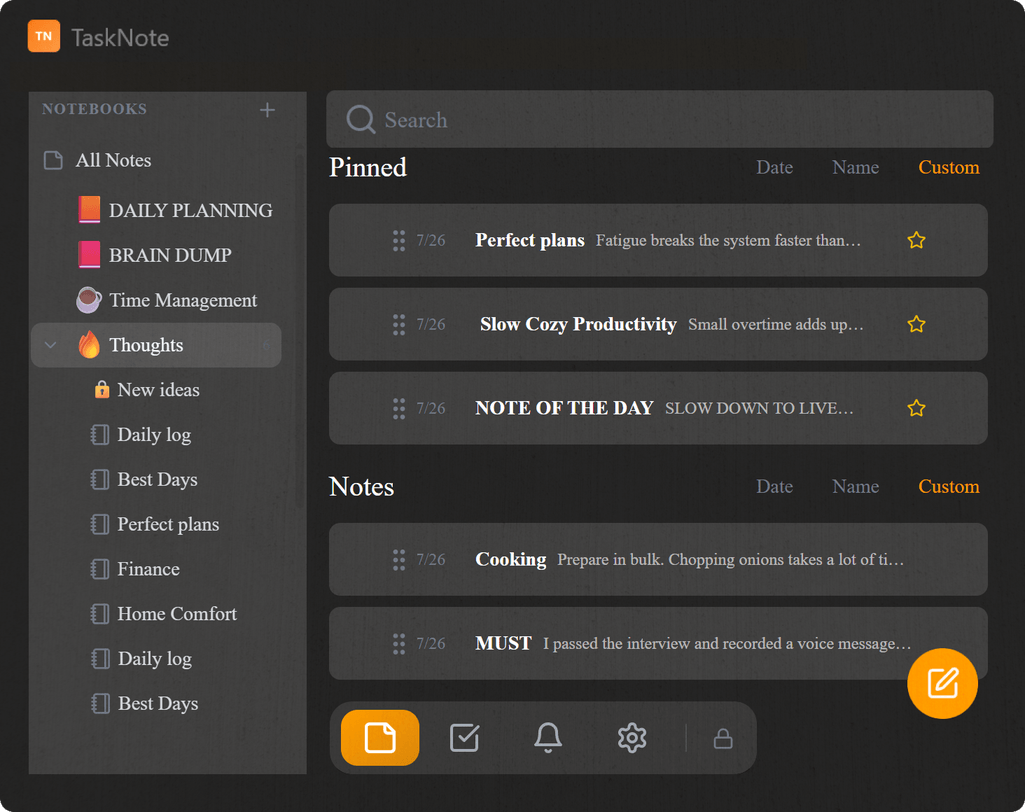
This is a separate app from the TaskNote web app. It is local and offline first by design: everything stays in a database on your PC, nothing syncs, and no connection is needed to use it. Want notes that follow you between devices instead? Use the web app.
It lives in your taskbar, not in a browser tab
It opens as its own window, with an icon on the taskbar and a place in the system tray. No browser involved. A global hotkey catches a thought from anywhere in Windows, even while another app has focus.
- Its own taskbar icon and window
- A global hotkey for quick capture from anywhere
- Sits in the system tray for quick reach
- Opens straight away, with no browser
Notes, tasks and a kanban board
Write formatted notes, sort them into folders, and run the work on a drag and drop board with column colours, board icons, zoom and keyboard panning. One app for the lot.
- Rich text notes and folders
- A drag and drop board
- Your own board and column icons
- Reminders on any note or task

Local and private, not synced to a cloud
Everything you write is kept in a database on your PC. Nothing is uploaded on its own, and the app works with no connection at all. You can put a password on it if the machine is shared.
- The data stays on your PC
- Works with no internet connection
- An optional password on launch
- No telemetry and no ad tracking
Free to start, upgrade once
No subscription. The free plan covers everyday use, and Lifetime is a single purchase that lifts every limit for good.
Free
Enough to see whether it suits you
- Up to 50 notes
- Up to 10 folders, 50 notes in each
- Up to 50 tasks
- 3 boards
- Up to 10 reminders
- No account and no card
Lifetime PRO One time
Pay once, keep it
- Notes and folders without limit
- Tasks and boards without limit
- Reminders without limit
- One payment, no renewal, ever
- Activated in the app with a licence key, straight away
Questions about TaskNote for Windows
Is the Windows app free?
Yes, free to download and to use, with limits on notes, folders, tasks, boards and reminders. A one time Lifetime upgrade lifts all of them.
Is it the same as the web app?
No. This one is a separate, local first app. It keeps everything in a database on your PC, works fully offline, and does not sync with the web app, your phone or any other machine.
Does Windows warn me when I install it?
It may. SmartScreen shows an unrecognised app warning because the installer is not yet signed with a paid certificate. Choose More info, then Run anyway.
Does it need an internet connection?
No. Everything is stored on your PC, so it works fully offline. A connection is only needed to activate a Lifetime licence key.
How do I update it?
It checks for new versions on its own and tells you inside the app when one is ready to install.
The Windows app for TaskNote
Download it, install it, start writing. Free plan included, fully offline, and no account needed.
Download for WindowsFree plan included · Windows 10 and 11 · Optional one time Lifetime upgrade