Android note taking app without a Play Store install
TaskNote runs on Android from the browser. Add it to the home screen and it opens like an app: notes, tasks, reminders, encrypted end to end, in step with your desktop.
There is no Play Store listing yet, and this page says so plainly. A native Android app is on the roadmap after iOS. Until then, the web app is the Android app, and it is the same one the desktop uses.
Free plan included · No card details · Chrome, Samsung Internet, Firefox
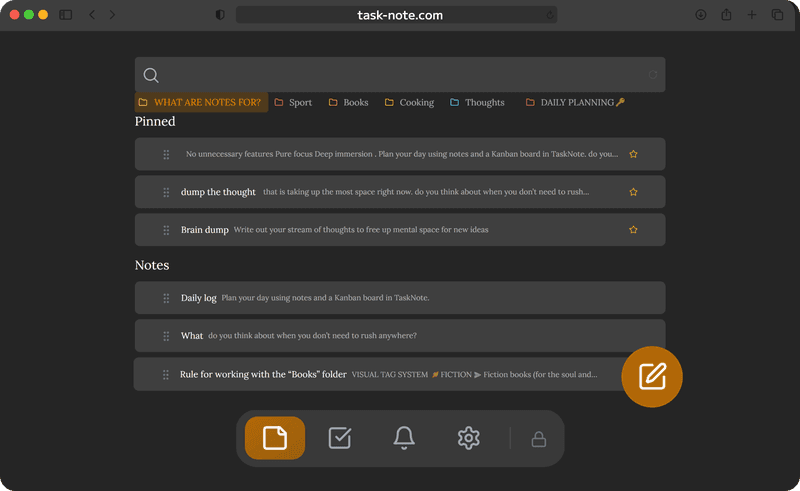
On the home screen in a minute
One visit in Chrome is enough. The icon it leaves behind opens TaskNote full screen, without the address bar, and keeps you signed in.
- Open task-note.com in Chrome and sign in with Google or email
- Tap the three-dot menu, then Add to Home screen (on some phones: Install app)
- Tap the new icon: TaskNote opens in a window of its own
- Import your encryption key once, from Settings on the computer
What works offline, and what does not
After the first load the app itself is stored on the phone. Notes you have opened stay readable with no signal, and what you write is kept on the device and sent when a network is back. Two things do need a connection.
- Works offline: reading notes you have opened, writing and editing, search across them
- Works offline: changes queue up and sync by themselves later
- Needs a connection: the very first sign-in on the phone
- Needs a connection: importing the encryption key
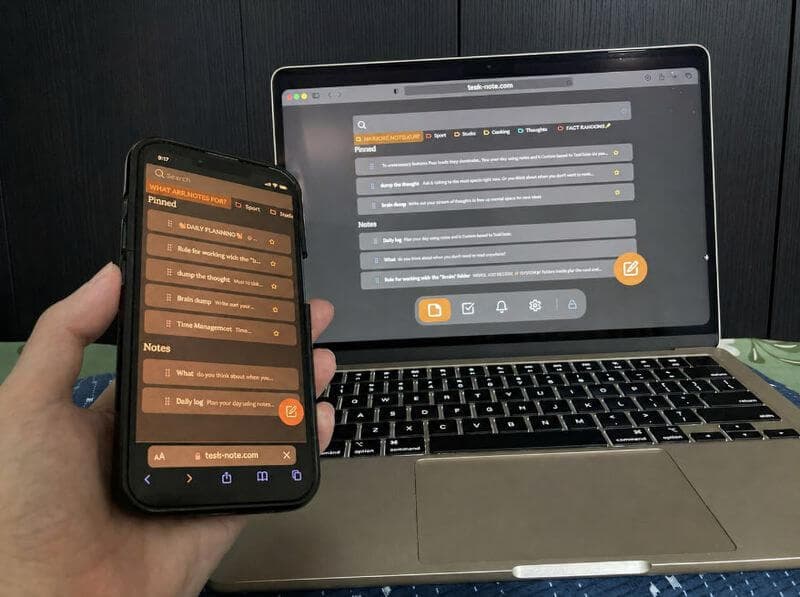
Encrypted end to end, without being asked
Most note apps for Android keep your text on their servers in readable form. Here every note is encrypted on the phone before it leaves, so we cannot read it. Passwords, ideas, whatever you would rather not share, stay yours.
- Encryption on every note, with the key held by you
- The key never leaves your device
- No advertising, no tracking, nothing sold on
- Fine for a journal or anything else private
The same notes on everything else
Start on the phone, carry on at the computer, look it over on an iPad. One account, one set of notes, nothing to export. The Windows app is a separate, local program; the web app is what syncs.
- Android, iPhone, iPad, Mac and any browser on one account
- Notes, the board and reminders, the same on every screen
- Changes appear on the other devices as you go
- A native Android app follows the iOS one; the web app stays
Questions about Android
Does it work offline?
Mostly. After the first load, notes you have opened are readable with no signal, and anything you write is kept on the phone and synced later. The first sign-in and the key import need a connection.
Is it free?
The core is: notes, the board, reminders and end to end encryption, with the free plan's limits on the number of notes and tasks. No card details and no advertising.
How is it different from Google Keep?
It encrypts end to end, which Keep does not, and it adds a board and a proper editor. Your notes are unreadable to us, which is the part Keep cannot offer.
Do I need to install an APK?
No, and there is none to install. It runs in Chrome or any Android browser. Add to Home screen gives it an icon and a window of its own, which is as close to an app as it gets today.
Are my notes encrypted?
Yes, on the phone itself, before anything syncs. Our servers only ever hold the encrypted result.
When is the Play Store app coming?
A native iOS app is being built first; Android follows it. The web app is kept current the whole time, and nothing you write now will need moving later: it is the same account.
The Android note taking app that lives in your browser
Home screen icon, offline notes, encrypted end to end, free to start. No Play Store needed.
Open it on your phoneFree plan included · No card details · Chrome, Samsung Internet, Firefox