Changelog
New features, fixes, and security improvements.
Things you wrote in about
Light themes. On a pink or beige theme the task card painted its labels and fields for a dark ground, and they vanished. The card now reads the theme and switches to dark text on a light one.
Boards, easier to find. The board name is a visible switch, and a new board has its own button next to it instead of hiding at the bottom of a list behind a small grey arrow.
Names that fit. A long column name wraps to two or three lines instead of being cut off, in the header and while editing. The card's title field keeps its height right at any zoom level. Double-click a card to rename it in place.
Smaller things. The note's tool column stays reachable in a narrow window, moving inside the note when there is no room beside it. Escape closes the card, not the board behind it. Settings link to the roadmap, the ideas board, and the waiting lists for the iPhone and Mac apps.
Templates, and a timer on the card
Ten templates, and your own. An empty note now offers a shopping list, a daily plan, a brain dump, meeting notes, and six more behind a click. Type a slash at the start of an empty line to drop a template into the middle of any note, or start one from Ctrl+K. Any note can be saved as a template: it goes into a Templates notebook and shows up next to the built-in ones.
Time on a card. Every kanban card has a timer: start it, close the card, come back later, and the chip on the card shows how long the task has taken so far.
Smaller things. A history button in the note's tool column. Short tours inside a task card and inside a note, once each, that show where notes attach to cards and how a task is made from a line of text. The word count popup stays inside the window.
Download TaskNote for Windows →The editor stops surprising you
Notes reopen exactly as you left them. A note with headings, lists or rules came back with one more blank line under each of them every time it was opened. It no longer does, and the lines that already crept in can simply be deleted.
Copying keeps the look. Text pasted from one note into another arrives with its colour, size and font, even when they were set on the whole paragraph. The six-dot drag handle sits beside the text instead of on its first letter, and Ctrl+Z right after a drop undoes a column you did not mean to make.
Smaller things. The word count popup shows up where it should. The feedback window has a text box from the first step, for when something went wrong and a rating is not the point. The tab bar stays down while a note is open, so selecting the last lines no longer lifts it under the pointer. And the task cards have their shadows and the green tick its glow: a rule in the stylesheet had been hiding every shadow in the app.
Download TaskNote for Windows →Your notes, one click from the taskbar
A panel under the tray icon. Click TaskNote in the taskbar and a small window drops out of it: a search box, your notebooks down the side, and the notes you touched last, grouped by when you wrote them. Pick one and it opens in the app. Click the icon again and the panel goes away.
It is the fastest way back into a note that already exists. Nothing to open first, nothing to search through: the thing you were writing an hour ago is one click away, and a new note is one more.
The icon sits on the taskbar now. Windows 11 files every new tray icon away behind the chevron, where nobody looks. TaskNote asks for a place beside the clock the first time it appears, and leaves it alone afterwards if you move it yourself.
Download TaskNote for Windows →Several notes at once, and a rebuilt task card
Multi-note split view. Open as many notes side by side as the window holds. Compare two drafts, or keep the source open while you write, without losing your place in either.
The task card window is new. Rebuilt in the app's own kit: a calendar behind the due date instead of the browser's date box, a checklist with a progress bar, and the buttons where you expect them.
Recent notes in the system tray. The tray menu now lists what you worked on last, so you can get back into a note without opening the main window first.
Ctrl+Z on the board. Deleted the wrong card or column? Undo puts it back, on the board itself.
A texture for each surface. Paper, linen, wall and the rest can now be set separately for the window, the notes list, the note, the board columns and the cards, or left off. One material everywhere looked like wallpaper.
Bring your library with you. Import exports from Evernote, Notion, Obsidian, Google Keep and Simplenote straight into the app, folders and all.
Fixes. A click meant to close an open note no longer presses whatever sat behind it, and the settings window takes its own clicks again.
Download TaskNote for Windows →A much bigger free plan
The old cap was five notes. That is enough to look around and not enough to actually use, which makes it a demo rather than a free plan. People were hitting the wall while they were still deciding whether they liked the thing.
So every limit went up, on both the Windows app and the web app. They started from different places, so here is each one.
Windows app
- 50 notes instead of 5
- 50 tasks instead of 5
- 10 folders instead of 3
- 3 kanban boards instead of 1
- 10 reminders instead of 3
Web app
- 50 tasks instead of 20
- 10 folders instead of 3
- 3 kanban boards instead of 1
- Notes on the web were never capped, and still are not
Nothing else changed. The Windows app still runs entirely on your computer, still needs no account, and still works with the network switched off. If you are already on 1.0.13, the update arrives inside the app.
Download for Windows →TaskNote for Windows
TaskNote is now a real Windows application rather than a tab in your browser. It installs like any other program, opens from the Start menu and lives in the system tray.
No account, no connection. Everything stays on your computer, and the app works with the network switched off. You can set a password that is asked for when it starts.
The same two halves as on the web. Notes and kanban boards in one window, with reminders and folders. Updates arrive inside the app, so there is nothing to download by hand after the first install.
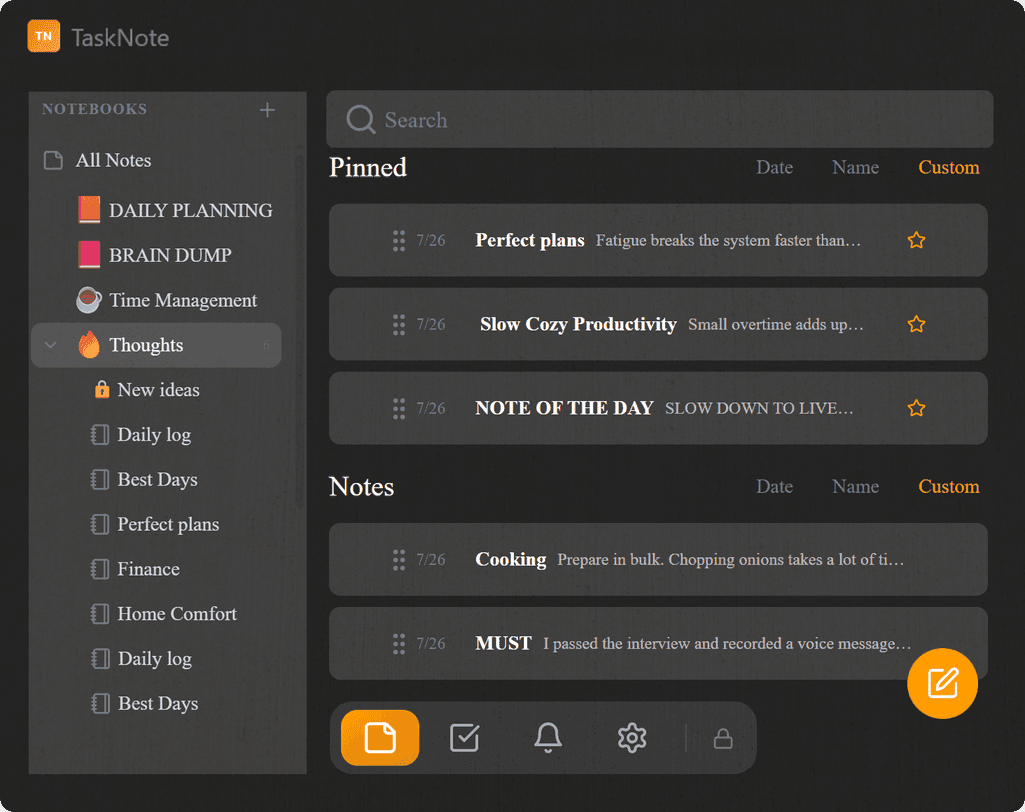
Theme & Texture Onboarding
New users now get a beautiful two-step onboarding to personalize their workspace from the very first minute, with no blank-stare paralysis.
Step 1: Choose a theme. Pick from 5 handcrafted presets (Noble, Dreamy, Immersion, Botany, Coffee), each shown as a live mini-preview of the full app.
Step 2: Choose a texture overlay. Apply real paper or material textures (Plaster, Granite, Wood, Linen, Mesh) over your notes. Control opacity and blend mode. Hover over any texture to see its name. Change it anytime from the note editor sidebar.
Focused Readability & Daily Log Guide
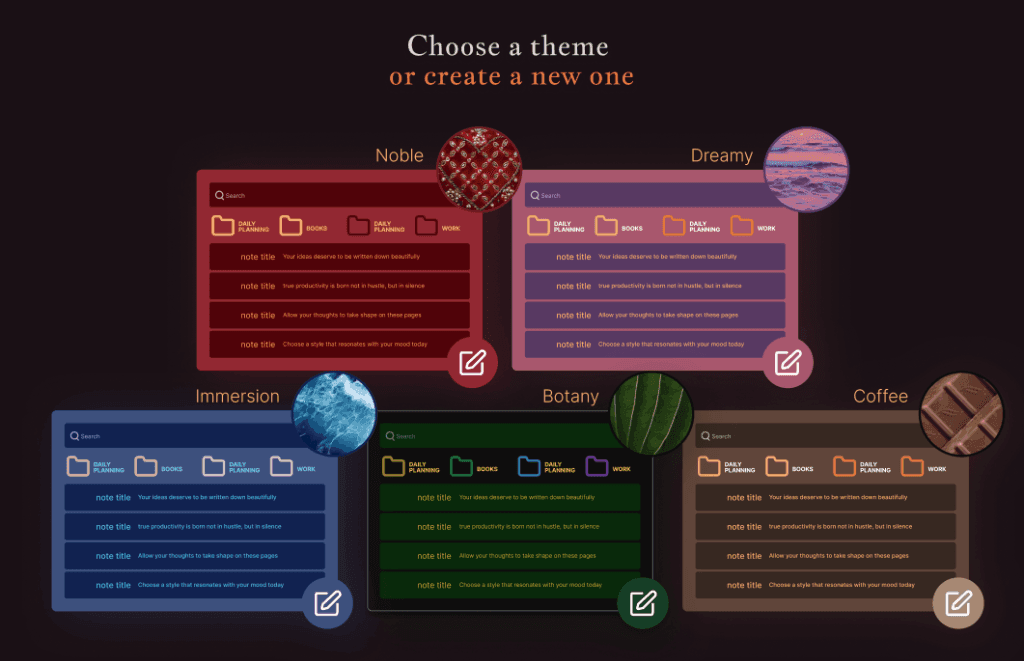
Optimized the entire knowledge base for a superior reading experience with a focused 65-character line width.
Added the Daily Log Guide: a balanced 3-tier system (Must, Want, Grow) to eliminate burnout and maintain focus.
Share Note as Image
Turn your private thoughts into beautiful visual content. Our new Share as Image module features a built-in graphical editor where you can customize layouts (1:1, 4:5, 16:9), apple aesthetic gradients, and choose from multiple background patterns before exporting your note as a high-quality PNG.
Kanban Task Boards
Full implementation of Kanban-style task management. Organize your work into visual stages, manage columns, and use smooth drag-and-drop to advance your projects.
Theme Customization v2
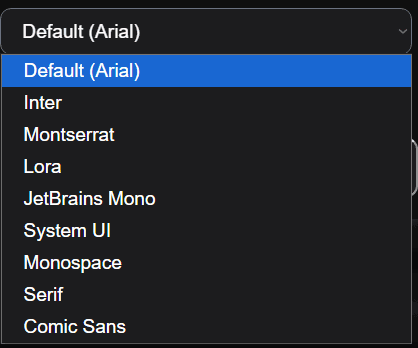
Take control of your workspace aesthetic. Share and save custom themes, input precise HEX codes, and choose from 5 new premium fonts including JetBrains Mono, Inter, and Lora.
Smart Taskbar & UI Polish
The Taskbar is now context-aware, automatically hiding during active note creation to maximize focus space. Refined Z-index layers and polished UI modal buttons for a more fluid interface.
Footer Solutions & Use Case Index
Launched the USE CASES section in the global footer. Easily navigate through productivity solutions like Daily Log and Brain Dump to find the best workflow for your needs.
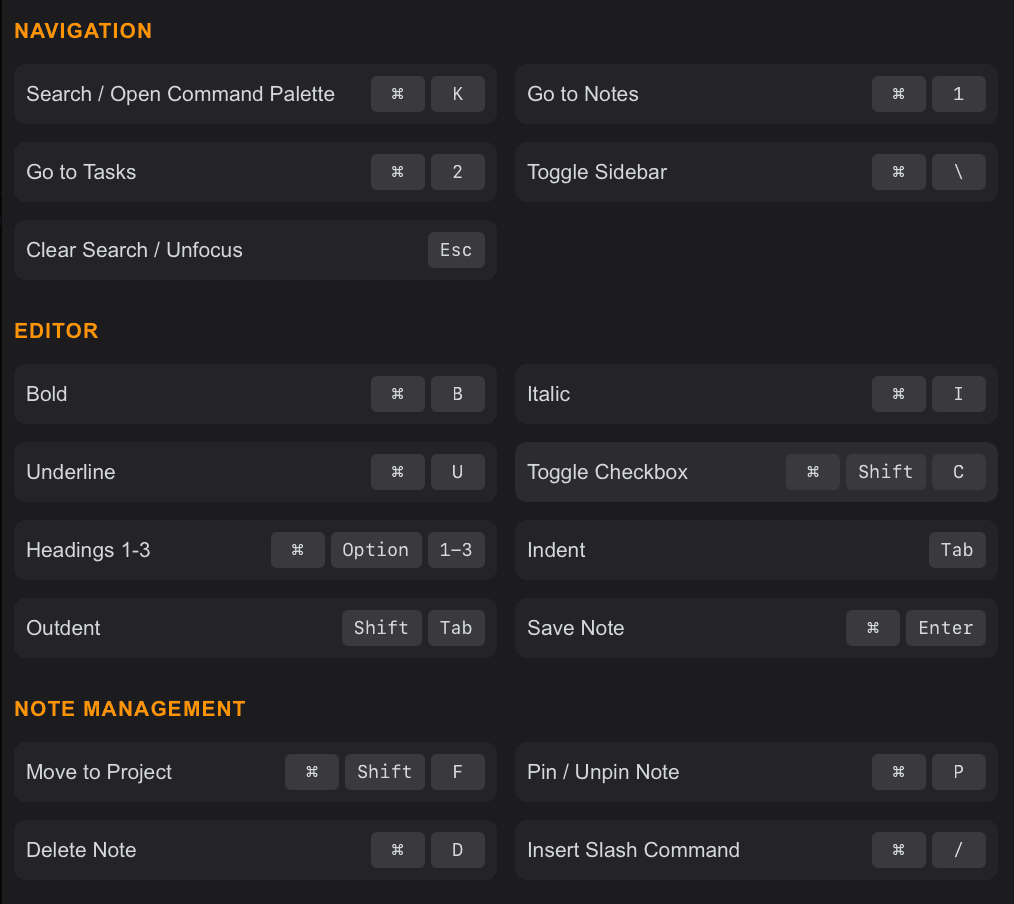
Keyboard Shortcuts
Work faster with comprehensive keyboard shortcuts. Access navigation, editing, and note management commands instantly.
Press Cmd+Shift+? (or Ctrl+Shift+? on Windows) to view all available shortcuts.
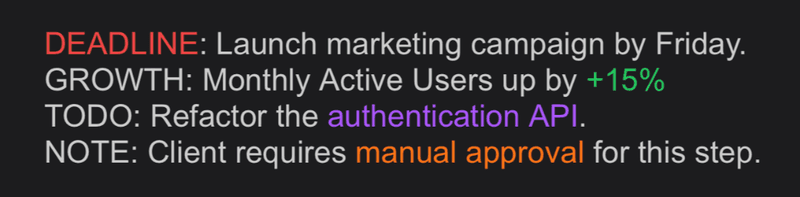
Text Color Customization
You can now highlight text in any color you like. Customize individual characters or words and save your favorite colors for quick access.
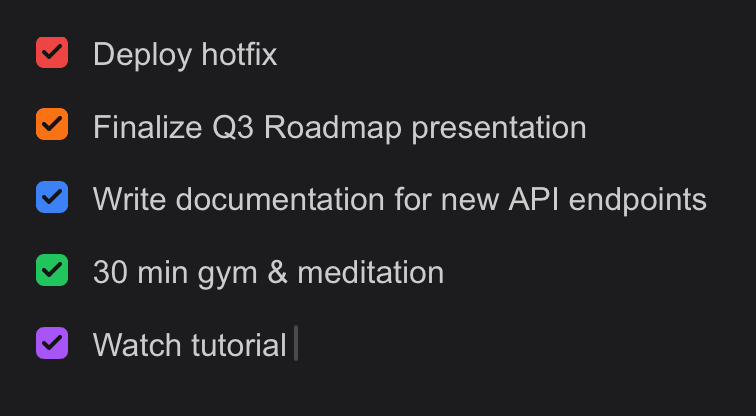
Customized Checkboxes
We now have new customized checkboxes available. You can also choose any color.
Highlights Feature
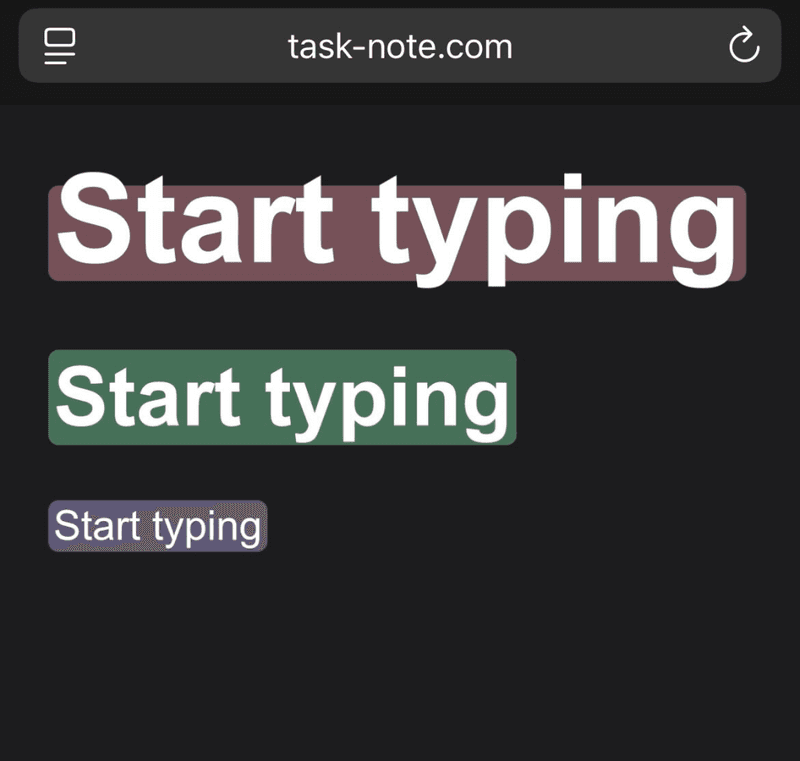
Stop burying your thoughts. Start seeing them. 👀✨
While other apps use dull filters or blinding neons, TaskNote introduces the Vibrant-Clear System:
- Rich RGB: Vibrant pigments that actually pop.
- Smart Glow: 30% transparency lets your custom HEX background breathe.
- Soft Finish: Rounded corners to remove visual noise.
It’s not just a highlight, it’s a better way to focus. But we haven't told you everything yet. Keep your finger on the pulse.
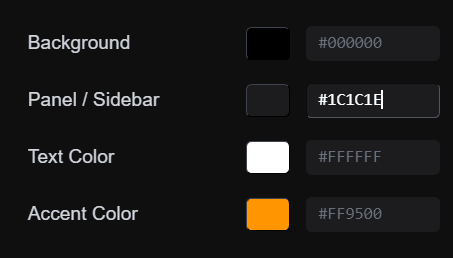
Improved Theme Customization
We've significantly improved theme customization. You can now input hex codes directly for precise color control, and we've refined various interface details for a polished experience.
Note Font Customization
Refresh your reading experience with 5 new hand-picked fonts: Inter, Montserrat, Lora, JetBrains Mono, and System UI. Customize your workspace to match your style.
Split View
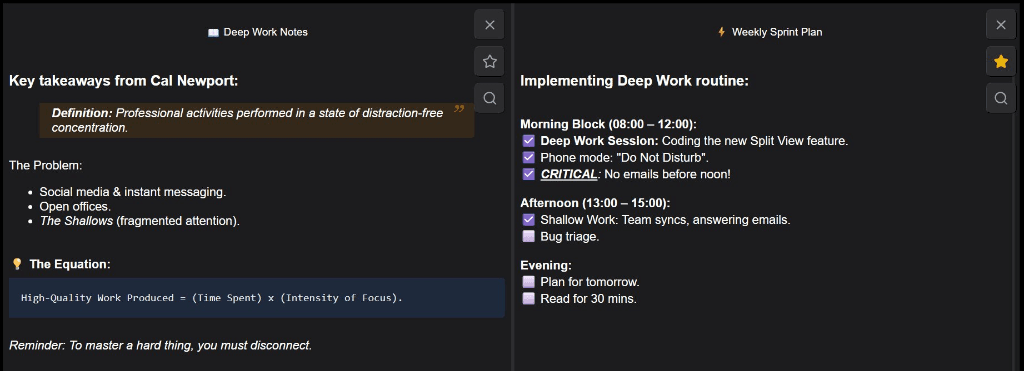
Finally revealing Split View for TaskNote. No more tab switching: research and plan simultaneously.
Block Highlights
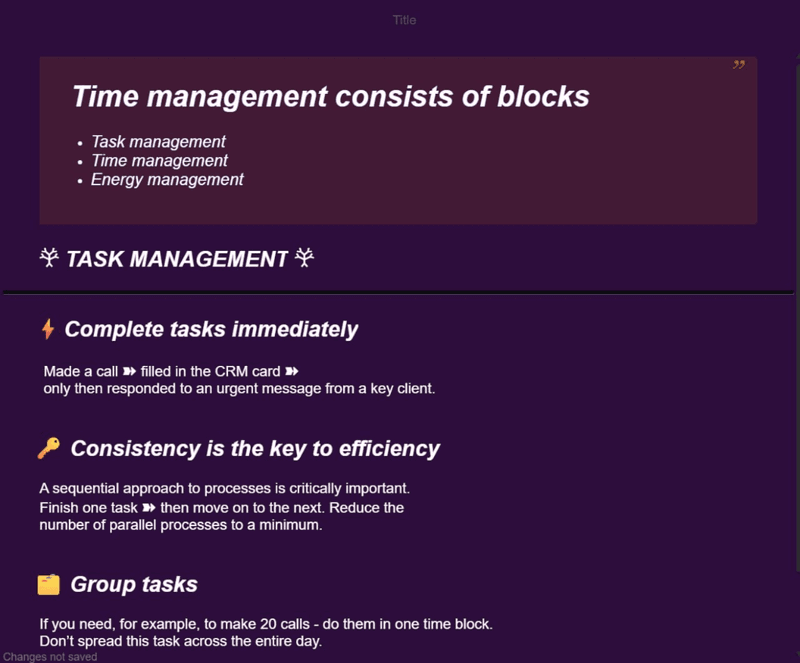
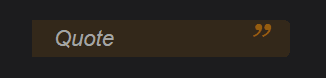
We also added new Block Highlights (check out that quote styling! 🎨). Structuring your thoughts just got a lot more satisfying.
Folder Organization
Added folder moving and sorting. Keep your workspace tidy and structured exactly how you want it.

Advanced Sorting
Added powerful new sorting options. Sort your notes by Date, Name, or Custom order to find what you need instantly.

Theming
We added full application theme customization, so you can make it truly yours with custom colors. New Custom Themes Now you can choose any color for your sidebar. Available in Pro Plan. Upgrade now →