TaskNote vs. Apple Notes: do not let your notes hold you hostage
In short:
Apple Notes exists to sell more iPhones. TaskNote exists to keep your ideas safe whatever you happen to be typing on. If there is any chance you will use Windows, Android or Linux, that difference matters.
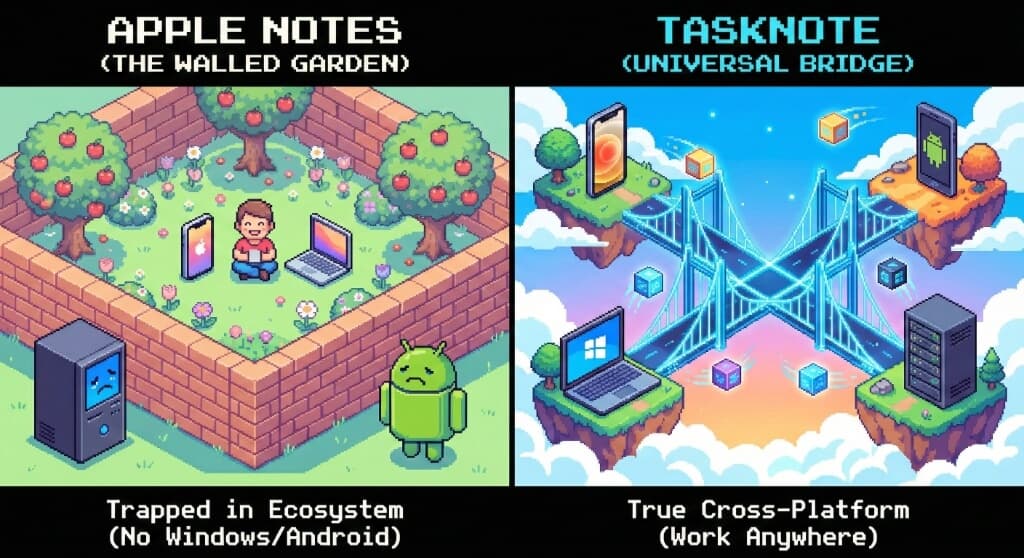
The walled garden
- Apple Notes is strictly for the Apple ecosystem.
- A Windows PC at work leaves you with the poor iCloud web interface. Move to Android and you lose access to your notes altogether.
- That is not an accident. Your notes become a reason to keep buying Apple hardware.
TaskNote:
- Works on macOS, Windows, Linux, iOS and Android.
- Start writing on an iPad and finish on a Windows desktop. Your notes follow you, not your choice of hardware.
The Hotel California problem
You can check out any time you like, but you can never leave.
- There is no export-everything button. Notes come out one at a time, as PDFs.
- With a thousand notes, leaving Apple Notes means scripts or hours of copy and paste.
- Your data is yours. Export the lot to plain Markdown or JSON in one click.
- Because the formats are open, your notes will still open in 2050, even if TaskNote is long gone.
Private by default, not by setting
Apple Notes
- By default Apple holds the encryption keys, so that accounts can be recovered.
- Advanced Data Protection does exist, but it sits deep in the settings and most people never turn it on.
TaskNote
- There is no standard mode to opt out of. In the web app end-to-end encryption is always on and the keys are never ours.
Side by side
| Feature | Apple Notes | TaskNote |
|---|---|---|
| Platforms | Apple only, the web version is poor | Windows, macOS, Linux, mobile |
| Export | Painful, no bulk export | One click, Markdown or JSON |
| Encryption | Standard, Apple holds the keys* | End-to-end, you hold the keys |
| Format | Proprietary | Plain text |
| Markdown | Limited and hidden | Native |
* Unless Advanced Data Protection is switched on by hand.
Freedom or convenience
Stay with Apple Notes if:
- You are certain you will never own a Windows PC or an Android phone.
- Getting your data out again is not something you expect to care about.
Switch to TaskNote if:
- You mix devices, an iPhone with a Windows laptop for instance.
- You want to know you can take your notes elsewhere whenever you like.
- You prefer Markdown to rich text.