
Tools by TaskNote · Windows and macOS
Image Viewer. Nothing extra, just your photos.
A minimalist image viewer for Windows and Mac: the photo edge to edge, a thin bar with the essentials, no menus, no subscriptions, no ads. It opens instantly, works offline and never phones home. One dollar, once.
The download starts right after payment · Windows 10 and 11 · macOS · Lifetime licence
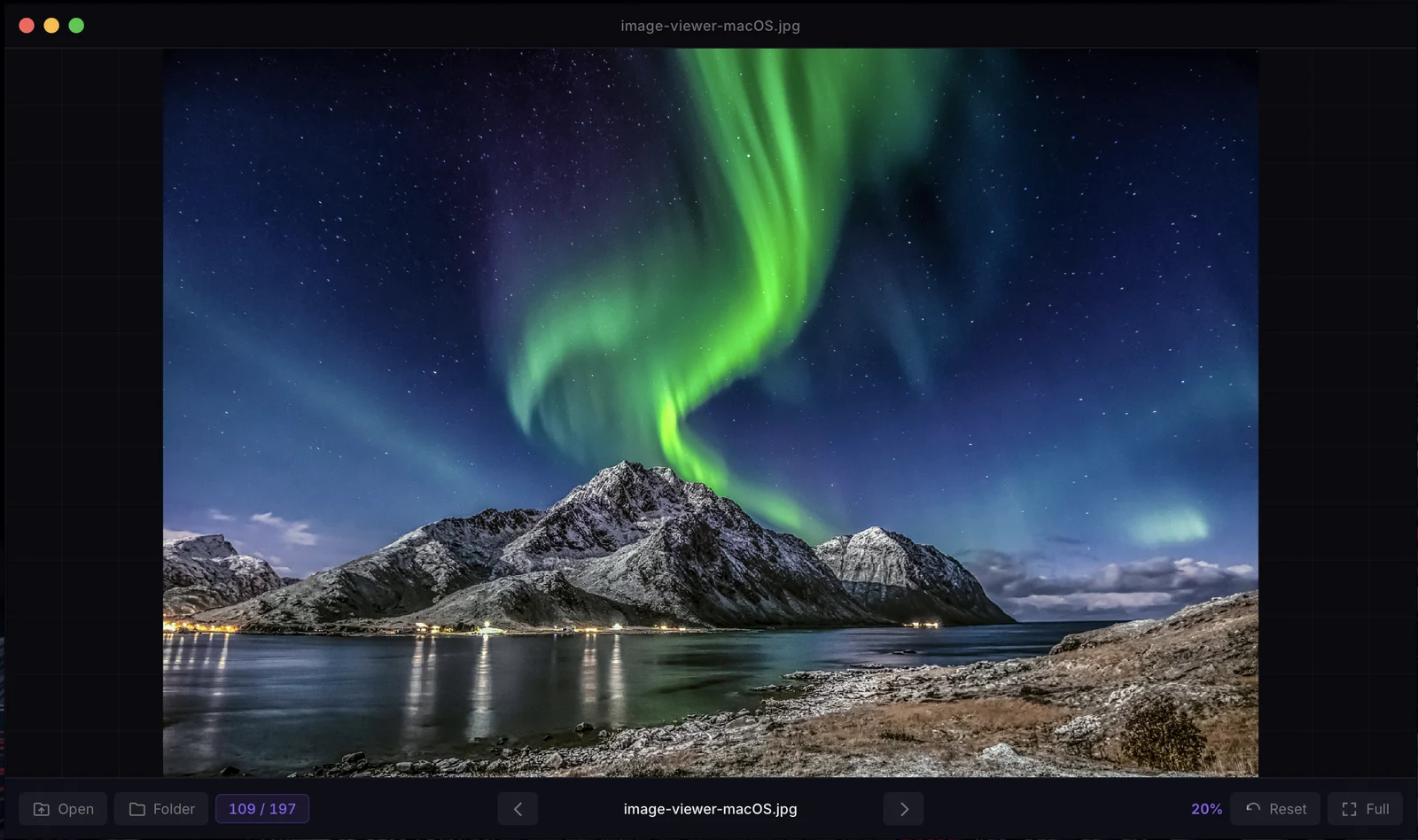
A minimal image viewer, and that is the whole point
Most viewers are a picture inside a program. This one is a picture with one thin bar under it: open, folder, where you are, back, forward, zoom, reset, full screen. Everything else was left out on purpose.
The photo, edge to edge
No side panels, no ribbons, no thumbnails strip. The picture fills the window; one thin bar at the bottom holds the essentials and nothing else.
Opens instantly
A small native program, 11 MB on disk. Double-click a file and it is on screen before the system viewer has finished loading its interface.
Drop a file or a whole folder
Drag a picture, or a folder of them, onto the window. A folder is scanned for every image it holds, sorted by name, and you step through it with the arrow keys.
Zoom under the cursor
Scroll to zoom from 5% to 3200%, and the point under your mouse stays put, the way a map app does it. Drag to pan. Double-click or press R to fit the picture again.
Every common format
JPG, PNG, GIF, BMP, WebP, TIFF, HEIC, ICO and SVG open natively, with no plugins and no codec packs.
Fully offline
It never connects to the internet. No update nags, no telemetry, no account, no cloud. What you look at stays on your computer.
Zoom under the cursor
Point at the detail you want to see and scroll. The picture grows around that point instead of around the centre, so what you were looking at stays under the mouse, the way a map app does it.
From 5% to 3200%, in steps that feel even. Drag to pan when the picture is bigger than the window. Double-click, or press R, and it fits the window again.
The clip is Image Viewer on Windows 11, recorded at full speed.
The next picture before you lift the key
Open one photo and the whole folder is behind it. Arrow keys, or A and D, move through it; the next picture is decoded ahead of time, so a folder of thirty photos flips as fast as you can press.
The counter in the bar keeps your place, and every picture opens fitted to the window, portrait or landscape.
Slowed to a third of real speed, so each photo can be seen.
Formats it opens
Read natively on both Windows and Mac, nothing to install first.
- JPG
- JPEG
- PNG
- GIF
- BMP
- WebP
- TIFF
- HEIC
- ICO
- SVG
The picture fits the window when it opens, up to 100%: a small image is never blown up and blurred. From there it is your zoom.
Keyboard shortcuts
The whole program fits on one hand.
| Open a folder | Ctrl + O |
| Next picture | →orD |
| Previous picture | ←orA |
| Zoom in | +or= |
| Zoom out | − |
| Fit to window | Rordouble-click |
| Full screen | ForF11 |
| Leave full screen | Esc |
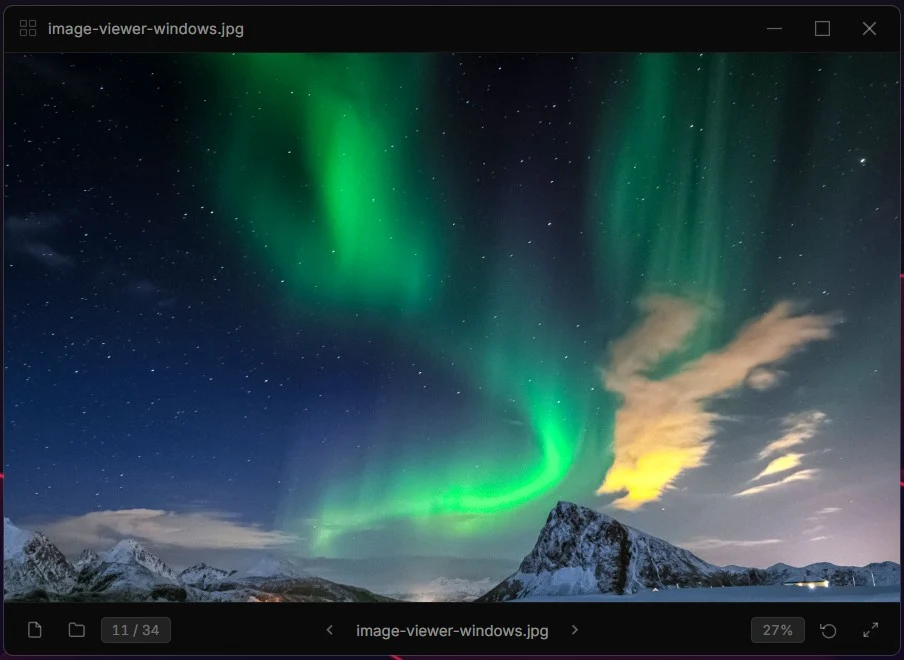
The same viewer on Windows and on a Mac
Native on each: the Windows build follows Windows, the Mac build follows macOS. The bar, the shortcuts and the price are the same.
An honest price for complete privacy
Why does Image Viewer cost a dollar when the viewer built into your computer is free?
- No ads, no bannersYou pay once and get a clean program for good. There is no free version that has to earn its keep by showing you things.
- 100% privateNo data collection, no telemetry, no network access at all. It works entirely offline, and what you look at is nobody's business.
- Independent softwareEvery dollar goes into the program: fixes, speed, the next feature. Two people, no investors, no roadmap dictated by an ad department.
- No subscriptionThis is not a monthly charge. One dollar and the program is yours, with every update to this version.
Questions people ask before paying a dollar
Why pay $1 when my computer has a free viewer?
Because the built-in one is not free of everything else: it is slow to open, wrapped in buttons and panels, and increasingly a doorway to other services. Image Viewer does one thing, does it instantly, and shows you nothing but the picture. A dollar is what that costs to keep independent and ad-free.
Is it a subscription?
No. One payment of $1 buys a lifetime licence for the current version and every update to it. There is nothing to cancel because nothing renews.
What do I get after paying?
The download starts right after checkout, and the installer and your licence key arrive by email as well, so you can reinstall later.
Which image formats does it open?
JPG and JPEG, PNG, GIF, BMP, WebP, TIFF and TIF, HEIC, ICO and SVG. All natively, on Windows and on Mac, with no plugins or codec packs, so iPhone photos open as they are.
Can I browse a whole folder?
Yes. Open one picture and the arrow keys walk through the folder it lives in; or press Ctrl+O, or drop a folder onto the window, and every image in it is lined up by name with a counter showing where you are.
Windows or Mac?
Both, sold separately: one licence is for Windows 10 and 11, the other for macOS. Pick the button for the computer you use; if you use both, that is two dollars.
Does it collect anything?
No. The program has no network code: no telemetry, no crash reports, no analytics, no update checks. Your pictures and what you look at stay on your computer.
Can I try it before buying?
There is no trial; the price is a dollar so that there does not need to be one. If it is not for you, reply to the receipt email within 14 days and we refund it.
Who makes it?
The same two-person team that makes TaskNote, the notes app. Image Viewer is a separate program with its own licence, sold through the same store.
Ready to see your photos without the clutter?
Clear the screen of everything that is not the picture. The lightest, fastest, cleanest viewer for your computer, for the price of an espresso.
Lifetime licence · Version 1.0.0 · 11 MB on disk · Refund within 14 days if it is not for you
Looking for notes? TaskNote for Windows is our main app.