A Notion alternative for Windows that runs on your own PC
Notes and a kanban board in a native Windows app. Everything is kept in a file on your machine rather than in someone else's account, and it opens straight into an editor instead of an empty workspace.
Free to download. Nothing to sign up for, no databases to design, and it works with no connection at all.
Download for WindowsFree · Windows 10 and 11 · No account required
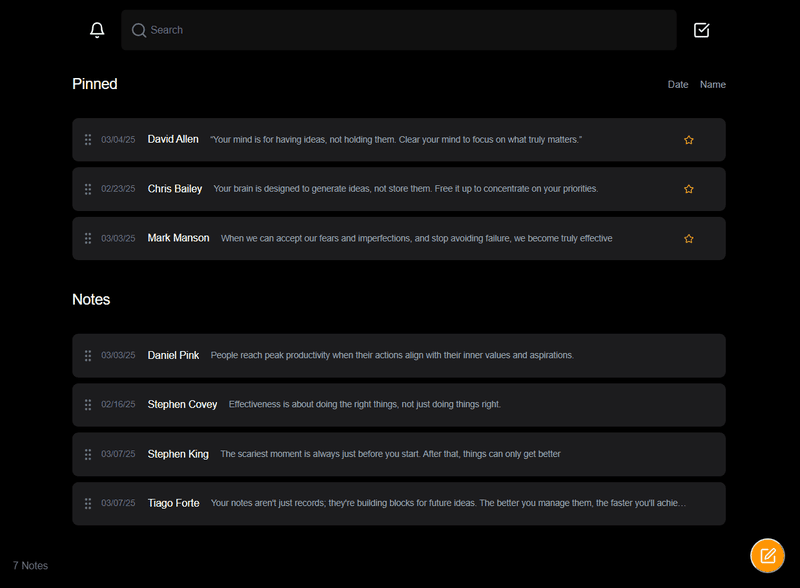
It opens like a program, not another browser tab
Notion lives in a tab, and a tab is easy to lose among thirty others. This is an .exe with its own icon in the taskbar and a place in the tray, so it stays one keystroke away whether or not a browser is open.
- A real window with an icon in the taskbar
- Quick capture from anywhere in Windows, without switching apps
- Global shortcuts you set once
- Starts with Windows if you want it to
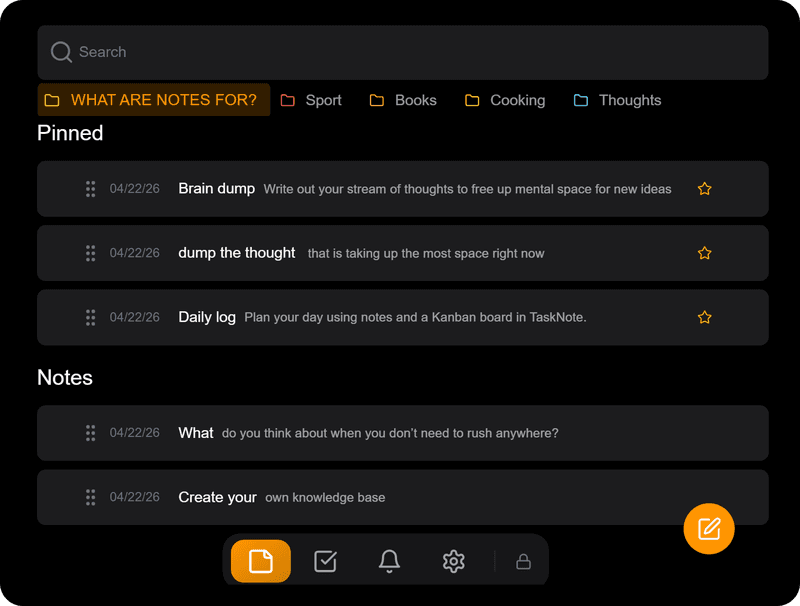
Your notes stay on your own machine
The desktop app keeps everything in a local database file on your PC. It does not sync and nothing is uploaded, because there is no account behind it. If you want the app to ask for a password when it starts, you can switch that on.
- Everything is written to a file on your PC
- No account, so nothing to sign in to
- An optional password on launch
- Works with no connection, permanently
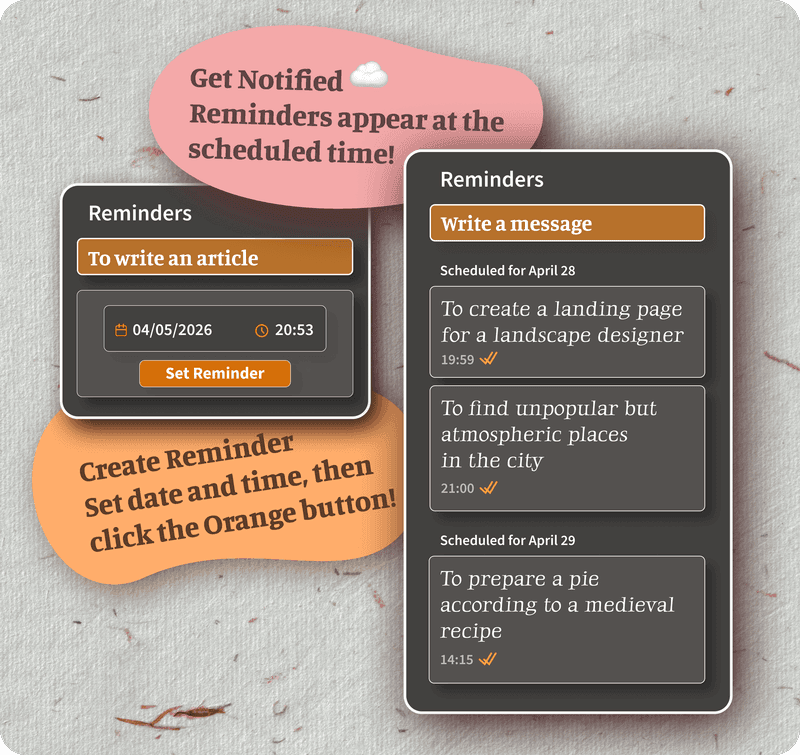
From download to your first note
There is no workspace to configure and no template to choose. The whole setup is four steps.
- Download the installer and run it. It takes under a minute.
- Open the app. It lands in an editor, not on an empty page waiting for a database.
- Write. Notes save as you go, so there is no button to remember.
- Drag anything that turned out to be a task onto the board, and give it a reminder if it needs one.
If you are coming from Notion
- Export your Notion pages as Markdown and bring the files in.
- Ordinary text, headings, lists and checkboxes come across as they were.
- Databases do not, because there is nothing here to put them in. That is the trade.
A board, with nothing to set up first
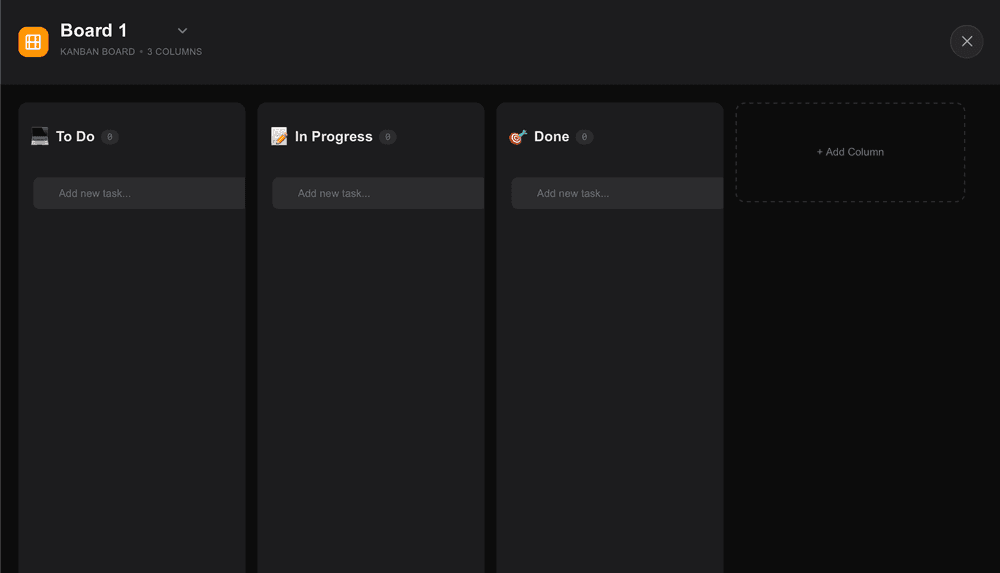
In Notion a board is a view of a database, so you build the database before you can move a single card. Here the board is simply there. Columns, drag and drop, done.
Any task can carry a note of its own, so the thinking and the doing sit in one place instead of two apps.
If you need it on more than one device
The desktop app does not sync, by design. If you want the same notes on a phone and a laptop, there is a browser version with an account, and there every note is encrypted end to end on your device before it leaves.
The two are separate products. Use the Windows app on its own, or the browser version, whichever fits how you work.
Open the browser version →When Notion is still the better pick
This is not a Notion replacement for everyone, and pretending otherwise would only waste your time. Notion is a workspace built for teams: shared pages, permissions, databases with several views, a template ecosystem and an assistant. If you need any of that, keep Notion.
This is for one person who wants notes and a board that open instantly and stay on their own machine. It does less on purpose. The source is not public either, so if an open repository is a hard requirement for you, this is not your tool.
Questions about a Notion alternative for Windows
Is there a Notion alternative for Windows that works offline?
This is one. The Windows app keeps everything in a local file on your PC and needs no connection at any point, including the first launch. There is nothing to sign in to.
Do I need an account?
Not for the Windows app. You download it, open it and start writing. An account exists only on the browser version, which is a separate thing you can ignore entirely.
Where are my notes kept?
In a local database file on your own machine. The desktop app does not upload them and does not sync them anywhere.
Can I bring my Notion pages across?
Export them from Notion as Markdown and import the files. Ordinary text, headings, lists and checkboxes come across. Notion databases do not, since there is no database here to receive them.
Is there a board like Notion's?
There is a drag and drop kanban board with as many columns and cards as you want. Unlike a board in Notion it is not a view of a database, so there is nothing to configure before you use it.
Is it free?
The download is free and the app is free to use. There is an optional one time Lifetime upgrade that lifts the limits on how many notes and tasks you keep, and nothing expires if you never buy it.
Can I use it on more than one computer?
You can install it on as many as you like, but the Windows app does not sync, so each install keeps its own notes. If you need the same notes in two places, use the browser version instead.
Is anything run through AI?
No. There is no assistant in the app and nothing is sent anywhere to be processed. Your notes cannot be used for training, because they never leave your PC.
A Notion alternative that stays on your PC
Notes and a board in a native Windows app. No account, no setup, no connection needed.
Download for WindowsFree · Windows 10 and 11 · No account required