A free alternative to Notion that actually encrypts your notes
Notes and a kanban board without databases to design, blocks to count or an assistant to be sold. And with end to end encryption, which Notion does not offer at all.
Sign up with Google or any email and start straight away. The core is free. No card details, no block limit, and nothing nudging you towards an upgrade.
Free plan included · No card details · Windows, Mac, iPhone, iPad, Android
Side by side
| Feature | TaskNote, free | Notion, free |
|---|---|---|
| End to end encryption | Yes, with the key held by you | No |
| Kanban board | Yes, as many tasks as you like | Limited, needs a database first |
| Limits on how much you write | None | Capped once shared, free workspaces with more than one person |
| Reminders | Free | Paid plans |
| Working offline | Yes, everything, with no connection | Limited |
| AI features | None, and nothing to upsell | Paid add-on |
| Time before you can start | None | Set up the database |
Simpler than Notion, and it works straight away
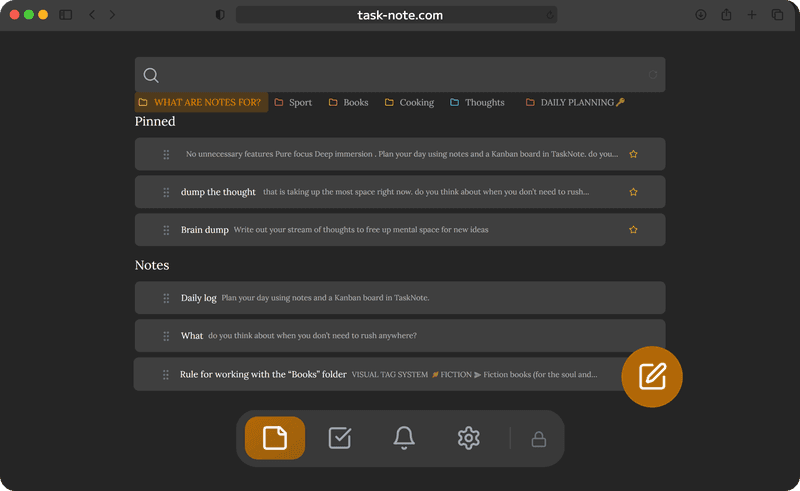
Notion wants databases, templates and views before you can keep a plain list of tasks. This opens onto an editor and a board, both ready to use. Write a note, add a task, move it to done.
- No database to design first
- The editor is ready the moment you arrive
- A board that needs no configuring
- One click starts a note or a task
Encrypted notes, which Notion has none of
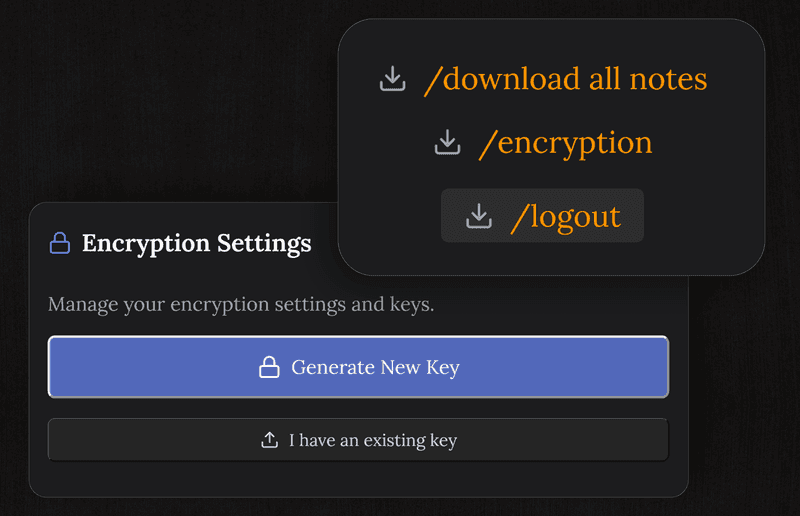
Notion does not offer end to end encryption. Your pages are readable to the company, and a breach would expose them. Here every note is encrypted on your device before it syncs, so we cannot read it either.
- AES-256-GCM, end to end
- The key is generated on your device and never sent
- A breach of our servers yields ciphertext
- We cannot read your content, by design
TaskNote and Notion
Is it really free, unlike Notion?
The free plan carries 50 notes, the board, reminders and end to end encryption, with no block limit and nothing pushed at you. Notion's free plan is unlimited while you work alone, but caps blocks once a second person joins the workspace, and its assistant is sold separately.
Is it simpler than Notion?
Considerably, because it does less on purpose. No databases, no template marketplace, no permissions, no workspace settings. Notes and a board, working from the first minute.
Does it have encryption Notion lacks?
Yes. Notion has no end to end encryption, so its staff can read your pages and a breach would expose them. Here notes are encrypted on your device before they sync.
Can I bring my Notion pages across?
Yes. Export them as Markdown and bring the files in. The editor handles the same formatting as Notion's ordinary text blocks.
Is there a board like Notion's?
There is a full drag and drop board with as many tasks and columns as you want. Unlike a database view in Notion, it needs no setting up.
Do you run AI over my notes?
No, and we could not if we wanted to. There is no assistant here, and the notes are encrypted end to end, so nothing in them can be used for training.
The free alternative to Notion with encryption that is real
Notes and a board without the complexity, the block limits or the upsell. Encrypted, free to start.
Get it for freeFree plan included · No card details · Windows, Mac, iPhone, iPad, Android
Want it without an account at all
There is also a native Windows app. It keeps everything in a file on your own PC, needs no account and works with no connection, though it does not sync.
See the Windows version →