Encryption at rest and in transit
In short:
In transit protects your data while it crosses the internet, so nobody on the café Wi-Fi can read it. At rest protects it while it sits on a disk in a data centre, so a stolen drive is worthless. Neither one stops the company running the service from reading your data, because the keys to open it are waiting at the other end.
🚚 The armoured van
Say you are moving gold bars, your data, to a bank vault, the cloud.
- In transit, the van. The gold travels in an armoured van, so nobody robs it on the road. That is HTTPS.
- At rest, the vault. The bank puts the gold in a steel vault, so a break-in at night gets nothing. That is disk encryption.
- The catch. The manager has the key to the vault. He can open it, count your gold, look at it, or hand it to whoever asks with the right paperwork.
A third layer changes the picture. You seal the gold in your own box before it goes into the van. The bank stores your box in the vault and cannot open it, manager included.
🚦 In transit
This is the padlock next to the address in your browser.
- What it is. TLS, the successor to SSL.
- What it stops. Somebody on the same café network intercepting your password on the way past.
- Where it ends. At the server's front door. To act on your request, the server decrypts it.
🗄️ At rest
This means the disks in the data centre are encrypted.
- What it is. Usually AES-256, applied by the server.
- What it stops. Somebody physically walking out with a drive.
- Where it ends. The application on that server needs the key in order to work at all, to build a search index for instance. So the data is readable to the application, and to the people who administer it.
🏆 What we add
We use both, and then add the layer that actually decides the question: encryption on your device.
Because your notes are locked before they leave and stay locked afterwards, with a key we do not hold:
- On the wire. Even if the transport layer failed, an eavesdropper sees ciphertext.
- On the disk. Even if our database leaked tomorrow, the file is ciphertext.
- On our own servers. Our own processes cannot read your notes either.
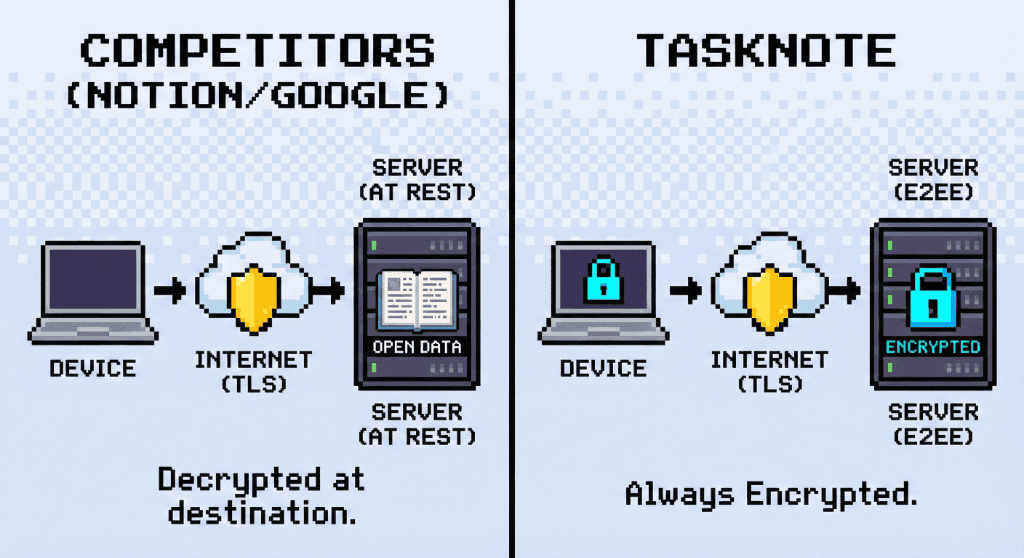
So when you are comparing note apps, encryption at rest is table stakes rather than an answer. The question worth asking is who holds the key.
❓ Questions people ask
Is bank grade security the same as end to end?
No. Bank grade is a marketing phrase, and usually means AES-256 at rest. Banks need to see your transactions to spot fraud, so they deliberately do not encrypt end to end. Notes are a different problem, and there you want end to end.
Does TaskNote use HTTPS?
Yes, TLS 1.3 on every connection. It protects the surrounding facts, the fact that an account is syncing, even though the contents were already locked by your own key.
Why is at rest not enough?
Because it asks you to trust whoever runs the storage. If someone inside a cloud company decides to read user data, encryption at rest does not stop them: the system decrypts automatically for anyone the system considers authorised.