Kostenlose Alternative zu Notion, die Ihre Notizen wirklich verschlüsselt
Notizen und ein Kanban-Board, ohne Datenbanken zu entwerfen, Blöcke zu zählen oder eine KI verkauft zu bekommen. Dazu Ende-zu-Ende-Verschlüsselung, die es bei Notion gar nicht gibt.
Mit Google oder einer beliebigen E-Mail anmelden und sofort loslegen. Der Kern ist kostenlos. Keine Kartendaten, keine Blockgrenze, und niemand schiebt Sie Richtung Upgrade.
Kostenloser Tarif · Ohne Kartendaten · Windows, Mac, iPhone, iPad, Android
Gegenüberstellung
| Merkmal | TaskNote, kostenlos | Notion, kostenlos |
|---|---|---|
| Ende-zu-Ende-Verschlüsselung | Ja, der Schlüssel bleibt bei Ihnen | Nein |
| Kanban-Board | Ja, beliebig viele Aufgaben | Eingeschränkt, erst braucht es eine Datenbank |
| Grenzen für den Umfang | Keine | Begrenzt bei Zusammenarbeit, kostenlose Bereiche mit mehr als einer Person |
| Erinnerungen | Kostenlos | Nur in Bezahltarifen |
| Arbeiten ohne Netz | Ja, alles, ganz ohne Verbindung | Eingeschränkt |
| KI-Funktionen | Keine, und nichts zu verkaufen | Kostenpflichtig |
| Zeit bis zum Losschreiben | Keine | Erst die Datenbank aufsetzen |
Schlichter als Notion, und sofort einsatzbereit
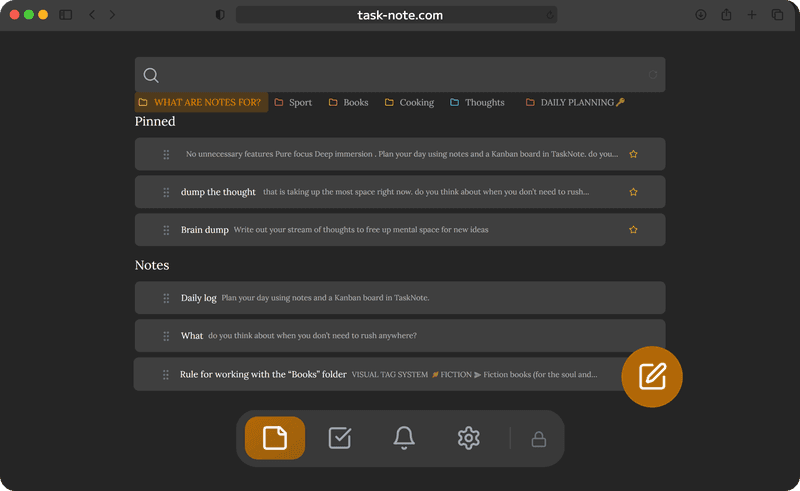
Notion will Datenbanken, Vorlagen und Ansichten, bevor Sie eine einfache Aufgabenliste führen können. Hier öffnet sich ein Editor und ein Board, beide bereit. Notiz schreiben, Aufgabe anlegen, auf erledigt ziehen.
- Keine Datenbank, die man zuerst entwerfen müsste
- Der Editor ist da, sobald Sie ankommen
- Ein Board, das nichts einzurichten verlangt
- Ein Klick beginnt eine Notiz oder eine Aufgabe
Verschlüsselte Notizen, die Notion gar nicht kennt
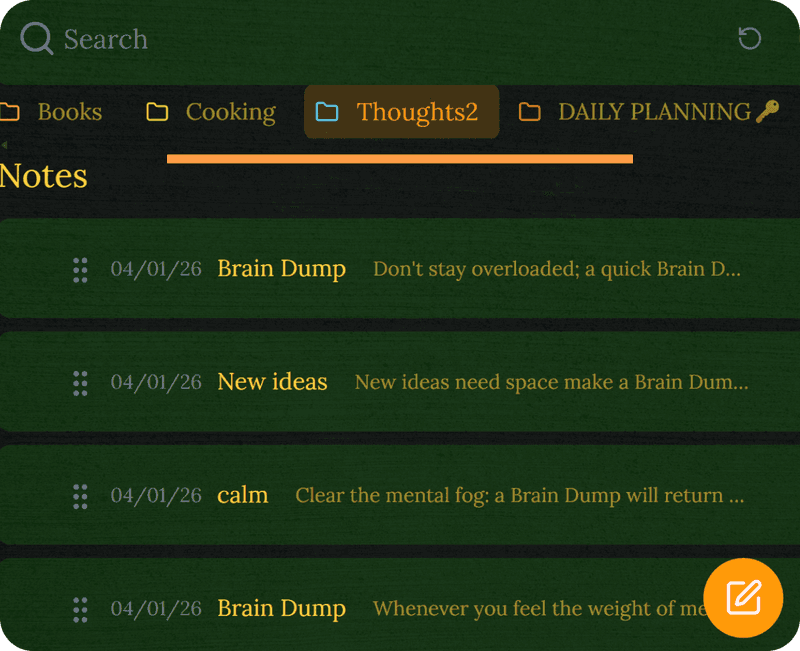
Notion bietet keine Ende-zu-Ende-Verschlüsselung. Ihre Seiten sind für das Unternehmen lesbar, und eine Panne legte sie offen. Hier wird jede Notiz vor dem Abgleich auf Ihrem Gerät verschlüsselt, wir können sie also ebenso wenig lesen.
- AES-256-GCM, Ende zu Ende
- Der Schlüssel entsteht auf Ihrem Gerät und wird nie gesendet
- Ein Einbruch bei uns fördert Geheimtext zutage
- Wir können Ihre Inhalte nicht lesen, bauartbedingt
TaskNote und Notion
Ist es wirklich kostenlos, anders als Notion?
Der kostenlose Tarif enthält 50 Notizen, das Board, Erinnerungen und Ende-zu-Ende-Verschlüsselung, ohne Blockgrenze und ohne Drängeln. Notions kostenloser Tarif ist unbegrenzt, solange Sie allein arbeiten, begrenzt die Blöcke aber, sobald eine zweite Person dazukommt, und verkauft seine KI gesondert.
Ist es schlichter als Notion?
Deutlich, denn es tut absichtlich weniger. Keine Datenbanken, kein Vorlagenmarkt, keine Rechte, keine Bereichseinstellungen. Notizen und ein Board, ab der ersten Minute nutzbar.
Gibt es Verschlüsselung, die Notion fehlt?
Ja. Notion hat keine Ende-zu-Ende-Verschlüsselung, seine Beschäftigten können Ihre Seiten lesen und eine Panne legte sie offen. Hier wird vor dem Abgleich auf Ihrem Gerät verschlüsselt.
Kann ich meine Notion-Seiten mitnehmen?
Ja. Als Markdown ausgeben und die Dateien einlesen. Der Editor beherrscht dieselbe Formatierung wie Notions gewöhnliche Textblöcke.
Gibt es ein Board wie bei Notion?
Ein vollwertiges Board zum Ziehen, mit beliebig vielen Aufgaben und Spalten. Anders als eine Datenbankansicht in Notion braucht es keinerlei Einrichtung.
Lasst ihr KI über meine Notizen laufen?
Nein, und wir könnten es nicht einmal. Es gibt hier keine KI, und die Notizen sind Ende zu Ende verschlüsselt, es lässt sich also nichts daraus zum Training verwenden.
Die kostenlose Alternative zu Notion mit echter Verschlüsselung
Notizen und Board ohne Vielschichtigkeit, Blockgrenzen oder Zusatzverkauf. Verschlüsselt, kostenlos zu beginnen.
Kostenlos startenKostenloser Tarif · Ohne Kartendaten · Windows, Mac, iPhone, iPad, Android
Lieber ganz ohne Konto
Es gibt auch eine native Windows-App. Sie behält alles in einer Datei auf Ihrem PC, braucht kein Konto und läuft ohne Verbindung, synchronisiert dafür aber nicht.
Zur Windows-Version →