Đếm câu ngay trong ghi chú, không cần công cụ riêng
Câu, chữ và ký tự được đếm trong ghi chú bất kỳ, ngay trong trình soạn thảo. Khỏi chép văn bản sang một bộ đếm và khỏi đổi thẻ trình duyệt.
Đăng ký bằng Google hay email bất kỳ rồi bắt đầu ngay. Không cần thẻ và chẳng phải cài gì.
Có gói miễn phí · Không cần thẻ · Windows, Mac, Linux, iPhone, iPad, Android
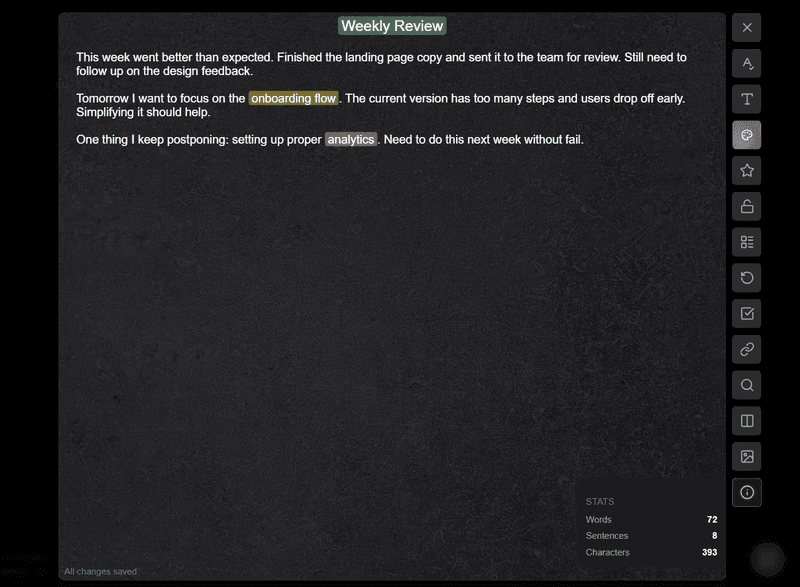
Một cái chạm là thấy số câu, số chữ và số ký tự
Mở một ghi chú rồi chạm nút thông tin ở thanh bên. Một bảng nhỏ hiện ra với số câu, số chữ và số ký tự, cả ba cùng lúc.
- Các con số theo kịp bạn khi bảng đang mở
- Số chữ và số ký tự nằm cạnh số câu
- Ghi chú dài ngắn thế nào cũng đếm được
- Không phải dán vào công cụ bên ngoài
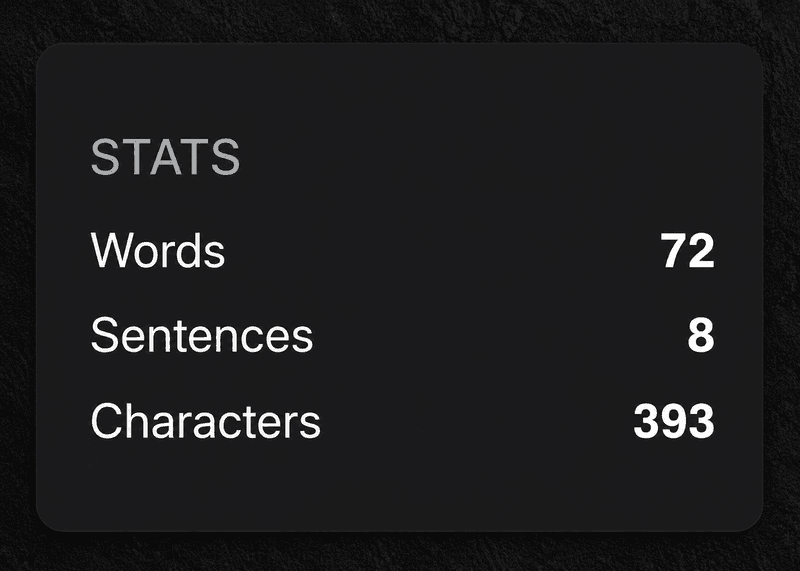
Biết mình viết bao nhiêu mà không rời ghi chú
Một bản nháp email, một trang nhật ký, một bản tóm tắt dự án: biết nó dài chừng nào thì đỡ hơn nhiều. Con số nằm ngay chỗ bạn viết, nên bạn ở lại trong ghi chú thay vì chạy qua chạy lại giữa các ứng dụng.
- Xem độ dài bản nháp trước khi gửi
- Để mắt tới trang nhật ký và bản ghi trong ngày
- Ước lượng biên bản họp và bản tóm tắt
- Bám theo mức viết mà bạn tự đặt ra
Ghi chú đi kèm công việc, nhắc việc và một tấm bảng
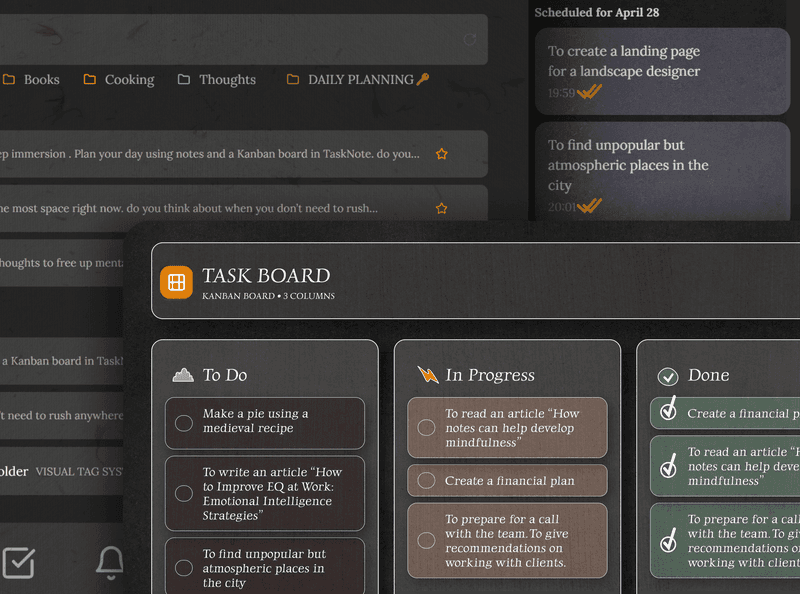
Đây không chỉ là một quyển sổ. Mỗi ghi chú nằm cạnh công việc, lời nhắc và một tấm bảng kanban, trong cùng một chỗ có mã hóa. Viết ghi chú, gắn vào công việc, đặt lời nhắc, thế là xong.
- Gắn ghi chú vào công việc bất kỳ
- Đặt lời nhắc ngay từ trong ghi chú
- Một tấm bảng để nhìn thấy kế hoạch
- Và tất cả đều mã hóa đầu cuối
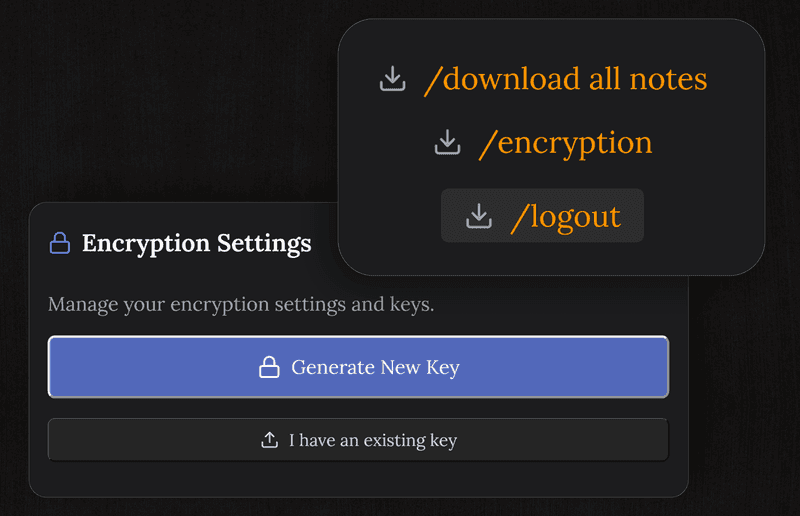
Thứ bạn viết vẫn riêng tư và được mã hóa
Ghi chú được mã hóa trên thiết bị trước cả khi tới máy chủ của chúng tôi. Ở đây không ai đọc được nội dung của bạn: không bản nháp, không con số, không gì hết.
- AES-256, và khóa không nằm ở chỗ chúng tôi
- Mã hóa trước khi rời khỏi thiết bị của bạn
- Không quảng cáo, không bán gì
- Ngay cả chúng tôi cũng không đọc được ghi chú của bạn
Chạy trên mọi thiết bị, không phải cài gì
Mở bằng trình duyệt nào trên thiết bị nào cũng được, ghi chú và bộ đếm đều đã ở đó.
Câu hỏi thường gặp
Đếm câu bằng cách nào?
Mở một ghi chú rồi chạm nút thông tin ở thanh bên. Một bảng nhỏ hiện số câu, số chữ và số ký tự, và các con số theo kịp bạn khi bảng đang mở.
Nó dựa vào đâu để biết một câu kết thúc?
Dựa vào dấu kết câu: dấu chấm, dấu hỏi hoặc dấu than. Đó là cách đếm thông thường, và kéo theo là một chữ viết tắt có dấu chấm sẽ cộng thêm một. Vậy nên hãy xem con số như một chỉ dẫn sát sao, đừng coi là phán quyết.
Không có mạng thì bộ đếm còn chạy không?
Còn. Nó tính ngay trong trình duyệt, trên văn bản của ghi chú đang mở, và chẳng gửi gì đi đâu để ra được mấy con số ấy.
Đếm chữ và ký tự nữa được không?
Được. Cùng một bảng hiện cả ba thứ một lúc, ngay trong ghi chú bạn đang làm.
Ghi chú của tôi có riêng tư không?
Ghi chú được mã hóa đầu cuối trên thiết bị trước khi tới máy chủ của chúng tôi, và chúng tôi không đọc được.
Có miễn phí không, và có phải cài gì không?
Nó nằm trong gói miễn phí, cùng với 50 ghi chú, mã hóa, đồng bộ giữa các thiết bị và nhắc việc. Nó chạy trong mọi trình duyệt nên chẳng có gì để tải.
Đếm câu, viết khá hơn, mà vẫn giữ cho riêng mình
Một ứng dụng ghi chú miễn phí có sẵn bộ đếm, kèm mã hóa, công việc và nhắc việc.
Có gói miễn phí · Không cần thẻ · Windows, Mac, Linux, iPhone, iPad, Android