A notepad for any device
Put it on the home screen of a phone or tablet, or simply open it in a browser. Either way it is the same notepad and the same notes.
Sign up with Google or any email and start straight away. The core is free, with no card details and nothing to install.
Free plan included · No card details · Windows, Mac, Linux, iPhone, iPad, Android
On Windows? Get the native app instead →
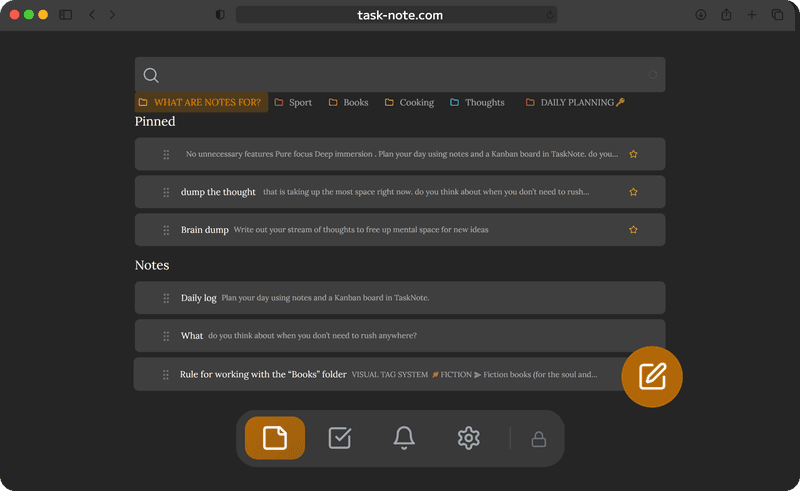
On the home screen in seconds
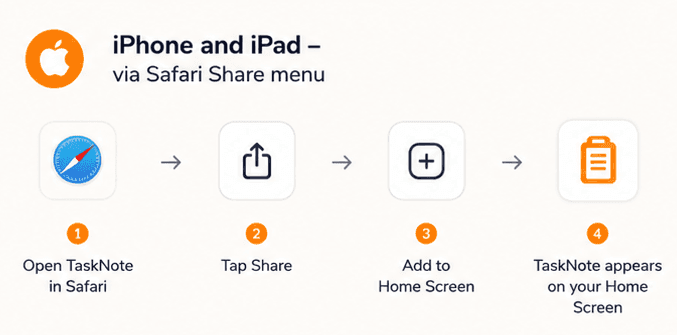
Open it in Safari and tap Share, then Add to Home Screen. It behaves like an app from there: an icon on the home screen, a full screen when you open it, and already loaded notes readable without a connection. No App Store involved.
- iPhone and iPad, through the Safari share menu
- Android, through Add to Home Screen in Chrome
- Looks and behaves like an app you installed
- No App Store, no waiting, no update prompts
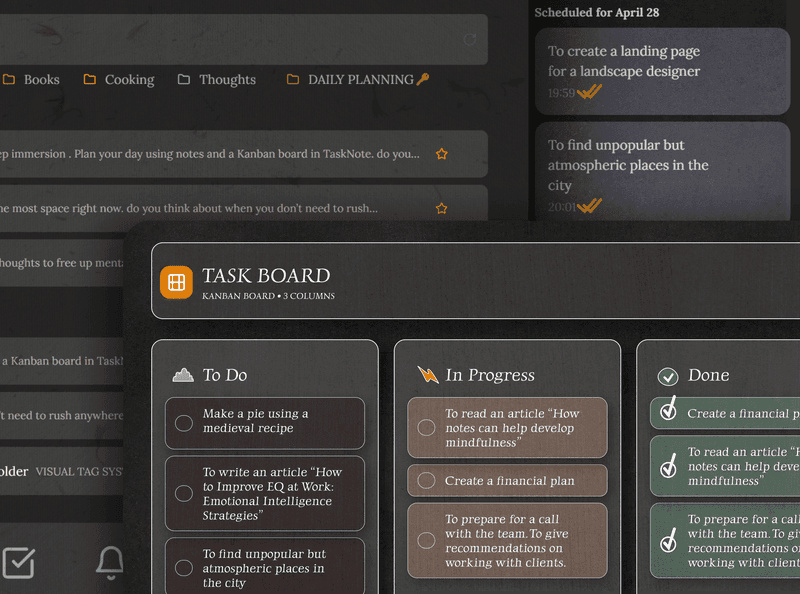
More than a notepad, the tasks come too
Write notes and run your tasks in the same app. The board moves things from To Do to Done without you opening a second tool.
- A board with To Do, In Progress and Done
- Attach a note to any task
- Reminders with a date
- All of it in one tab
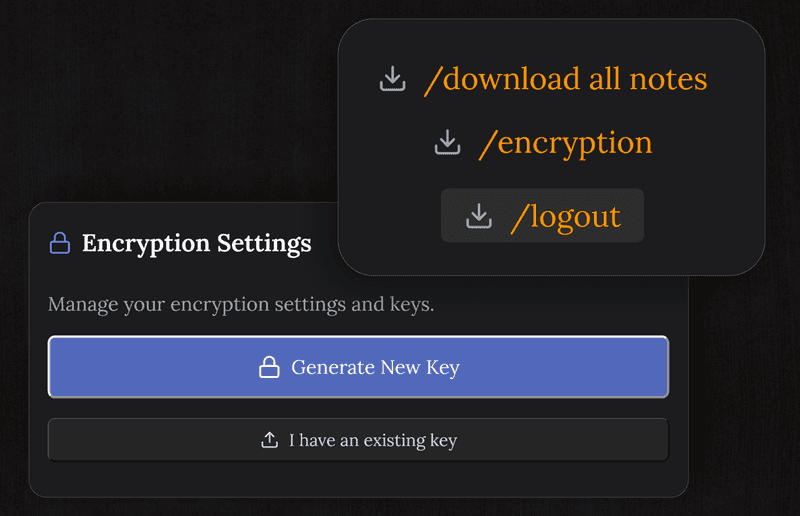
Your notes are encrypted and private
Every note is encrypted on your device before it reaches our servers. Nobody, us included, can read what you write.
Unlike a text file sitting on a desktop, what you keep here is still safe if the device is lost or taken.
Pick up where you left off, on any device
Write on the laptop, carry on from the phone. Notes save themselves as you type and reach your other devices as you go, with no manual save and no copying between machines.
The notepad is with you on every screen you own.
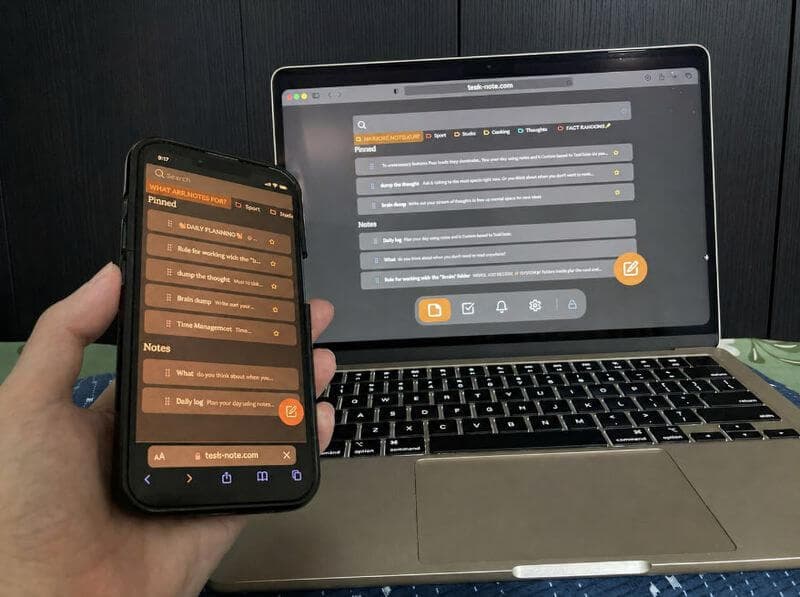
Free to keep, with no strings
The free plan carries 50 notes, encryption, sync, tasks and reminders. No trial period, no card details, and no quiet caps on the things you use every day.
Pro lifts the usage limits, but formatting and themes are free, so you will not run into a wall on the core.
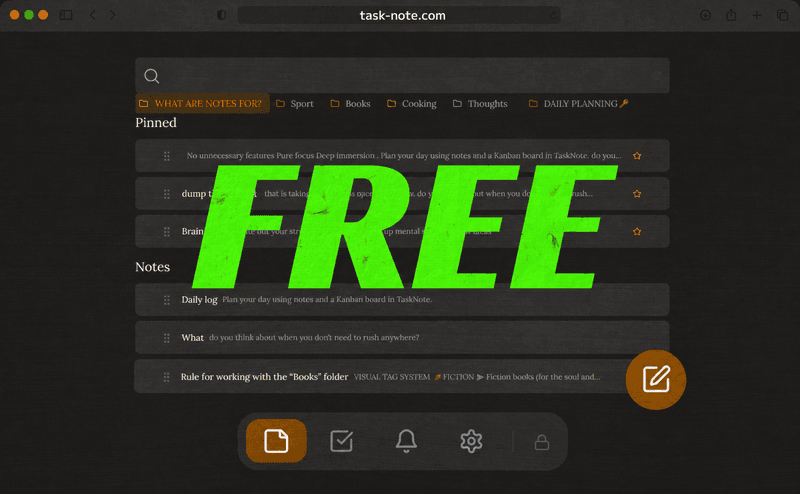
Install it or use the browser, as you prefer
Put it on the home screen on a phone, or just open it in any browser on the desk. Both are free and both are the same account.
Want an icon on your home screen? On iPhone or iPad, open TaskNote in Safari, tap Share → Add to Home Screen. It installs like a native app - no App Store, no download.
Frequently asked questions
Do I have to download anything?
No. It runs in the browser. Open the site, sign in, and start writing. Nothing to download, install or set up.
Is it free?
Yes. The free plan carries 50 notes, encryption, sync across devices, tasks and reminders. No card details asked for.
Can I use it on Windows, Mac and my phone?
Yes. Because it runs in a browser it works on Windows, macOS, iOS and Android, and your notes reach all of them as you go.
Do notes save on their own?
Yes. They save as you type and travel to your other devices, so nothing is lost because you forgot to press save.
Is it more than a notepad?
Yes. Alongside the notes there is a board for tasks and reminders for the dates, in one place and all free.
Are my notes private?
Yes. Every note is encrypted end to end on your device before it reaches our servers, and we cannot read what you write.
Your notepad, online and free to keep
Write, keep in order and carry your notes to every device. Nothing to download, no card details, and the core stays free.
Get it for freeFree plan included · No card details · Windows, Mac, Linux, iPhone, iPad, Android