แอปจดโน้ตสำหรับ Chrome ไม่ต้องลงส่วนขยาย
เขียน ค้นหา และเข้ารหัสโน้ตได้ในแท็บเบราว์เซอร์ธรรมดา ไม่มีอะไรต้องติดตั้งจากสโตร์ และไม่ต้องยกสิทธิ์ให้ใคร
สมัครด้วย Google หรืออีเมลใดก็ได้แล้วเริ่มเลย ส่วนหลักใช้ฟรี ไม่ต้องใช้บัตร และถ้าปักหมุดแท็บไว้ ก็เปิดได้ในคลิกเดียวตลอด
มีแผนฟรี · ไม่ต้องใช้บัตร · Windows, Mac, iPhone, iPad, Android
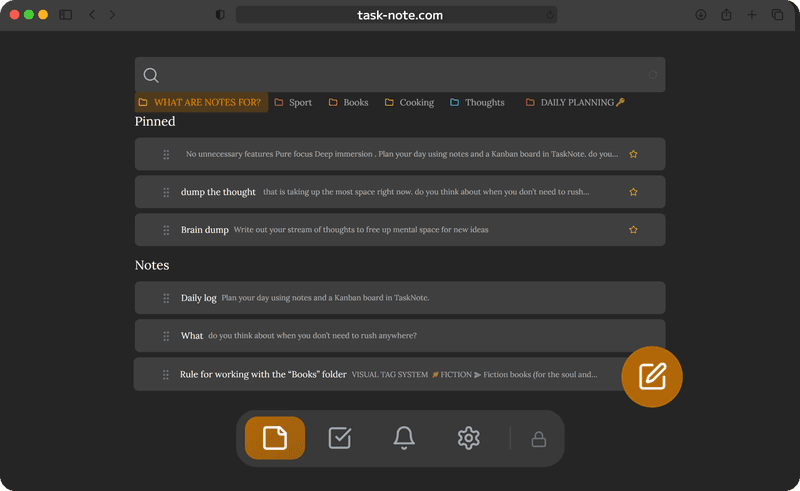
ไม่ต้องมีส่วนขยาย มีแค่แท็บที่ปักหมุดไว้
ส่วนขยายมักขอสิทธิ์ และหลายตัวอ่านได้ว่าคุณเปิดอะไรอยู่ ที่นี่ไม่ต้องใช้อะไรแบบนั้นเลย เพราะมันเป็นแค่แท็บหนึ่ง ปักหมุดไว้ก็เปิดได้ในคลิกเดียวเสมอ โดยที่มันมองไม่เห็นแท็บอื่นและไม่เห็นประวัติของคุณ
- ไม่ต้องโหลดอะไรจาก Chrome Web Store
- ไม่ได้ให้สิทธิ์อะไรกับใครทั้งนั้น
- ปักหมุดแท็บไว้ ก็อยู่ใกล้มือตลอด
- หรือจะติดตั้งเป็นเว็บแอปให้มีหน้าต่างของตัวเองก็ได้
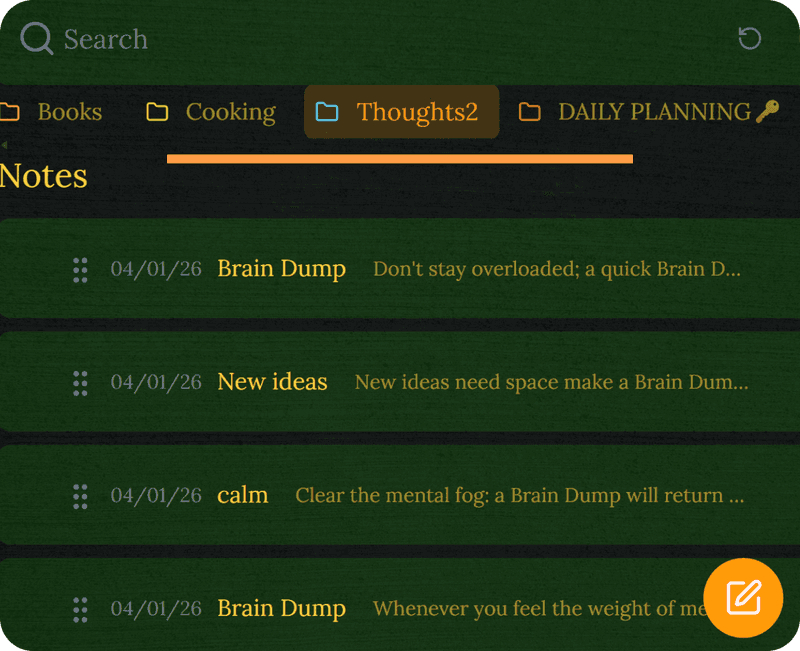
เข้ารหัสตั้งแต่ในเบราว์เซอร์ ก่อนที่อะไรจะออกไปจากมัน
เครื่องมือจดโน้ตบนเบราว์เซอร์จำนวนมากเก็บข้อความไว้ในรูปที่อ่านได้ ที่นี่โน้ตทุกชิ้นถูกเข้ารหัสภายในเบราว์เซอร์ก่อนถูกส่งออกไป ดังนั้นไม่ว่าเบราว์เซอร์หรือผู้ให้บริการบัญชีจะเห็นอะไรเกี่ยวกับการใช้งานของคุณ ก็ไม่เกี่ยวกับเนื้อหาข้างใน
- เข้ารหัสในตัวเบราว์เซอร์เอง
- ล็อกเรียบร้อยก่อนออกจากแท็บ
- ไม่มีการติดตาม และไม่มีโฆษณาที่สร้างจากมัน
- จะเขียนไดอารีหรือเรื่องส่วนตัวก็ได้
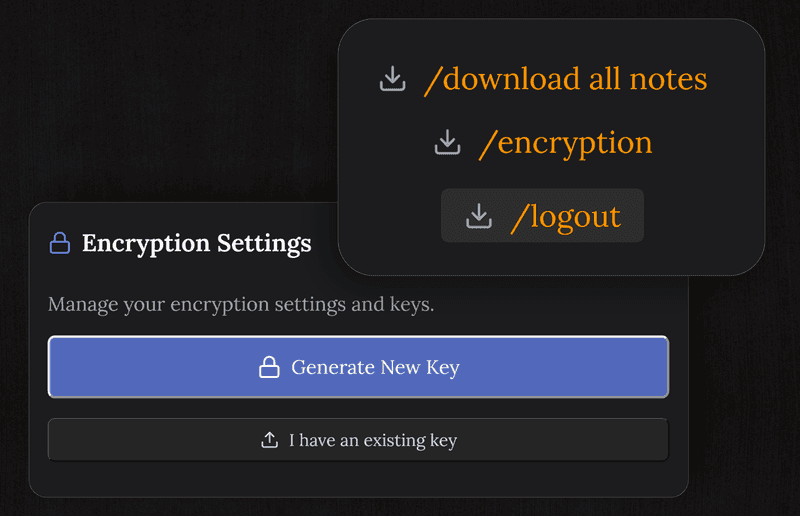
โน้ตและงาน ไม่ใช่แค่กระดาษทด
ส่วนขยายจดโน้ตแบบง่าย ๆ ให้คุณได้แค่ข้อความเปล่า ๆ แทบไม่มีอย่างอื่น ที่นี่มีหัวข้อ รายการ ช่องติ๊ก กระดานคัมบัง การเตือน และการค้นหาครอบคลุมทุกอย่าง โดยอยู่ในแท็บเดียวกันทั้งหมด
- ตัวเขียนที่ใช้งานได้จริง จัดรูปแบบได้
- กระดานคัมบังสำหรับสิ่งที่ต้องทำ
- การเตือนที่เด้งขึ้นในเบราว์เซอร์
- ค้นทีเดียวทั่วทุกโน้ต
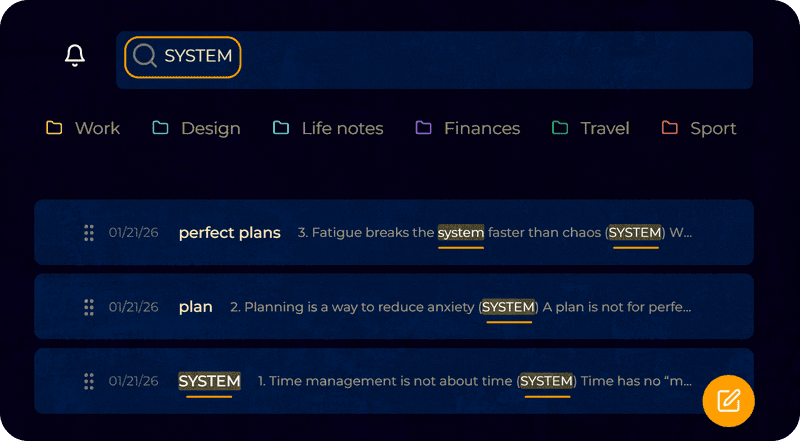
โน้ตชุดเดียวกัน บนทุกอย่างที่คุณใช้
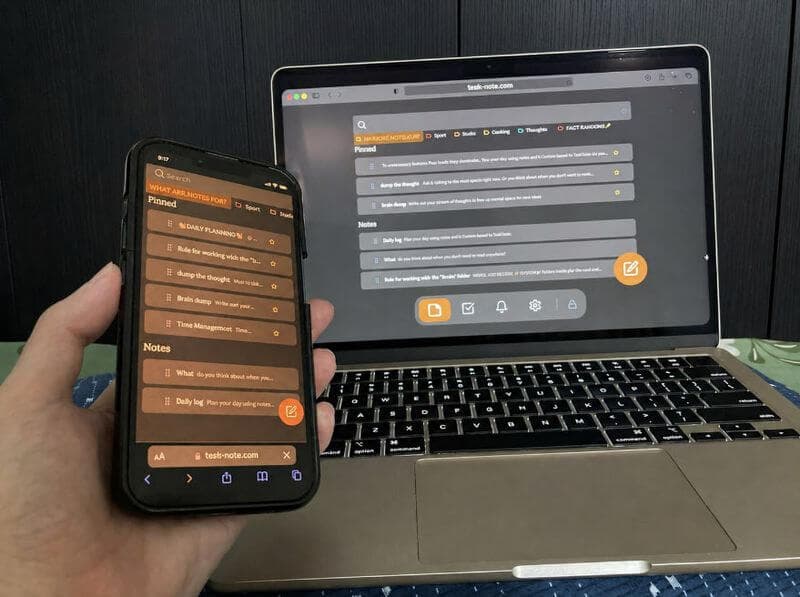
สิ่งที่คุณเขียนใน Chrome บนเครื่องคอมพิวเตอร์จะไปโผล่ใน Chrome บน Android ใน Safari บน iPhone และในอะไรก็ตามที่คุณเปิดต่อจากนั้น ไม่ต้องส่งออก ไม่ต้องใช้สาย และไม่บังคับว่าต้องมีบัญชี Google
- Chrome ทั้งบนเครื่องตั้งโต๊ะและบน Android
- Safari บน iPhone และ iPad
- Firefox, Edge และ Brave บนระบบไหนก็ได้
- อัปเดตให้ตลอดโดยที่คุณไม่ต้องทำอะไร
คำถามเกี่ยวกับ Chrome
ต้องลงส่วนขยายไหม
ไม่ต้อง มันทำงานเป็นเว็บแอปในแท็บธรรมดา ไม่มีส่วนขยาย ไม่มีปลั๊กอิน และไม่ขอสิทธิ์ใด ๆ แค่เปิดเว็บ โน้ตก็อยู่ตรงนั้นแล้ว
ปักหมุดไว้ให้เปิดง่าย ๆ ได้ไหม
ได้ ปักหมุดแท็บไว้แล้วมันจะอยู่ห่างแค่คลิกเดียว หรือจะติดตั้งเป็นเว็บแอปจากแถบที่อยู่ก็ได้ แบบนั้นมันจะมีหน้าต่างของตัวเองโดยไม่มีแถบแท็บของเบราว์เซอร์
ใช้ใน Chrome ปลอดภัยไหม
ปลอดภัย โน้ตทุกชิ้นถูกเข้ารหัสในเบราว์เซอร์ของคุณก่อนถูกส่งไปยังเซิร์ฟเวอร์ ทั้งเราและคนที่ดักการรับส่งข้อมูลไว้ก็อ่านไม่ได้
ใช้บน Windows และ Mac ได้ไหม
ได้ รวมถึง Linux และ Chromebook ด้วย และยังใช้ได้กับ Firefox, Safari, Edge และ Brave
ใช้ฟรีไหม
ส่วนหลักฟรี ทั้งโน้ต กระดาน การเตือน และการเข้ารหัสต้นทางถึงปลายทาง โดยไม่ถามหาข้อมูลบัตร
ใช้บนมือถือด้วยได้ไหม
ได้ บัญชีเดียวครอบคลุมทั้ง Chrome บนเครื่องตั้งโต๊ะ Chrome บน Android Safari บน iPhone และเบราว์เซอร์อื่นที่คุณใช้
อยากบันทึกโดยไม่ต้องเปิดแอปไหม ลองส่วนขยาย Chrome ของ TaskNote
แอปจดโน้ตสำหรับ Chrome ที่ไม่ต้องพึ่งส่วนขยาย
ปักหมุดแท็บหนึ่งไว้ เขียนโน้ตที่เข้ารหัส แล้วไปเปิดเจอบนอุปกรณ์อื่น เริ่มได้ฟรี
เริ่มใช้ฟรีมีแผนฟรี · ไม่ต้องใช้บัตร · Windows, Mac, iPhone, iPad, Android