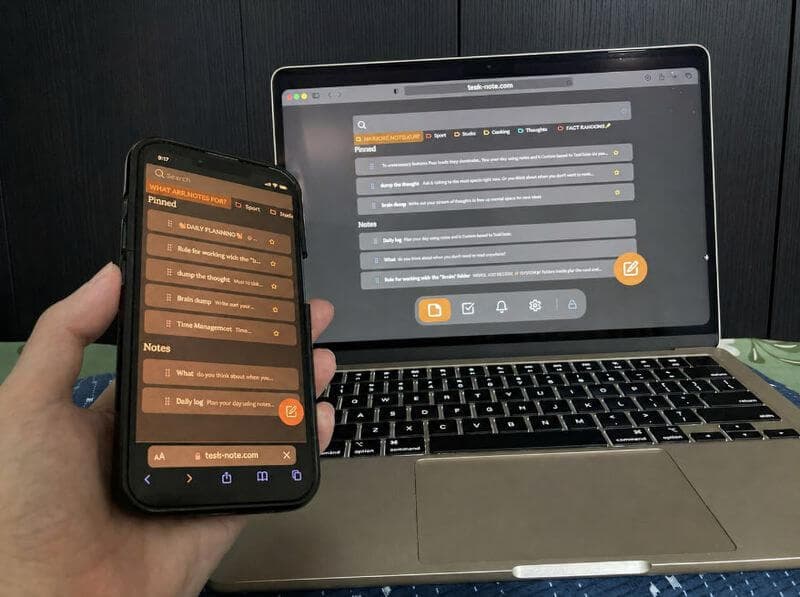
Ein Notizblock für jedes Gerät
Legen Sie ihn auf den Home-Bildschirm von Telefon oder Tablet, oder öffnen Sie ihn einfach im Browser. So oder so ist es derselbe Notizblock mit denselben Notizen.
Mit Google oder einer beliebigen E-Mail anmelden und sofort loslegen. Der Kern ist kostenlos, ohne Kartendaten und ohne Installation.
Kostenloser Tarif · Ohne Kartendaten · Windows, Mac, Linux, iPhone, iPad, Android
Unter Windows? Nehmen Sie stattdessen die eigene App →
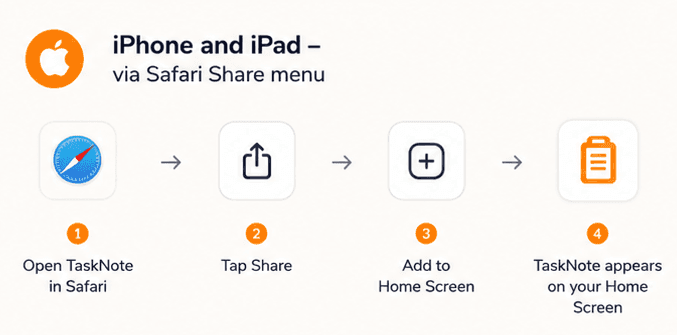
Auf dem Home-Bildschirm, in Sekunden
In Safari öffnen und Teilen, dann Zum Home-Bildschirm antippen. Danach verhält er sich wie eine App: ein Symbol auf dem Home-Bildschirm, ein voller Bildschirm beim Öffnen, und bereits geladene Notizen bleiben ohne Verbindung lesbar. Der App Store ist nicht beteiligt.
- iPhone und iPad, über das Teilen-Menü in Safari
- Android, über Zum Startbildschirm hinzufügen in Chrome
- Sieht aus und verhält sich wie eine installierte App
- Kein App Store, kein Warten, keine Update-Aufforderungen
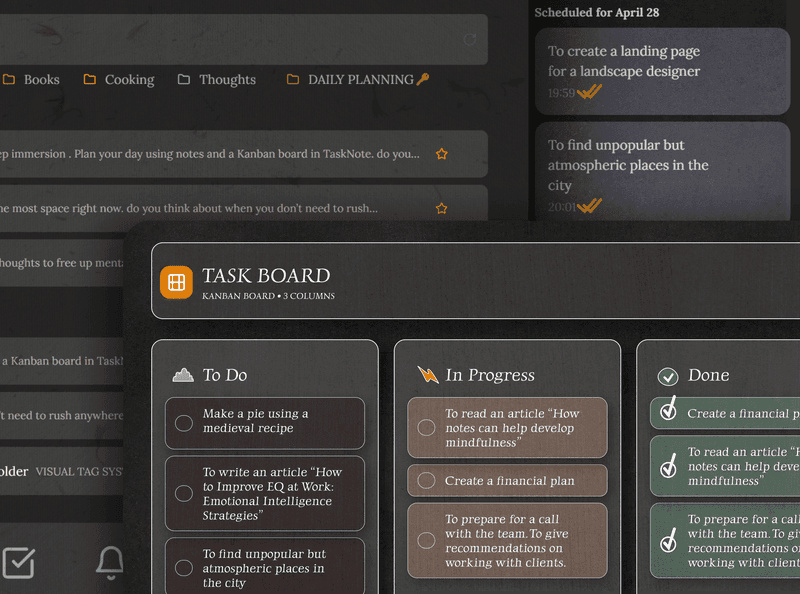
Mehr als ein Notizblock, die Aufgaben kommen mit
Notizen schreiben und Aufgaben führen, in derselben App. Das Board bringt Dinge von Zu erledigen nach Fertig, ohne dass Sie ein zweites Werkzeug öffnen.
- Ein Board mit Zu erledigen, In Arbeit und Fertig
- Eine Notiz an jede Aufgabe hängen
- Erinnerungen mit Datum
- Und all das in einem Tab
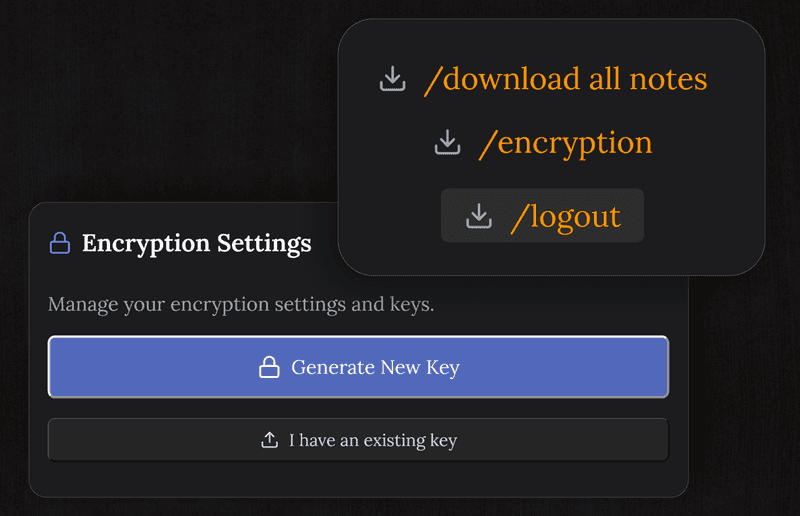
Ihre Notizen sind verschlüsselt und privat
Jede Notiz wird auf Ihrem Gerät verschlüsselt, bevor sie unsere Server erreicht. Niemand, wir eingeschlossen, kann lesen, was Sie schreiben.
Anders als eine Textdatei auf dem Schreibtisch bleibt das, was hier liegt, auch dann sicher, wenn das Gerät verloren geht oder abhandenkommt.
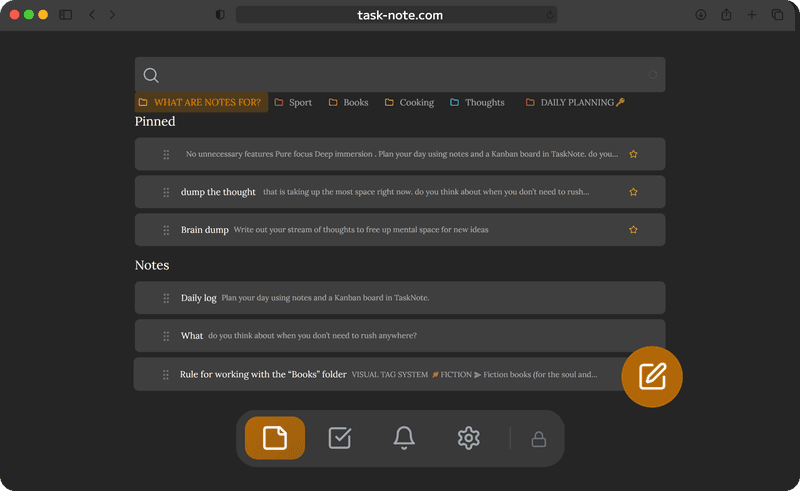
Weitermachen, wo Sie aufgehört haben, auf jedem Gerät
Am Laptop schreiben, am Telefon weitermachen. Notizen sichern sich beim Tippen von selbst und erreichen unterwegs Ihre anderen Geräte, ohne manuelles Speichern und ohne Hin- und Herkopieren.
Der Notizblock ist auf jedem Bildschirm dabei, den Sie besitzen.
Kostenlos zu behalten, ohne Haken
Der kostenlose Tarif trägt 50 Notizen, Verschlüsselung, Abgleich, Aufgaben und Erinnerungen. Kein Testzeitraum, keine Kartendaten und keine stillen Grenzen bei dem, was Sie täglich nutzen.
Pro hebt die Nutzungslimits auf, Formatierung und Themes sind kostenlos, an den Grundfunktionen stoßen Sie also an keine Wand.
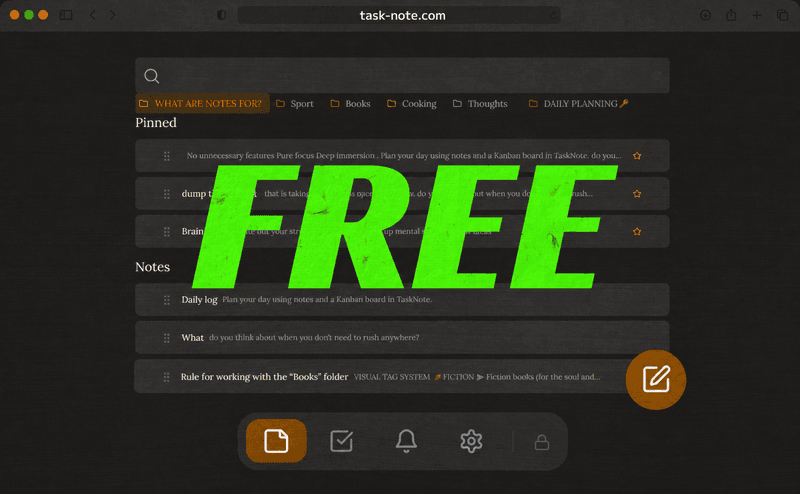
Ablegen oder im Browser nutzen, ganz wie Sie mögen
Am Telefon auf den Home-Bildschirm legen, am Schreibtisch einfach im Browser öffnen. Beides ist kostenlos und beides ist dasselbe Konto.
Want an icon on your home screen? On iPhone or iPad, open TaskNote in Safari, tap Share → Add to Home Screen. It installs like a native app - no App Store, no download.
Häufige Fragen
Muss ich etwas herunterladen?
Nein. Es läuft im Browser. Seite öffnen, anmelden, schreiben. Nichts herunterzuladen, zu installieren oder einzurichten.
Ist es kostenlos?
Ja. Der kostenlose Tarif trägt 50 Notizen, Verschlüsselung, Abgleich zwischen Geräten, Aufgaben und Erinnerungen. Kartendaten werden nicht verlangt.
Kann ich es auf Windows, Mac und am Telefon nutzen?
Ja. Da es im Browser läuft, funktioniert es unter Windows, macOS, iOS und Android, und Ihre Notizen erreichen unterwegs alle davon.
Speichern Notizen von selbst?
Ja. Sie speichern beim Tippen und wandern zu Ihren anderen Geräten, sodass nichts verloren geht, weil das Speichern vergessen wurde.
Ist es mehr als ein Notizblock?
Ja. Neben den Notizen gibt es ein Board für Aufgaben und Erinnerungen für die Termine, an einem Ort und alles kostenlos.
Sind meine Notizen privat?
Ja. Jede Notiz wird auf Ihrem Gerät Ende zu Ende verschlüsselt, bevor sie unsere Server erreicht, und wir können nicht lesen, was Sie schreiben.
Ihr Notizblock, im Netz und kostenlos zu behalten
Schreiben, ordnen und die Notizen auf jedes Gerät mitnehmen. Nichts herunterzuladen, keine Kartendaten, und der Kern bleibt kostenlos.
Kostenlos startenKostenloser Tarif · Ohne Kartendaten · Windows, Mac, Linux, iPhone, iPad, Android