Project management for freelancers free, no seat pricing

Project management for freelancers letting you track client work on a kanban board, write full notes on every project, and set deadline reminders - free forever, built for solo work, no per-seat fees.

Sign up with Google or any email and start right away. Free core features forever. No credit card, no team plan, no per-client pricing.

Free forever · No credit card · Mac, iPhone, iPad, Android

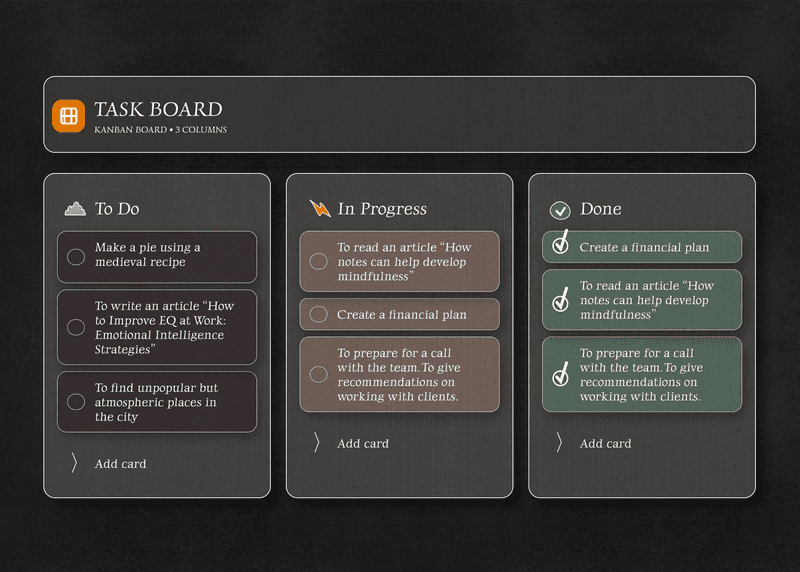
TaskNote kanban board for freelancer project management

Client projects on a kanban board, free forever

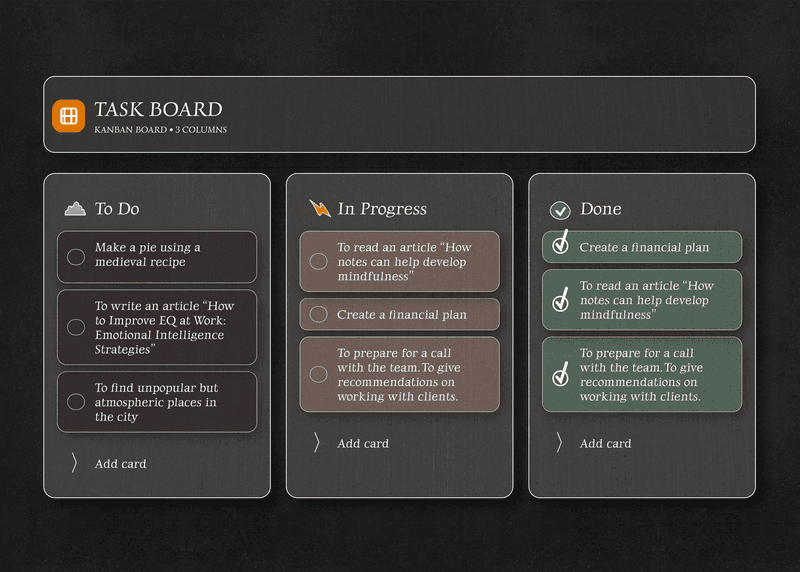
Move client projects through Proposal, In Progress, Review, and Invoiced with a drag-and-drop kanban board. See your whole workload at a glance. No per-seat pricing, no team plan needed - it is just you and your work.

  • Full drag-and-drop kanban board - free
  • Custom column names for your workflow
  • Unlimited tasks and projects
  • No team plan or per-seat pricing
TaskNote kanban board showing freelancer client projects

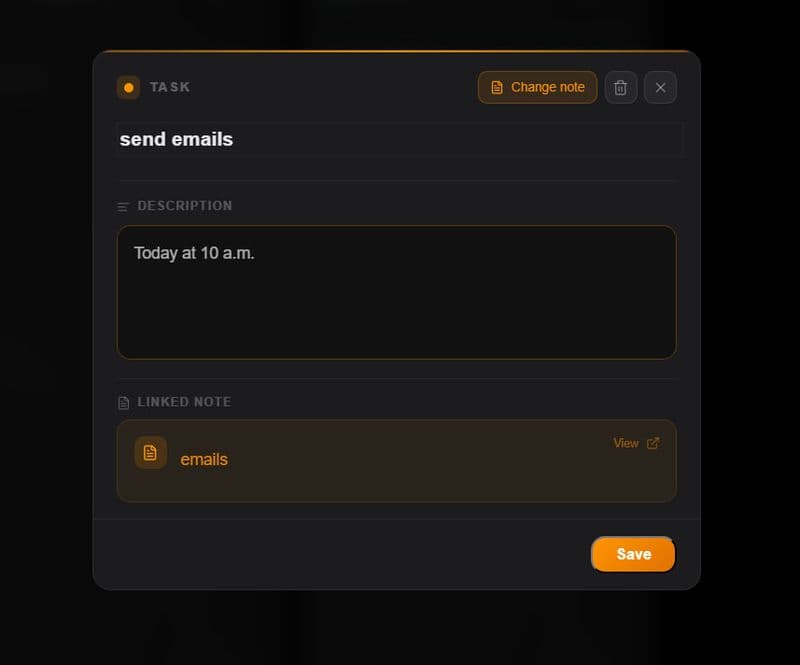
Full notes on every project, not just a title

Most task managers give you a title and a checkbox. TaskNote gives every project card a full rich text note - paste the client brief, write revision history, track deliverable checklists. Everything for that project lives in one place.

  • Rich text note editor on every task card
  • Headings, bullet lists, bold, checklists
  • Paste briefs and specs directly into the card
  • Switch between board view and notes view
TaskNote rich note editor on a project card

Deadline reminders, on desktop and phone

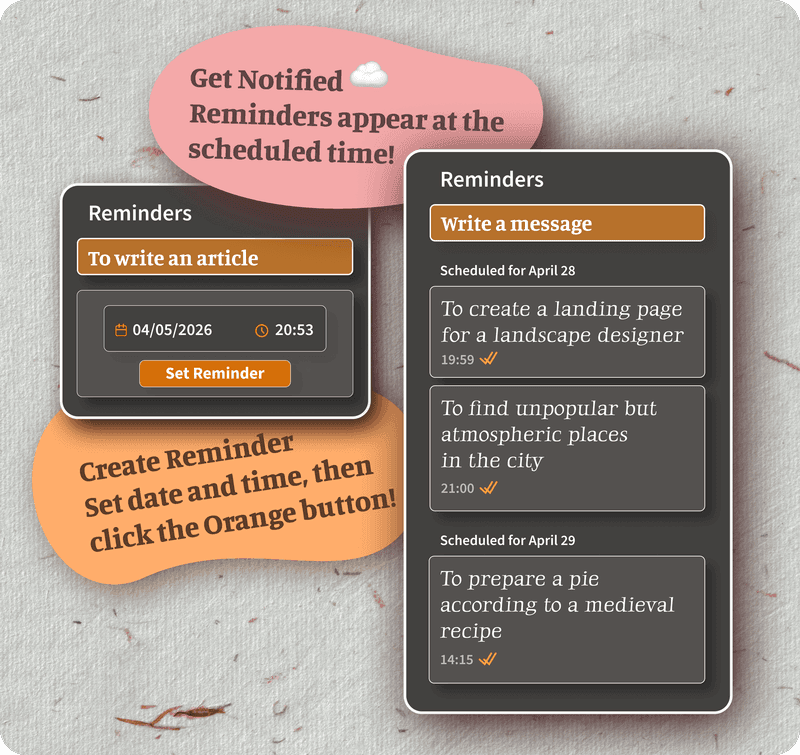
Set a reminder on any task or note. When the deadline arrives, you get a browser notification on your Mac or Windows desktop, and a push notification on your iPhone or Android phone. No missed deadlines.

  • Reminders on any task or note - free
  • Browser notifications on desktop
  • Push notifications on iPhone and Android
  • Reminders sync across all devices
TaskNote deadline reminder notification for freelancer

Client notes encrypted, private by default

Client briefs, rate negotiations, project details - these are business-sensitive. TaskNote encrypts every note and task card on your device before syncing. Your client data is never readable by TaskNote or any server.

  • End-to-end encryption on all project notes
  • Client data stays private
  • Zero-knowledge: TaskNote cannot read your content
  • No data sold, no ad targeting
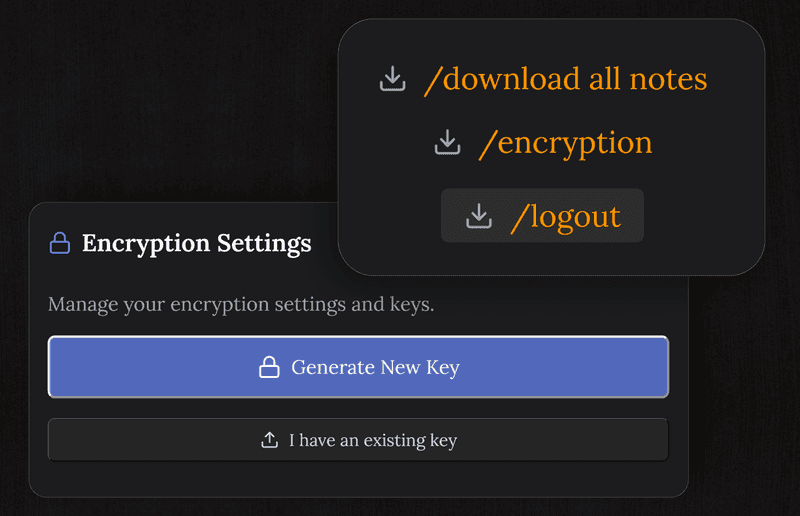
TaskNote encrypted client notes for freelancers

Questions from freelancers

Is TaskNote good for tracking freelance projects?

Yes. The kanban board lets you move client projects through custom stages like Proposal, In Progress, Review, and Invoiced. Each project card has a full note for briefs, feedback, and deliverable lists.

Is TaskNote free for freelancers?

Yes. The kanban board, unlimited tasks, rich notes, reminders, and end-to-end encryption are all free forever. No per-seat pricing, no team plan required. Pay nothing as a solo freelancer.

Can I write notes on each project in TaskNote?

Yes. Every task card on the kanban board has a full rich text note editor. Write the client brief, paste a spec, track revisions - all inside the task card without switching apps.

Can I set reminders for client deadlines?

Yes. Set a reminder on any task or note. Get a browser notification on desktop or mobile when a deadline is due. Reminders are free on the free plan.

Is my client work private in TaskNote?

Yes. All notes and tasks are end-to-end encrypted on your device. TaskNote cannot read your content. Your client briefs and project details stay confidential.

Does TaskNote work on all my devices?

Yes. TaskNote syncs across Mac, Windows, iPhone, iPad, Android, and any browser. Work on your laptop, check tasks on your phone, all in sync automatically.

Project management for freelancers - free, private, no seat pricing

Kanban board, rich notes on every project, deadline reminders, encryption. All free.

Get it for free

Free forever · No credit card · Mac, iPhone, iPad, Android