Note taking app for developers with kanban and encryption

Note taking app for developers letting you store code snippets, track tasks on a personal kanban board, and keep credentials encrypted - all in one workspace, free forever.

Sign up with Google or any email and start right away. Free core features forever. No credit card, works in any browser on Mac, Linux, and Windows.

Free forever · No credit card · Mac, iPhone, iPad, Android

TaskNote developer workspace with notes and kanban board

Code snippets and docs, searchable in seconds

Paste a code snippet into a note, write the context around it - why it works, what it solves - then find it later with full-text search. No more hunting through Slack messages or browser history for that one bash command you used three months ago.

  • Code blocks with monospace formatting
  • Full-text search across all notes
  • Rich text around code - headings, bullets, links
  • Search finds content inside code blocks too
TaskNote code snippet in a note with search highlight

Personal kanban board, no Jira required

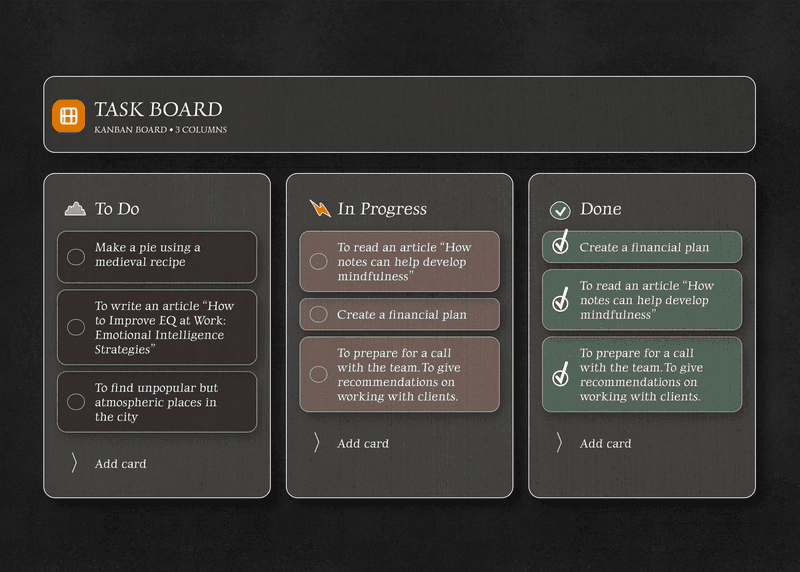
Track your personal dev tasks without setting up a Jira project or sharing a Notion board with a team. Drag tickets through To Do, In Progress, and Done. Each card has a full note editor for specs and context.

  • Drag-and-drop kanban board - free
  • Full note editor on every task card
  • Custom column names for your workflow
  • Reminders on any task or note
TaskNote kanban board for developer task tracking

Encrypted credentials, private API keys

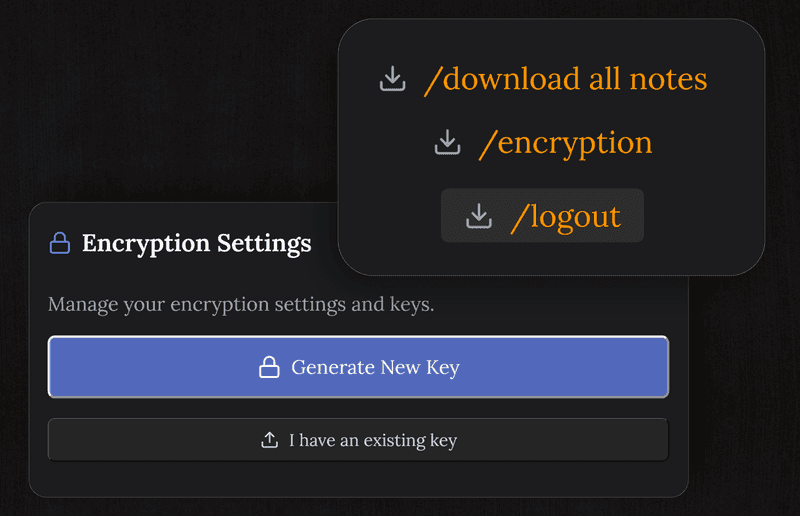
Storing API keys and credentials in plain text notes is risky. TaskNote encrypts every note end-to-end - your credentials are encrypted on your device before syncing. Even a server breach cannot expose your keys.

  • End-to-end encryption on every note
  • Safe for API keys, passwords, tokens
  • Zero-knowledge: TaskNote cannot read your content
  • Encryption key never leaves your device
TaskNote encrypted note storing developer credentials

Works on Linux, Mac, Windows - and in the browser

TaskNote runs in any browser with no install. Chrome, Firefox, Brave on Linux, Mac, or Windows. Pin it as a tab or install it as a PWA. Your notes sync to your phone automatically.

  • Works on Linux (Chrome, Firefox, Brave)
  • Mac, Windows, Chromebook supported
  • No install, no admin rights needed
  • Syncs to iPhone and Android
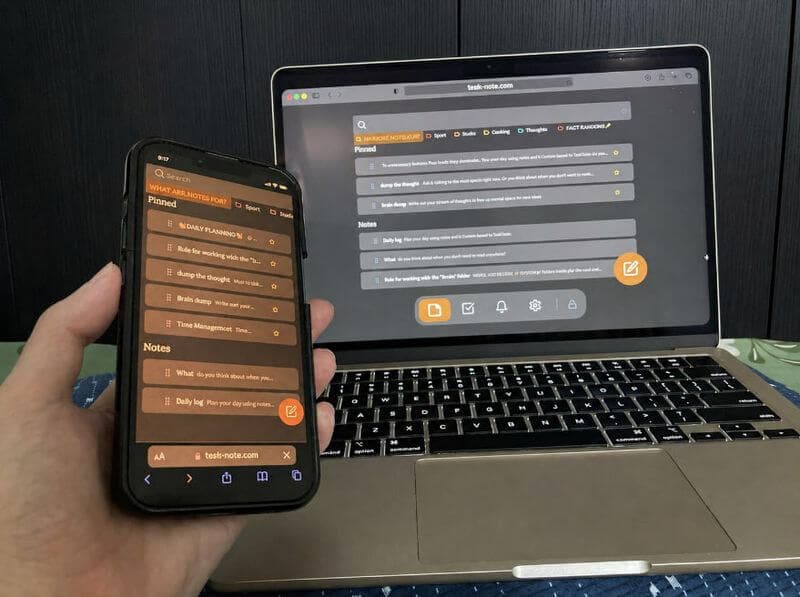
TaskNote running in browser on Linux and Mac

Questions from developers

Can I store code snippets in TaskNote?

Yes. TaskNote supports code blocks in notes with monospace formatting. Paste a snippet, write context around it, and find it instantly with full-text search.

Is TaskNote good for tracking dev tasks?

Yes. The kanban board lets you move tasks across To Do, In Progress, and Done. Each task card can have a full rich-text note with specs, links, and checklists - useful for tracking issues or feature work.

Are my API keys and credentials safe in TaskNote?

TaskNote uses end-to-end encryption - notes are encrypted on your device before syncing. Even TaskNote cannot read your content. It is safe to store credentials in notes, though a dedicated secrets manager offers additional features.

Does TaskNote have a markdown editor?

Yes. TaskNote uses a rich text editor that supports markdown shortcuts - type # for a heading, ** for bold, - for a bullet list. Code blocks are supported with monospace formatting.

Is TaskNote free for personal use?

Yes. Notes, kanban board, reminders, and end-to-end encryption are free forever. No credit card required.

Can I use TaskNote on Linux?

Yes. TaskNote runs in any browser - Chrome, Firefox, Brave - on Linux, Mac, Windows, and any other OS. No install needed.

The note taking app for developers that actually stays private

Code snippets, kanban board, encrypted credentials. Free forever, works on Linux.

Get it for free

Free forever · No credit card · Mac, iPhone, iPad, Android