ClickUp kanban board alternative without the feature overload

ClickUp kanban board alternative letting you drag tasks across columns and write a full rich note on any card - without spending an hour configuring views, automations, and workspace settings before you can start.

Sign up with Google or any email and start right away. Free core features forever. No credit card, no storage limits, no feature walls.

Free forever · No credit card · Mac, iPhone, iPad, Android

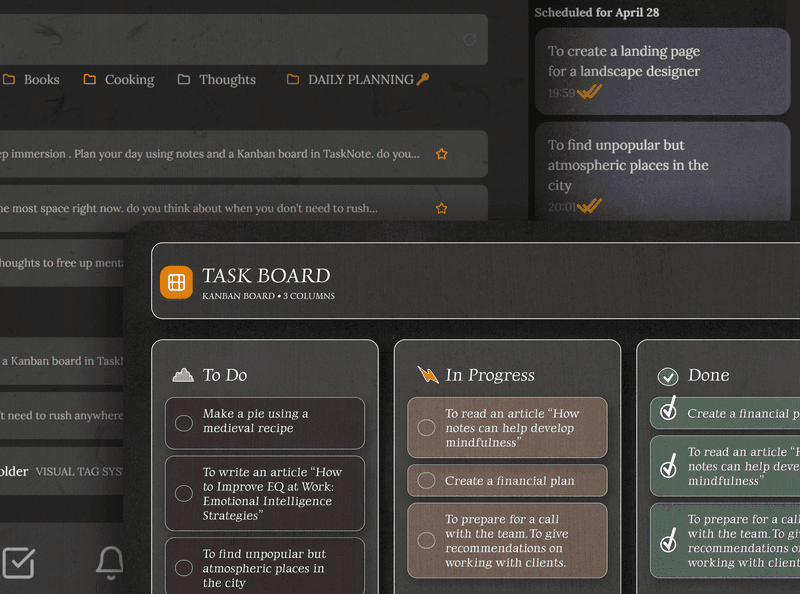
TaskNote kanban board showing simple drag-and-drop task columns

Kanban board that starts in seconds

ClickUp's kanban board is powerful but takes time to configure - spaces, folders, lists, views. TaskNote gives you a ready-to-use drag-and-drop kanban board with no setup. Open it, add your tasks, start moving cards.

  • Kanban board ready in seconds - no workspace setup
  • Unlimited tasks and columns on the free plan
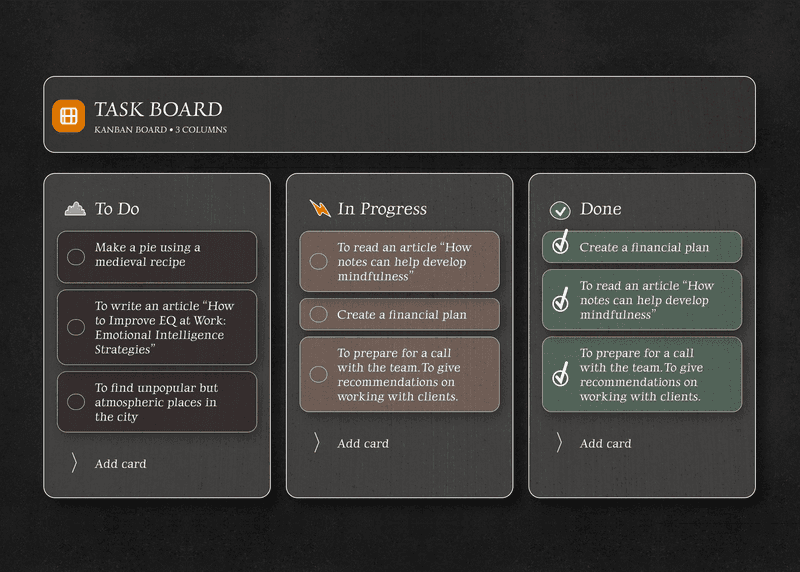
  • Drag-and-drop between and within columns
  • Custom column names to match your workflow
TaskNote kanban board with To Do In Progress and Done columns

Notes on every task, not a separate doc tool

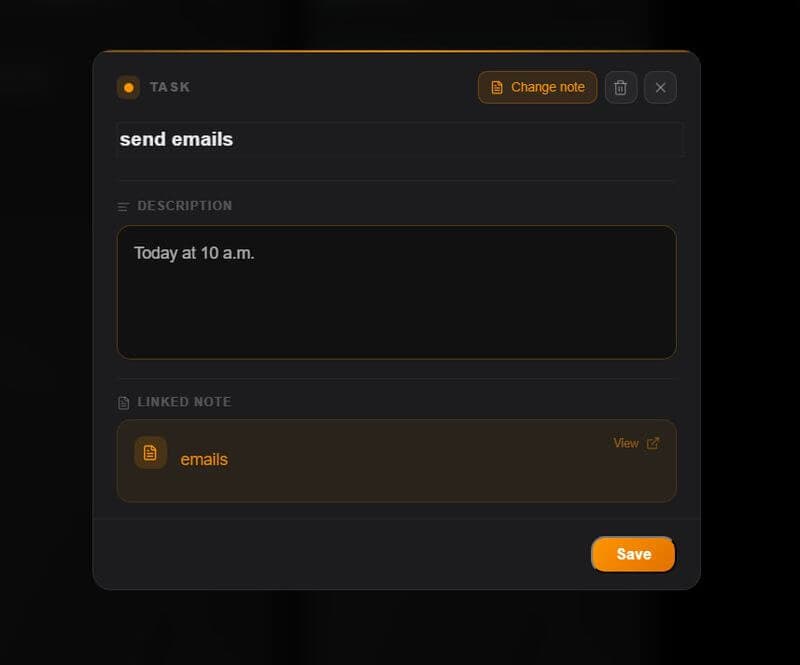
ClickUp has a Docs feature separate from tasks. In TaskNote, every task card has a full rich-text note built in - write context, add checklists, paste links, format with headings. The note lives inside the task, right where you need it.

  • Full rich-text note on every task card
  • Headings, bullet lists, bold, italic, checklists
  • Standalone notes workspace alongside the board
  • Switch between notes view and board view instantly
TaskNote task card with rich text note editor showing formatted content

Reminders without automation rules

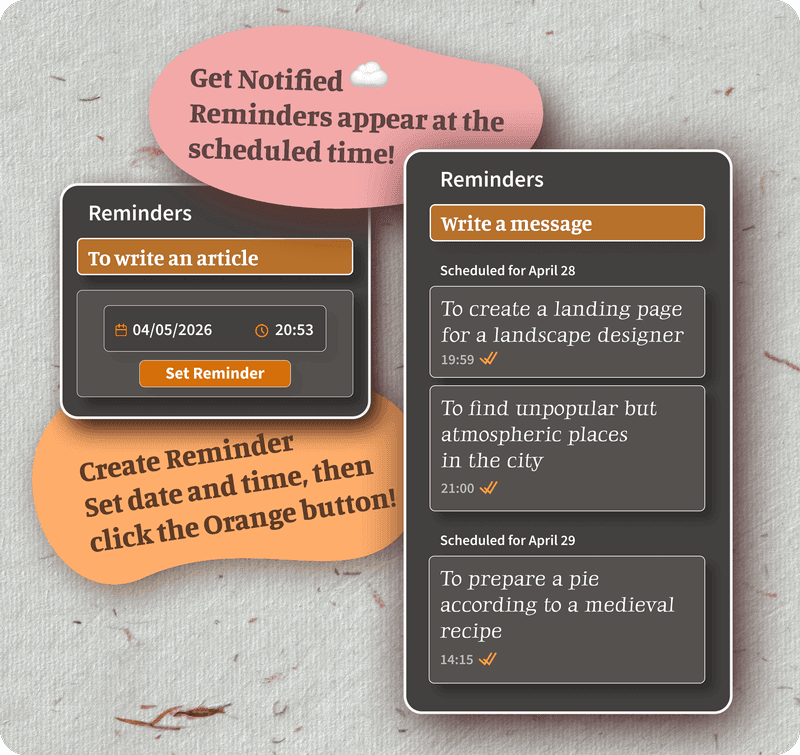
ClickUp reminders and notifications are powerful but tied to automations and workspace settings. In TaskNote, every task and note gets a simple reminder - set a date and time and get a browser notification. No rules, no configuration.

  • One-tap reminder on any task or note
  • Browser notifications on desktop and mobile
  • Reminders sync across all your devices
  • No automations or rules to configure
TaskNote reminder date picker on a task card

End-to-end encrypted, not just role-based access

ClickUp manages security through role permissions but does not encrypt your data end-to-end. TaskNote encrypts everything on your device before it leaves for the server. Only you can read your tasks and notes.

  • Zero-knowledge encryption - server sees only ciphertext
  • Encryption key never leaves your device
  • Safe for private projects and sensitive notes
  • No data sold, no ad targeting
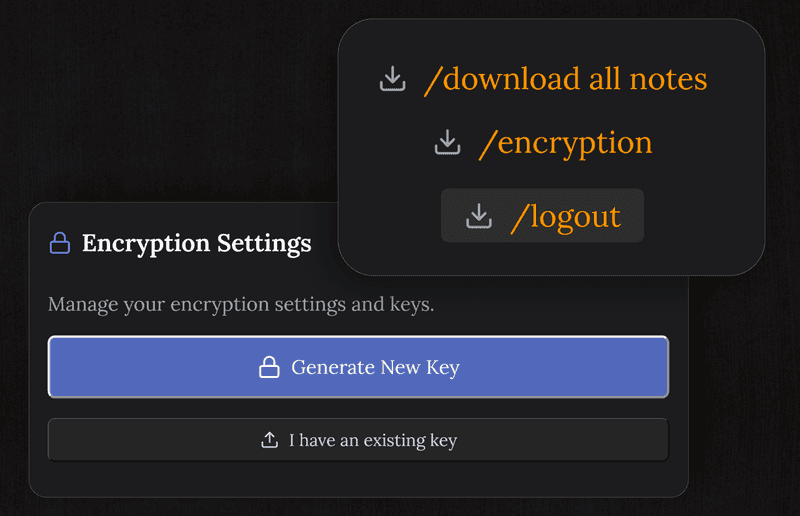
TaskNote encryption indicator showing zero-knowledge protection

TaskNote vs ClickUp free plan

FeatureTaskNoteClickUp Free
Kanban board view
Unlimited tasks
Rich notes on task cardsSeparate Docs tool
Reminders / due time alertsLimited on free tier
End-to-end encryption
Standalone notes workspaceDocs - separate feature
Setup time to first taskSecondsWorkspace config needed
Storage limit on free planNone100 MB

Common questions about this alternative

Is TaskNote a good ClickUp kanban board alternative?

Yes. TaskNote gives you a focused kanban board with drag-and-drop, unlimited cards and columns, rich notes on every task, reminders, and end-to-end encryption - all free, without ClickUp's feature overload.

What does TaskNote have that ClickUp does not?

TaskNote combines a kanban board with a full note editor in one simple workspace. Every task card has a rich note attached. It also adds end-to-end encryption - ClickUp does not encrypt your data end-to-end. TaskNote intentionally avoids the feature complexity that makes ClickUp hard to set up.

Does TaskNote have a free plan?

Yes. The free plan includes the full kanban board, unlimited tasks, rich notes on every card, reminders, and end-to-end encryption. No credit card required.

Do I need to install anything?

No. TaskNote runs in any browser on Mac, Windows, iPhone, iPad, and Android. No download or install needed - just sign up and start.

Is my data private?

Yes. All tasks and notes are encrypted end-to-end on your device before syncing. Even TaskNote cannot read your content - only you hold the key.

Is TaskNote suitable for personal use?

TaskNote is built for personal and solo use - one private workspace with notes and kanban together. It is ideal if ClickUp feels overbuilt for what you actually need to get done.

Try the free ClickUp kanban alternative

Kanban board, rich notes on every task, reminders, encryption. Simple, private, free forever.

Get it for free

Free forever · No credit card · Mac, iPhone, iPad, Android