A free alternative to the Trello board, with a note on every card
Drag tasks across columns and attach a full note to any card. The board and the writing that surrounds it are one app, not two.
Sign up with Google or any email and start straight away. The core is free: no card details, no cap on boards, no subscription.
Free plan included · No card details · Windows, Mac, Linux, iPhone, iPad, Android
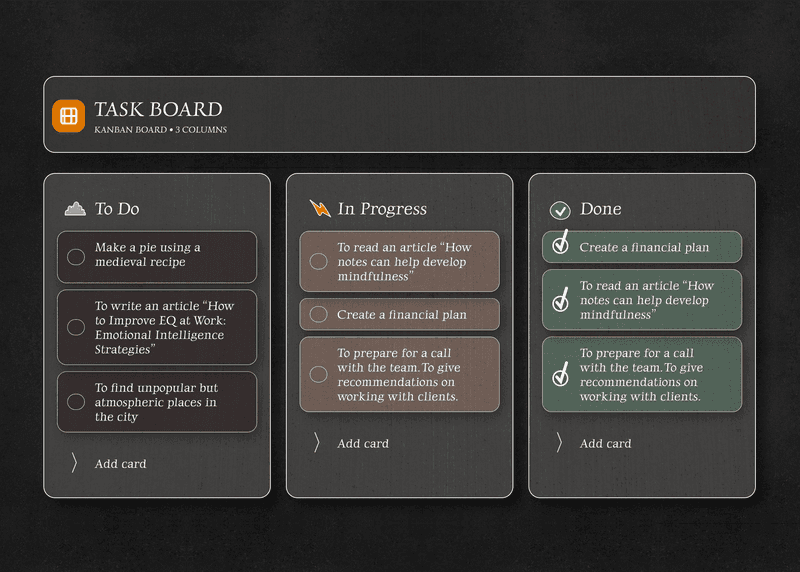
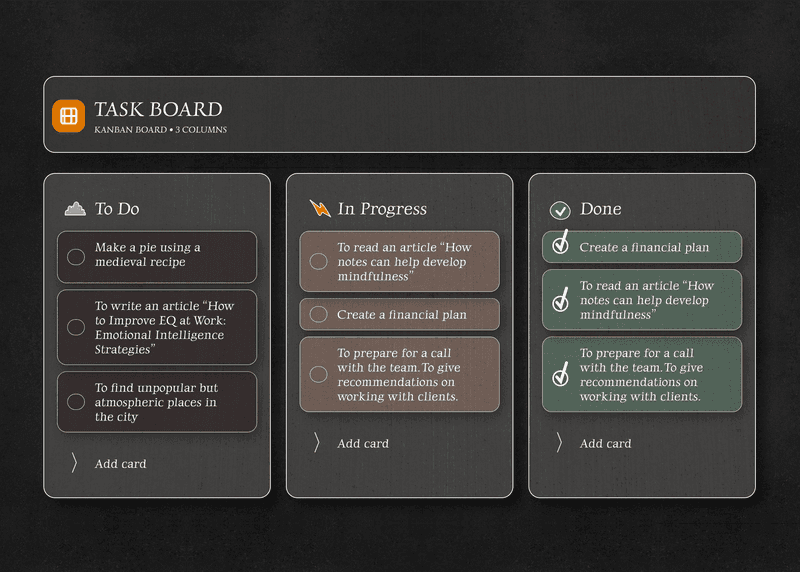
The same board, without a cap on how many
Trello's free plan gives you unlimited cards but caps how many boards a workspace can hold. Here there is no such cap, and the board itself behaves as you would expect: drag a card between columns, rename the columns, start in seconds.
- No cap on boards, cards or columns
- Drag and drop within a column and between columns
- Columns named the way you work
- Runs in any browser, nothing to install
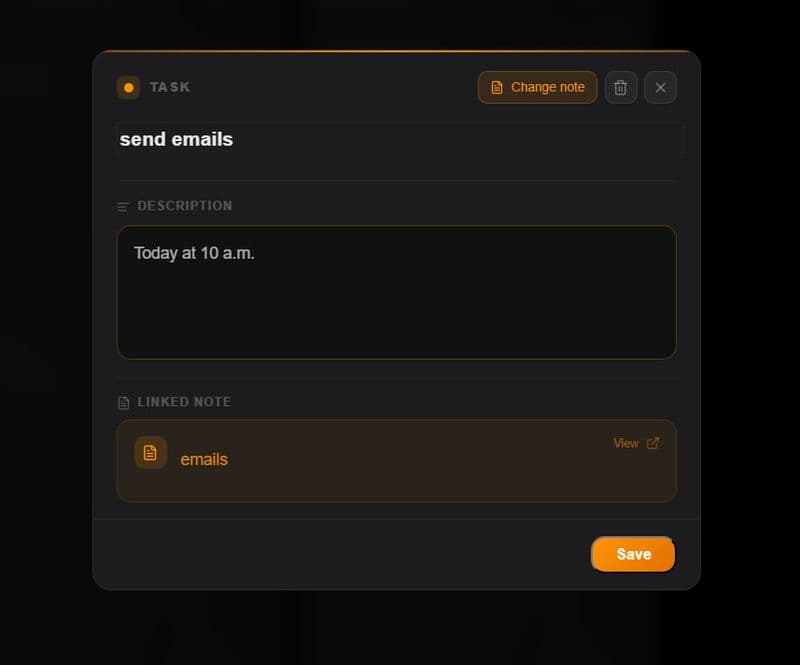
A real note attached to every card
A Trello card gives you a description and comments. Here every card opens into a full editor, and the same app holds a separate notes workspace, so the writing around the work does not have to live somewhere else.
- A full note editor on every card
- Markdown, headings, lists, bold, italic
- Checklists inside notes, with progress
- Switch between notes and board instantly
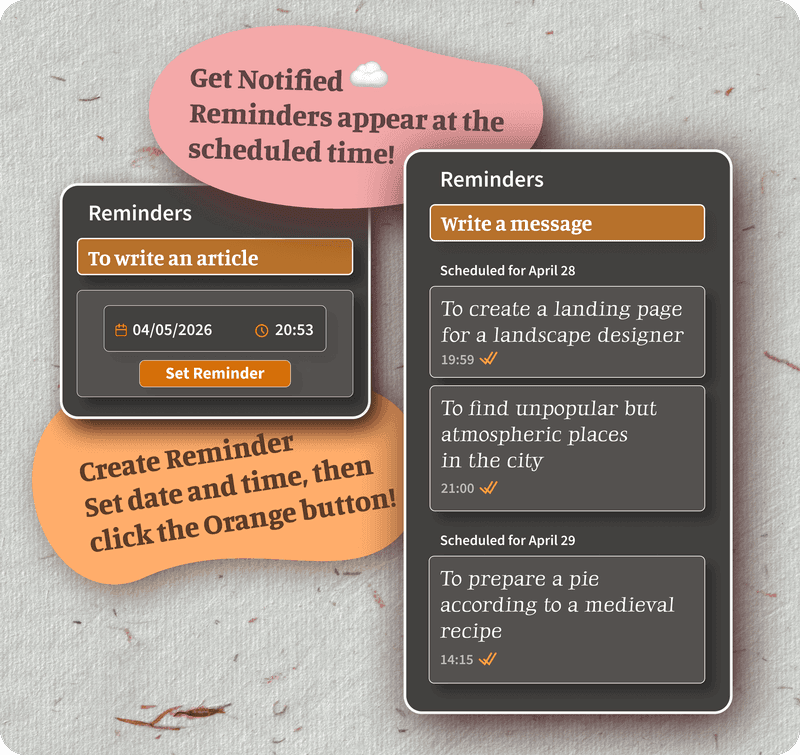
Reminders on cards and on notes alike
Trello's free plan has due dates with notifications. The difference here is where a reminder can sit: on a note as readily as on a card, so what you are reminded about and what you wrote about it are the same object.
- Set a reminder on any task in seconds
- Browser notifications on the desk and on the phone
- Reminders on notes too, not only on cards
- Reminders follow you to every device
Encrypted end to end, not merely password protected
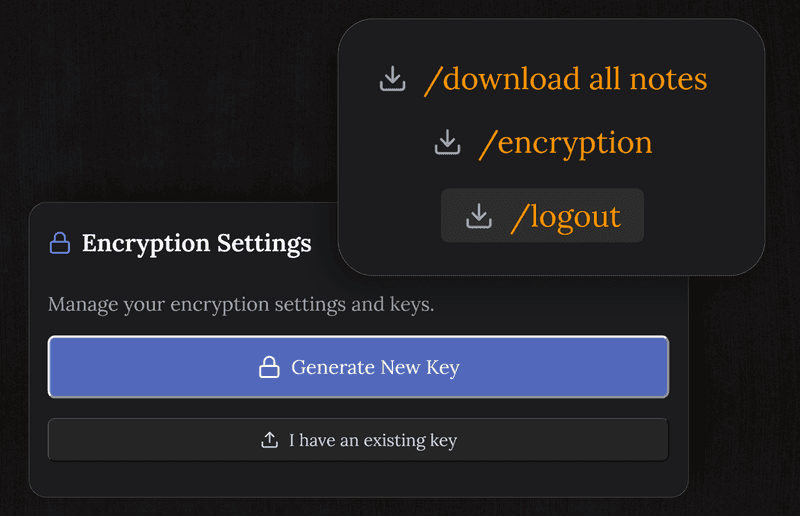
Trello does not encrypt your board end to end, so its servers can read it. Here everything is encrypted on your device before it reaches the server, and only you can read your cards and notes.
- The server only ever holds ciphertext
- The key never leaves your device
- Safe for personal plans and sensitive tasks
- Nothing sold, no ad targeting
TaskNote and the free Trello plan
| Feature | TaskNote | Trello, free plan |
|---|---|---|
| Board | ✓ | ✓ |
| Unlimited cards | ✓ | ✓ |
| A real note on each card | ✓ | A description with markdown |
| Reminders with a time | ✓ | ✓ |
| End to end encryption | ✓ | ✗ |
| A separate notes workspace | ✓ | ✗ |
| Runs in a browser, nothing to install | ✓ | ✓ |
| Cap on the number of boards | None | Yes, per workspace |
| Cost of the full feature set | Free | Paid, per user |
Common questions about this alternative
Is this really free?
The core is: the board, drag and drop, a note on every card, reminders and end to end encryption, with no card details asked for and no paid tier needed to use them.
What does this have that Trello does not?
A full note editor on every card and a separate notes workspace in the same app, plus end to end encryption. A Trello card carries a description and comments, and its boards are not encrypted end to end.
Do I need to install anything?
No. It runs in any browser on Mac, Windows, iPhone, iPad and Android. Sign up and start building your board.
How many tasks and columns can I make?
As many as you like on the free plan. There is no cap on cards, columns or boards.
Is my board private and encrypted?
Cards and notes are encrypted end to end on your device before they sync. We cannot read them, because the key stays with you.
Can I use it with a team?
It is built for personal and solo work, one workspace per account. It fits if you want a private board without team permissions to manage.
Try the free alternative to Trello
A board, a real note on every card, reminders, encrypted end to end. Free to start.
Get it for freeFree plan included · No card details · Windows, Mac, Linux, iPhone, iPad, Android