Project management for freelancers, no seats to buy
Client work on a board, a full note behind every project, and reminders for the dates that matter. Built for one person working alone.
Sign up with Google or any email and start straight away. The core is free. No card details, no team plan, and nothing charged per client.
Free plan included · No card details · Windows, Mac, iPhone, iPad, Android
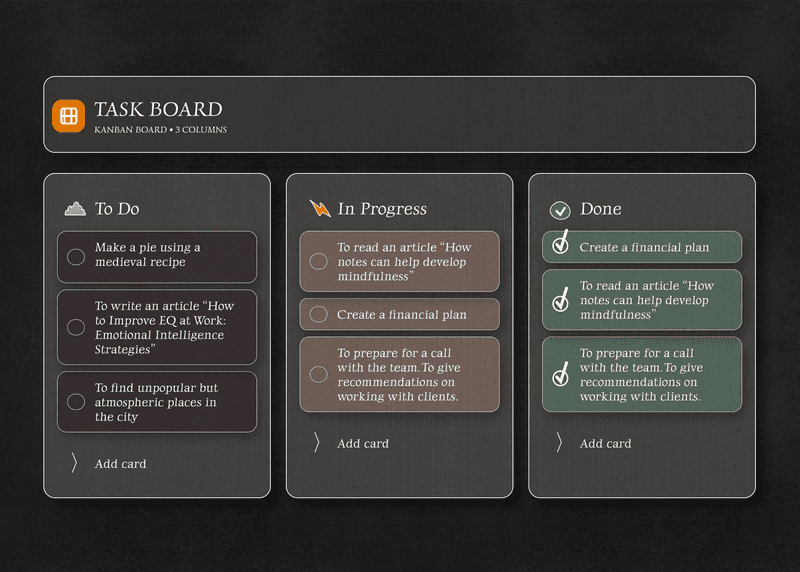
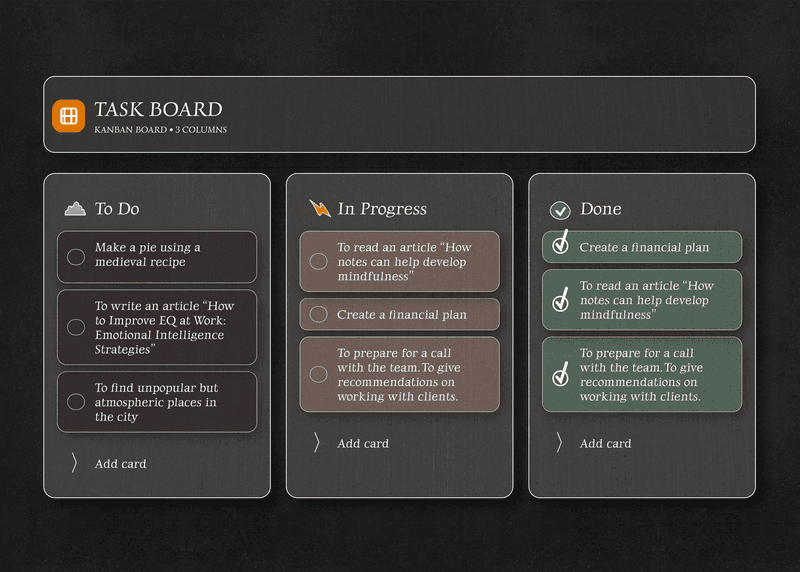
Client work on a board, and the board is free
Drag a project from proposal to in progress to review to invoiced. The whole workload sits in one view. There are no seats to buy and no team plan to upgrade into, because it is you and your work.
- A drag and drop board, on the free plan
- Columns named after how you actually work
- As many projects and tasks as you take on
- No per seat pricing waiting further down
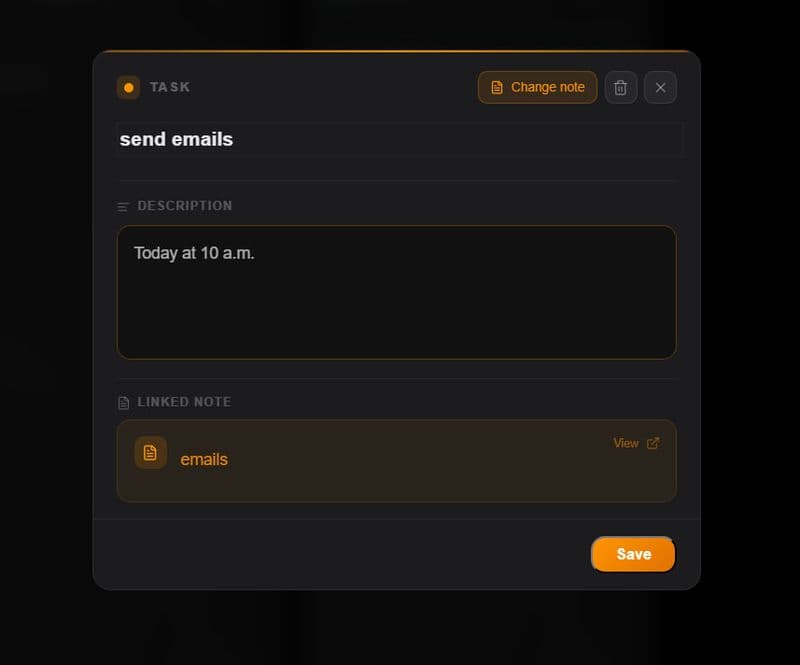
A real note behind every project, not just a title
Most task managers give you a line of text and a checkbox. Here every card opens into a full note: paste the brief, keep the revisions, tick off the deliverables. Everything about that job stays in one place.
- A proper editor behind every card
- Headings, lists, emphasis, checklists
- Paste the brief straight into the card
- Move between the board and your notes
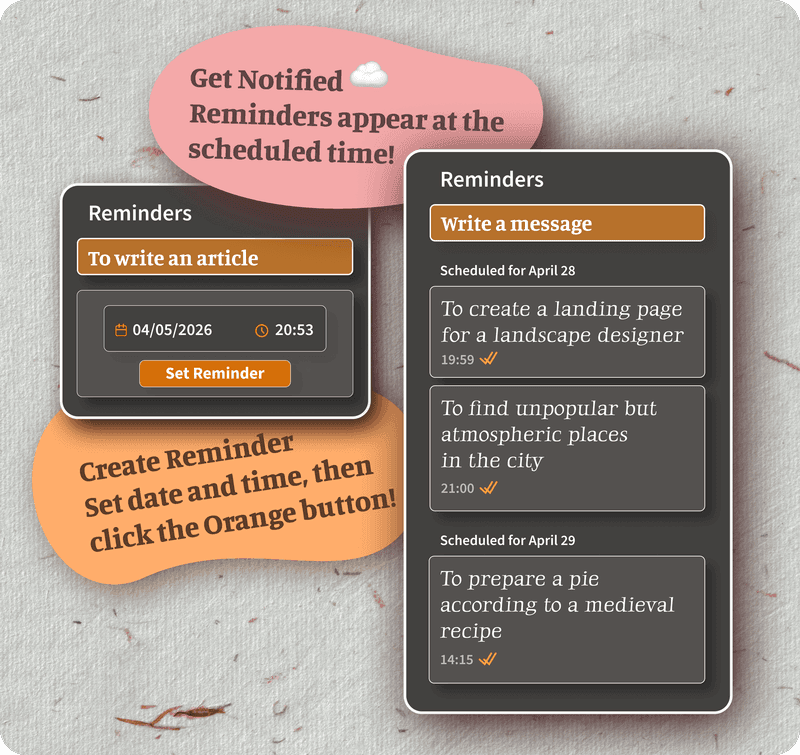
Deadlines, on the desk and in your pocket
Put a reminder on any task or note. When the date comes round, the notification arrives on the computer and on the phone. Nothing quietly slips past while you are heads down on another job.
- Reminders on any task or note, free
- Notifications on the computer
- Notifications on iPhone and Android
- The same reminders on every device
Client notes encrypted, without being asked
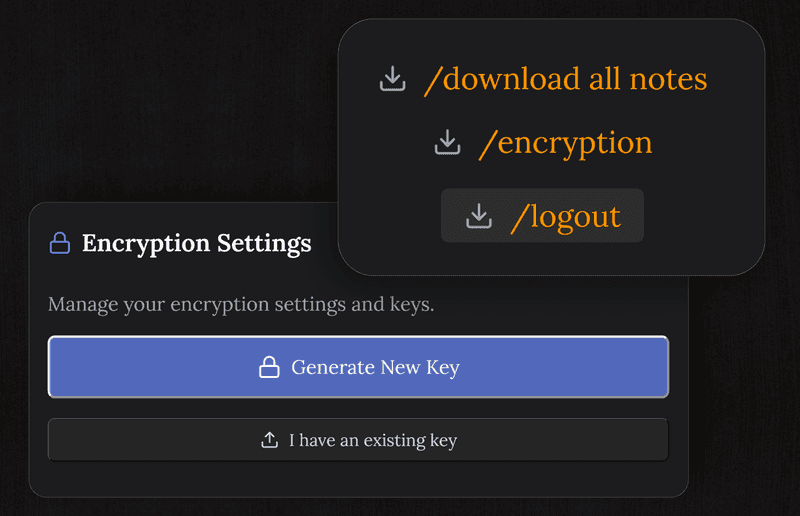
Briefs, rates, the details of what you are building. All of it is commercially sensitive. Every note and card is encrypted on your device before it syncs, so what a client tells you is not readable by us or by anyone reaching the server.
- End to end encryption on every project note
- What a client shares stays between you
- We cannot read your content, by design
- Nothing sold on and no advertising built from it
Questions from freelancers
Is it any good for tracking client work?
That is what the board is for. Move projects through stages you name yourself, and keep the brief, the feedback and the deliverables in the note behind each card.
Is it free for one person?
Yes. The board, the tasks, the notes, reminders and encryption are all on the free plan. No seat pricing and no team plan to move up to.
Can I write notes on each project?
Every card on the board has a full editor behind it. Write the brief, paste a specification, track revisions, without leaving for another app.
Can I set reminders for client deadlines?
Yes, on any task or note, free. The notification reaches you on the computer or the phone when the date arrives.
Is my client work private?
Notes and tasks are encrypted on your device before they sync, so we cannot read them. Briefs and project details stay between you and the client.
Does it work on all my devices?
Mac, Windows, iPhone, iPad, Android and any browser. Work at the desk, check the board on the phone, and it keeps up by itself.
Project management for freelancers with no seats to buy
A board, real notes on every project, reminders and encryption. Free to start.
Get it for freeFree plan included · No card details · Windows, Mac, iPhone, iPad, Android