A note taking app with a kanban board, one workspace for both
Write notes and move tasks across columns in the same place, without juggling a document tool, a board tool and a notes app.
Sign up with Google or any email and start straight away. The core is free: no card details, nothing to set up, nothing to learn first.
Free plan included · No card details · Windows, Mac, Linux, iPhone, iPad, Android
A proper notes editor, not a description box
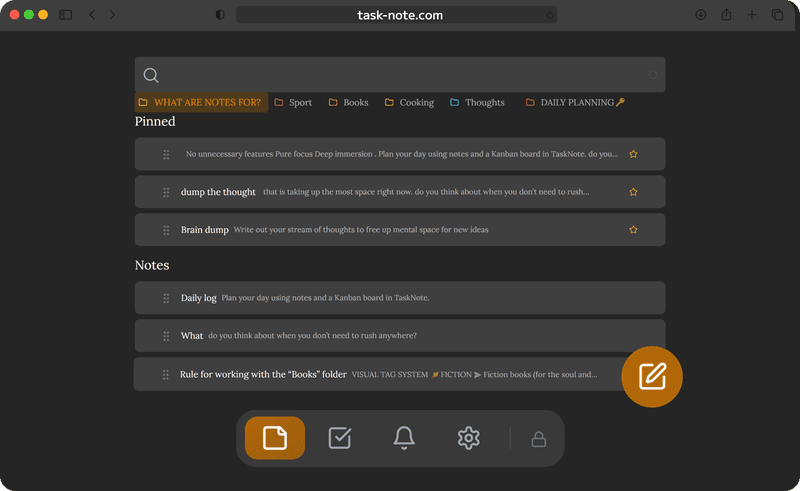
Most board tools give a card a small description field. Here every note has a full editor: headings, bold, italic, lists, checkboxes, links and code blocks. Long pieces read the way they would in a writing app.
- A rich text editor with Markdown shortcuts
- Headings, bullets, numbered lists, checkboxes
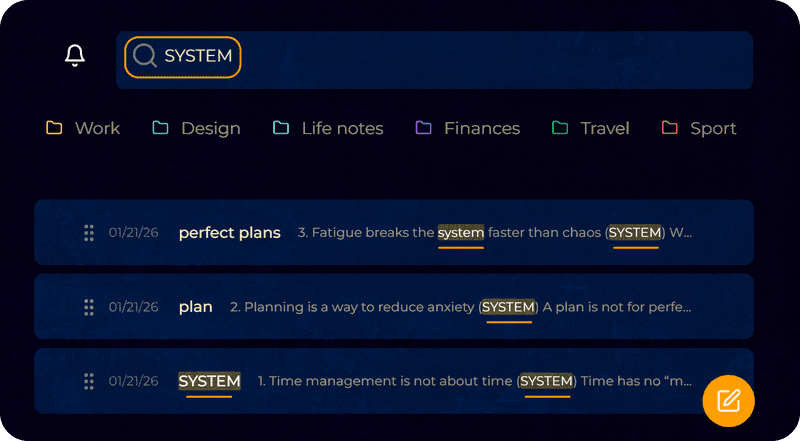
- Full text search across every note, instantly
- Pin the important ones to keep them on top
A board with a note on every card
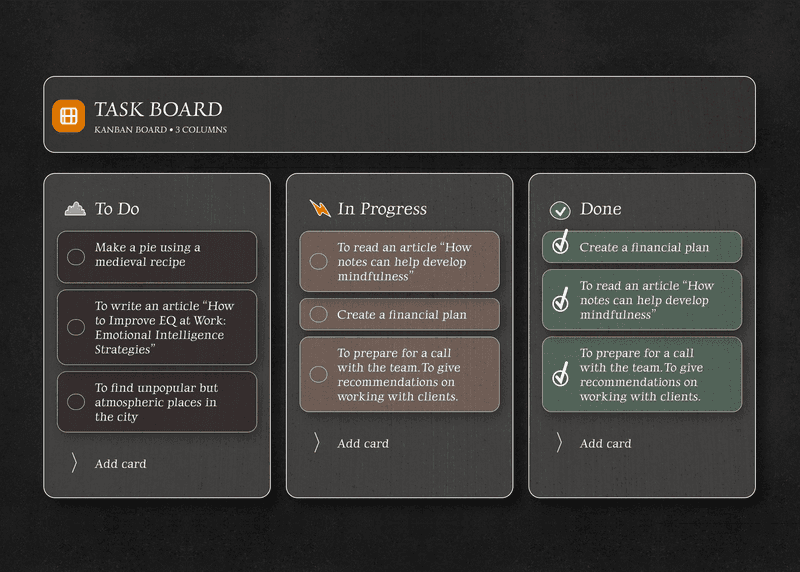
Switch to the board and drag tasks between To Do, In Progress and Done. Every card carries a full note, so the context, the links and the checklists travel with the task as it moves.
- Drag and drop between columns
- Attach a full note to any task card
- As many columns and cards as you like
- Reorder tasks inside a column
Reminders on notes and on tasks
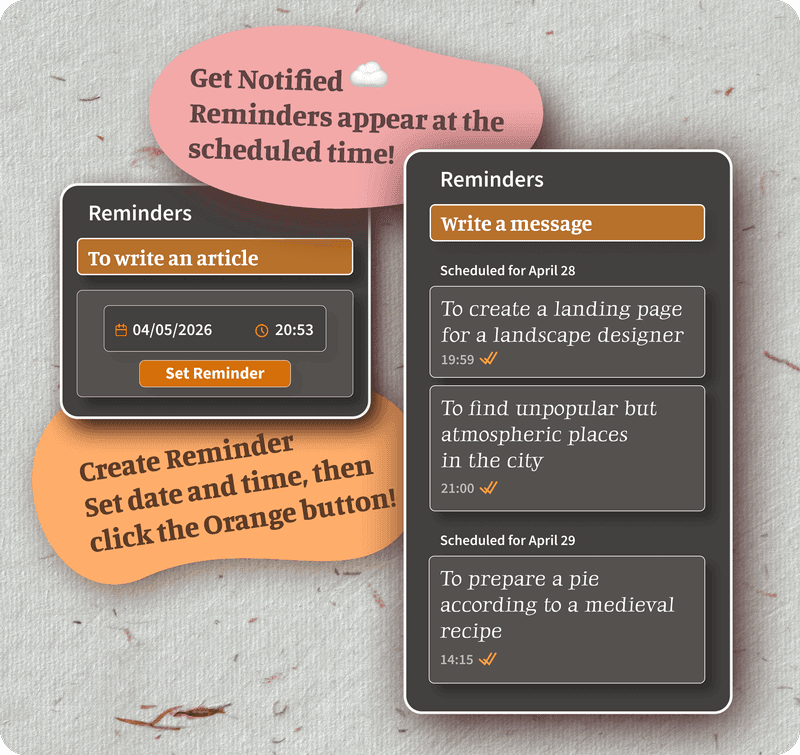
Put a reminder on any note or any card and the browser tells you at the right moment, whether it is a meeting note to reread or a task about to run past its date.
- Reminders on individual notes
- Reminders on cards in the board
- Browser notifications at the desk and on the phone
- Reminders reach every device on their own
Encrypted, and on every device you use
Notes and cards are encrypted on your device before they reach the server. Open it on the Mac, pick up the phone, and it is all there, current and unreadable to anyone else.
- End to end encryption on notes and tasks alike
- The server only ever holds ciphertext
- Reaches Mac, Windows, iPhone, iPad and Android
- Already loaded notes stay readable without a connection
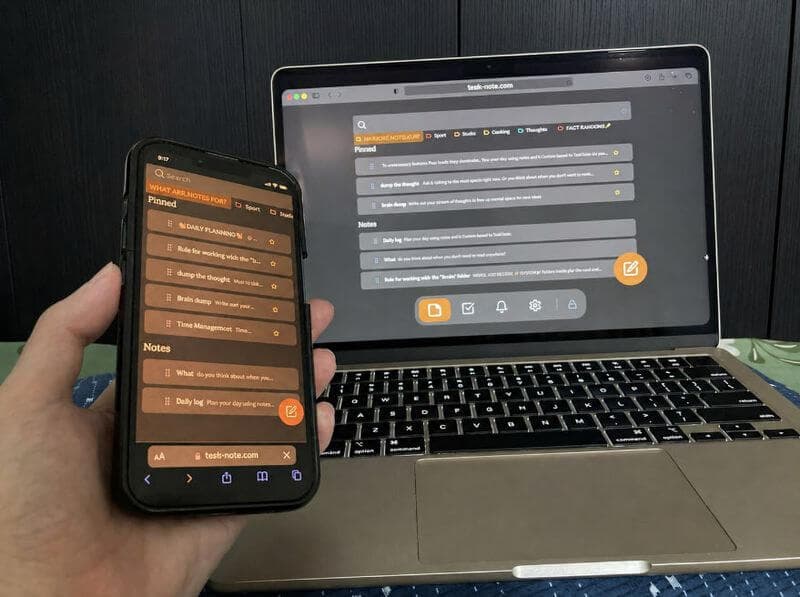
Works on every device you use
Open it in your browser and the notes and the board are there. Nothing to install.
Questions about notes and a board together
Does it really combine notes and a board?
Yes. A full note editor and a kanban board share one workspace. Write a note and move it into a task column, or attach a detailed note to any card, without changing apps.
Can I attach a note to a card on the board?
Yes. Every card has a rich text editor inside it. Write the context, add a checklist, paste the links, format with headings, and it is all stored in the task itself.
Is it free?
The core is: 50 notes, 50 tasks, the board, reminders and end to end encryption. No card details asked for.
Does it work on iPhone, iPad and Android?
Yes, in any browser: Safari on iPhone and iPad, Chrome on Android, and whatever you use on Mac and Windows. Notes and board reach every device as you go.
Are the notes and tasks encrypted?
Yes, both. Everything is encrypted end to end on your device before it syncs, and we cannot read it.
Do I need to install anything?
No. It runs in the browser. Open it on any device and the notes and the board are ready.
Notes and a board, in the same place at last
Write notes, move tasks, set reminders, all in one free workspace. No subscription and no switching between apps.
Get it for freeFree plan included · No card details · Windows, Mac, Linux, iPhone, iPad, Android