Заметки на Android без установки из Play Store
TaskNote работает на Android из браузера. Добавьте на главный экран, и он открывается как приложение: заметки, задачи, напоминания, сквозное шифрование, синхронно с компьютером.
В Play Store приложения пока нет, и эта страница говорит об этом прямо. Нативное приложение для Android стоит в планах после iOS. До тех пор веб-версия и есть приложение для Android, то же самое, что на компьютере.
Бесплатный план · Без карты · Chrome, Samsung Internet, Firefox
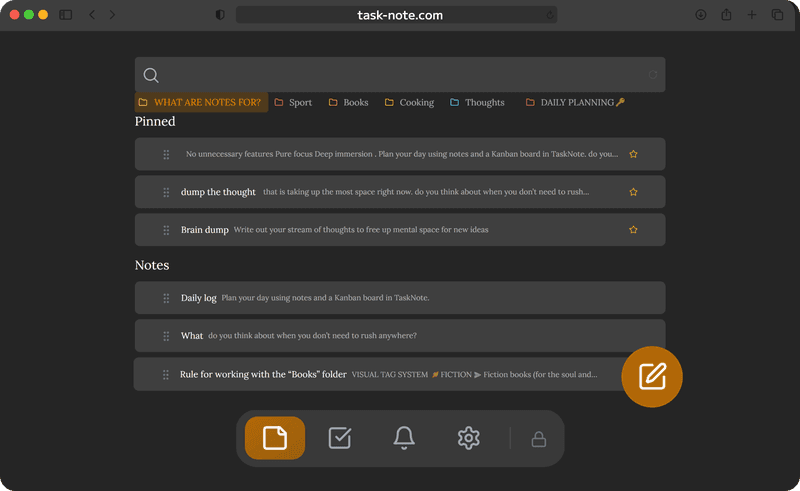
На главном экране за минуту
Достаточно одного захода в Chrome. Значок, который он оставит, открывает TaskNote на весь экран, без адресной строки, и держит вас в аккаунте.
- Откройте task-note.com в Chrome и войдите через Google или почту
- Нажмите меню из трёх точек, затем «Добавить на главный экран» (на некоторых телефонах «Установить приложение»)
- Нажмите новый значок: TaskNote откроется в собственном окне
- Один раз импортируйте ключ шифрования из настроек на компьютере
Что работает без сети, а что нет
После первой загрузки само приложение хранится на телефоне. Открытые заметки читаются без сигнала, написанное сохраняется на устройстве и уходит, когда сеть вернётся. Две вещи требуют подключения.
- Без сети: чтение открытых заметок, письмо и правка, поиск по ним
- Без сети: изменения встают в очередь и синхронизируются сами
- Нужна сеть: самый первый вход на телефоне
- Нужна сеть: импорт ключа шифрования
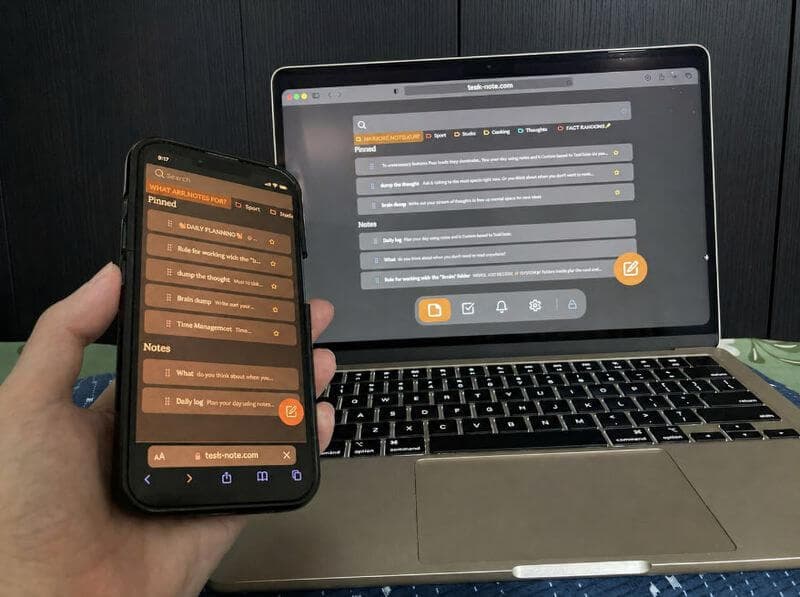
Сквозное шифрование, без просьб
Большинство приложений для заметок на Android хранят ваш текст на своих серверах в читаемом виде. Здесь каждая заметка шифруется на телефоне до отправки, и мы не можем её прочитать. Пароли, идеи, всё, чем не хочется делиться, остаётся вашим.
- Шифрование каждой заметки, ключ у вас
- Ключ не покидает устройство
- Без рекламы, без трекинга, ничего не продаётся
- Подходит для дневника и всего личного
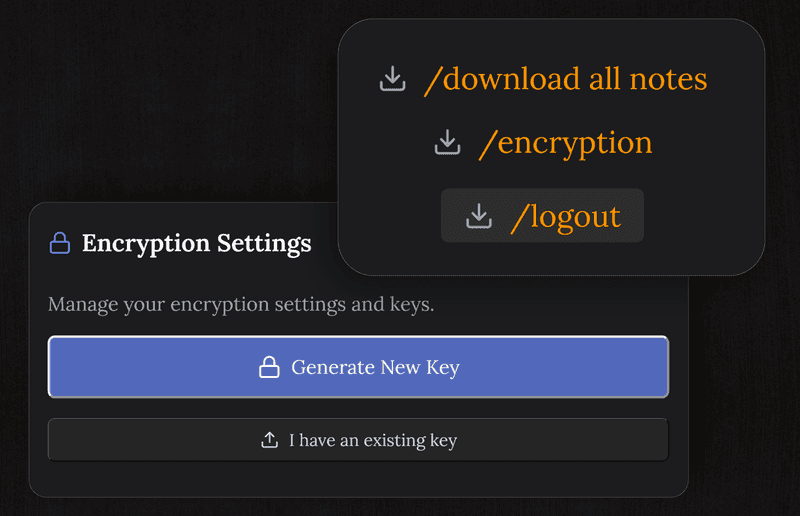
Те же заметки на всём остальном
Начните на телефоне, продолжите за компьютером, просмотрите на iPad. Один аккаунт, один набор заметок, ничего не экспортировать. Приложение для Windows это отдельная локальная программа; синхронизируется именно веб-версия.
- Android, iPhone, iPad, Mac и любой браузер на одном аккаунте
- Заметки, доска и напоминания одинаковы на каждом экране
- Изменения появляются на других устройствах по ходу
- Нативное приложение для Android выйдет после iOS; веб-версия останется
Вопросы про Android
Работает ли без сети?
В основном да. После первой загрузки открытые заметки читаются без сигнала, а написанное хранится на телефоне и синхронизируется позже. Первый вход и импорт ключа требуют подключения.
Это бесплатно?
Основа да: заметки, доска, напоминания и сквозное шифрование, с лимитами бесплатного плана на число заметок и задач. Без карты и без рекламы.
Чем отличается от Google Keep?
Сквозным шифрованием, которого у Keep нет, плюс доска и полноценный редактор. Ваши заметки нам не прочитать, и это то, чего Keep предложить не может.
Нужно ставить APK?
Нет, и ставить нечего. Работает в Chrome или любом браузере на Android. «Добавить на главный экран» даёт значок и отдельное окно, ближе к приложению сегодня не бывает.
Заметки зашифрованы?
Да, на самом телефоне, до любой синхронизации. На наших серверах только зашифрованный результат.
Когда появится приложение в Play Store?
Сначала делается нативное приложение для iOS, за ним Android. Веб-версия всё это время обновляется, и ничего из написанного сейчас переносить не придётся: аккаунт тот же.
Приложение для заметок на Android, которое живёт в браузере
Значок на главном экране, заметки без сети, сквозное шифрование, бесплатный старт. Play Store не нужен.
Открыть на телефонеБесплатный план · Без карты · Chrome, Samsung Internet, Firefox