Aufgabennotizen, an jeder Aufgabe
Schreiben Sie Zusammenhang und Einzelheiten in die Aufgabe selbst, dorthin, wo Sie danach suchen werden. Verschlüsselt und auf jedem Gerät, das Sie nutzen.
Mit Google oder einer beliebigen E-Mail anmelden und sofort loslegen. Der Kern ist kostenlos, ohne Kartendaten und ohne Installation.
Kostenloser Tarif · Ohne Kartendaten · Windows, Mac, Linux, iPhone, iPad, Android
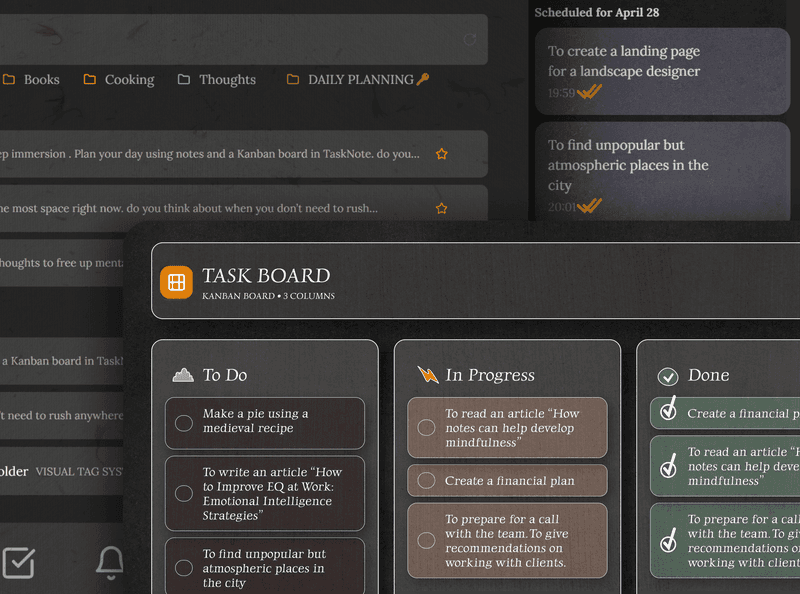
Die Notiz liegt in der Aufgabe
Öffnen Sie eine Aufgabe, und das Notizfeld ist da. Tragen Sie die Anweisungen, die Links, die Überlegungen oder eine ganze Ausarbeitung ein, alles an dieser einen Aufgabe statt schwebend in einem getrennten Dokument.
- Eine formatierte Notiz an jeder Aufgabe
- Links, Überschriften und Listen
- Beim Verschieben wandert die Notiz mit
- Keine zweite App und kein zweiter Tab
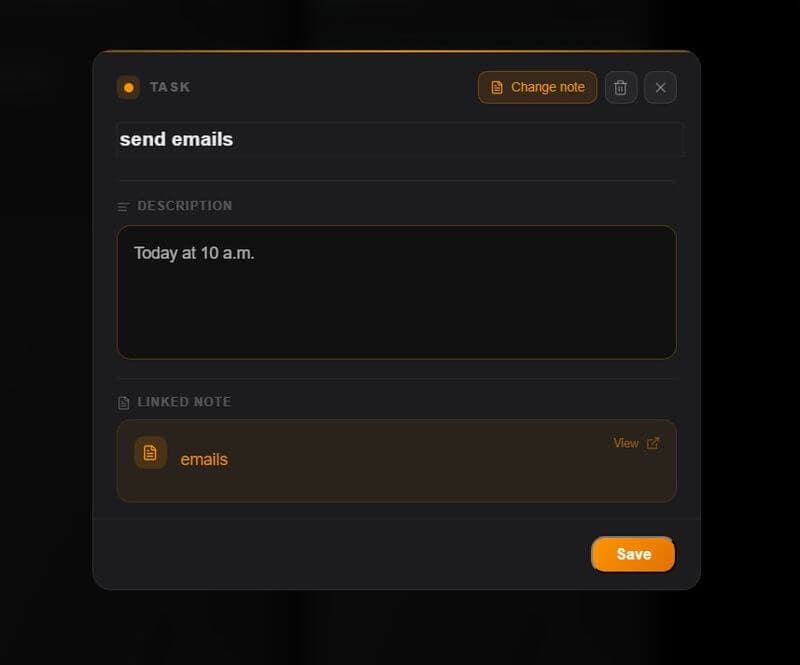
Ein Board mit dem ganzen Zusammenhang
Schieben Sie Aufgaben zwischen Zu erledigen, In Arbeit und Fertig, und die Notizen und Einzelheiten wandern mit. Das Board zeigt den Stand; öffnen Sie eine Karte für das Ganze.
- Ziehen und Ablegen über die Spalten
- Jede Karte trägt ihre eigene Notiz
- Eine Erinnerung mit Datum setzen
- Alle Aufgaben auf einen Blick
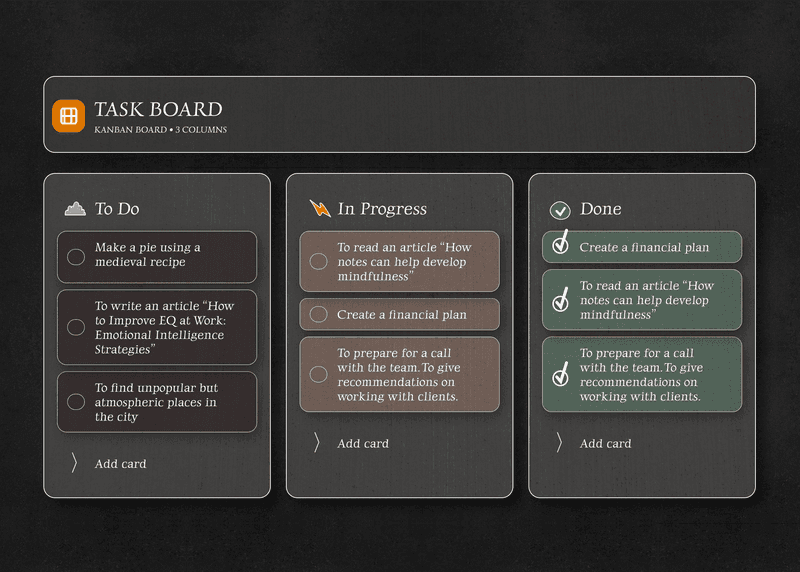
Ihre Aufgaben und Notizen sind privat
Alles hier wird auf Ihrem Gerät Ende zu Ende verschlüsselt, bevor es unsere Server erreicht. Die Aufgaben, die Notizen, die halbfertigen Überlegungen; niemand sonst kann sie lesen.
Wir eingeschlossen.
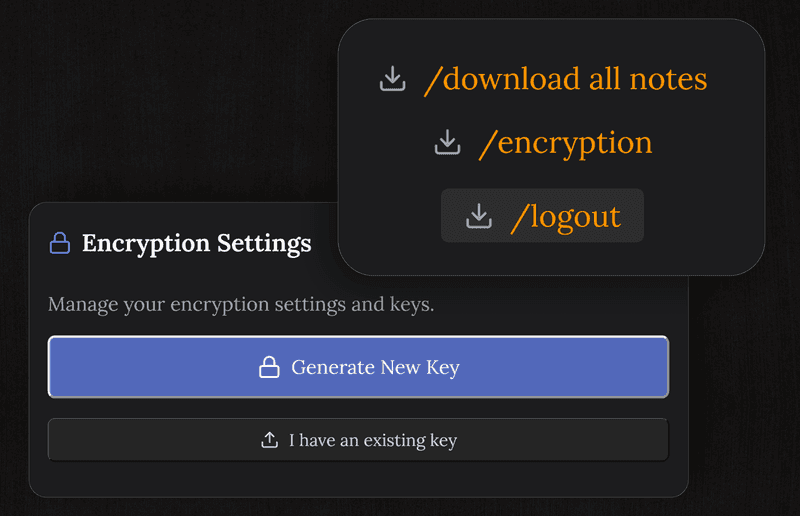
Keine Frist verpassen, dank einer Erinnerung
Setzen Sie an jede Aufgabe eine Erinnerung, und Sie hören davon, bevor sie fällig wird. Die Notiz liefert den Zusammenhang, die Erinnerung sorgt dafür, dass Sie handeln.
Sie erreicht jedes Gerät, das Sie nutzen: Telefon, Tablet, Laptop.
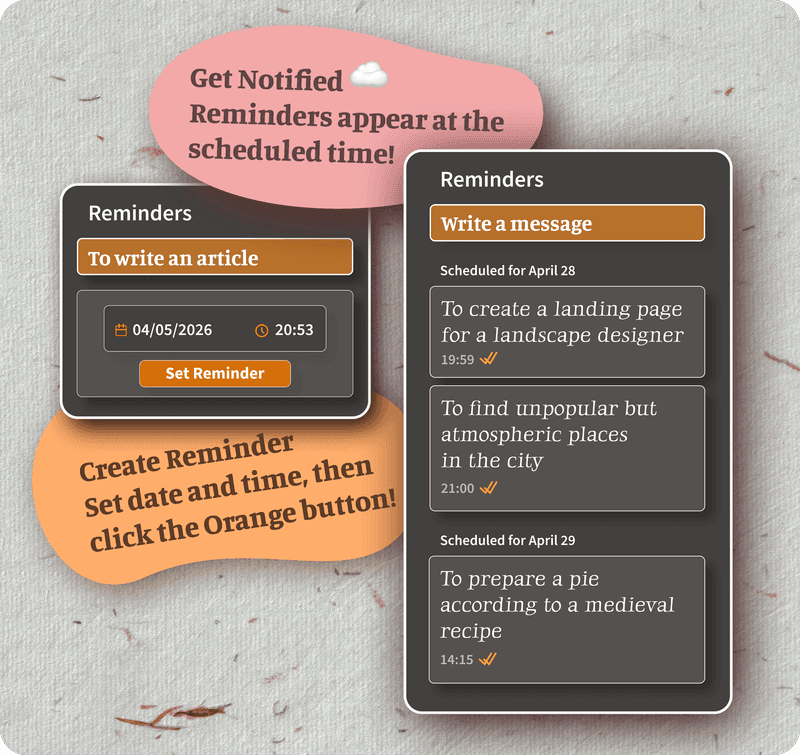
Aufgaben, Notizen und Erinnerungen, alles kostenlos
Der kostenlose Tarif trägt unbegrenzte Aufgaben, eine Notiz an jeder Aufgabe, Verschlüsselung, Abgleich zwischen Geräten und Erinnerungen. Kein Testzeitraum, keine Kartendaten und keine Grenze bei dem, was Sie tatsächlich nutzen.
Pro hebt die Nutzungslimits auf, Formatierung und Themes sind kostenlos, an den Grundfunktionen stoßen Sie also an keine Wand.
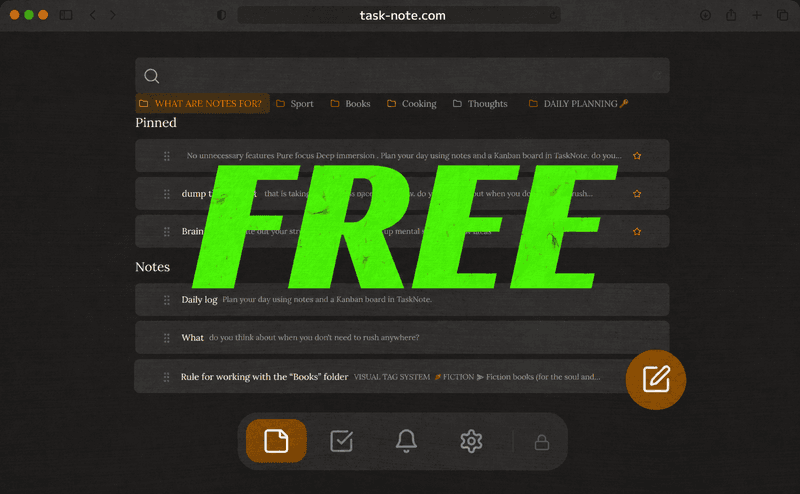
Läuft auf jedem Gerät, das Sie schon haben
Nichts zu installieren. Browser öffnen, anmelden, und die Aufgaben mit ihren Notizen sind da: am Telefon, am Laptop, auf allem mit einem Browser.
Häufige Fragen
Kann ich einer Aufgabe eine Notiz anhängen?
Ja. In jeder Aufgabe steckt ein Notizfeld. Öffnen Sie eine Aufgabe und schreiben Sie so viel Zusammenhang, Detail oder Überlegung hinein, wie sie braucht, direkt daneben.
Ist es kostenlos?
Ja. Der kostenlose Tarif trägt 50 Notizen, 50 Aufgaben, Verschlüsselung, Abgleich zwischen Geräten und Erinnerungen. Kartendaten werden nicht verlangt.
Worin unterscheidet es sich von anderen Aufgabenmanagern?
Die meisten behandeln die Notiz nebenbei, als kleines Beschreibungsfeld. Hier sind Notizen und Aufgaben gleichrangig und arbeiten zusammen: eine vollwertige Notiz an jeder Aufgabe, Aufgaben aus der Notiz heraus verknüpft, und das Ganze an einem Ort.
Sind meine Aufgabennotizen privat?
Ja. Notizen und Aufgaben werden auf Ihrem Gerät Ende zu Ende verschlüsselt, bevor sie unsere Server erreichen. Wir können sie nicht lesen.
Erreicht es meine anderen Geräte?
Ja, unterwegs. Hängen Sie am Telefon eine Notiz an eine Aufgabe, und sie liegt am Laptop, wenn Sie das nächste Mal hinsehen.
Muss ich etwas installieren?
Nein. Es läuft im Browser. Auf jedem Gerät öffnen, anmelden, und die Aufgaben und Notizen sind da.
Ihre Aufgaben und Ihre Notizen, zusammen und kostenlos
Ein Ort für alles: Aufgaben mit angehängter Notiz, Erinnerungen und Verschlüsselung. Kostenlos zu beginnen.
Kostenlos startenKostenloser Tarif · Ohne Kartendaten · Windows, Mac, Linux, iPhone, iPad, Android