Notiz-App für Juristinnen und Juristen, der Schlüssel bleibt bei Ihnen
Recherchenotizen, Fallzusammenfassungen und Nachschlagewerte, verschlüsselt auf Ihrem eigenen Gerät. Was Sie schreiben, kann hier niemand lesen.
Mit Google oder einer beliebigen E-Mail anmelden und sofort loslegen. Der Kern ist kostenlos. Keine Kartendaten, läuft ohne Netz, öffnet sich in jedem Browser ohne Installation.
Kostenloser Tarif · Ohne Kartendaten · Windows, Mac, iPhone, iPad, Android
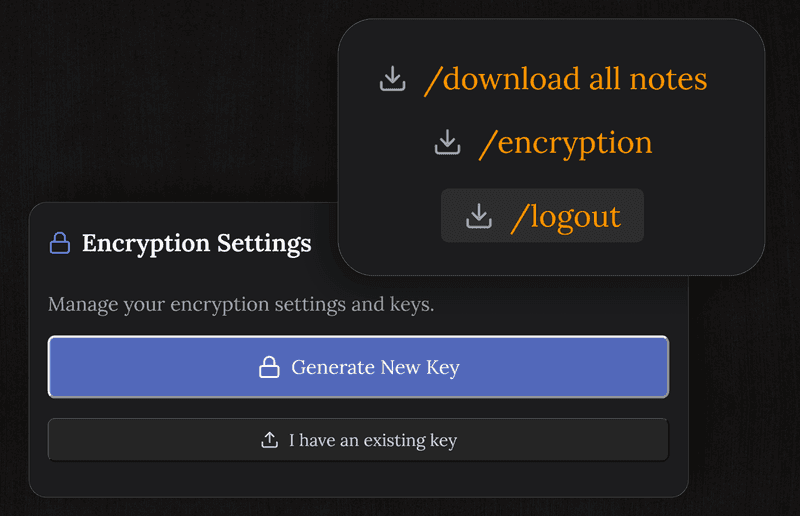
Auf Ihrem Gerät verschlüsselt, allein mit Ihrem Schlüssel
Jede Notiz wird vor dem Abgleich mit AES-256-GCM verschlüsselt. Auf unseren Servern liegt Geheimtext und sonst nichts. Weder Beschäftigte noch eine gerichtliche Anordnung noch ein Einbruch machen daraus wieder Text, solange Ihr Schlüssel fehlt, und der verlässt Ihr Gerät nie.
- AES-256-GCM für jede Notiz
- Der Schlüssel entsteht auf Ihrem Gerät und wird nie gesendet
- Wir können Ihre Inhalte nicht lesen, bauartbedingt
- Über das Geschriebene läuft keinerlei Auswertung
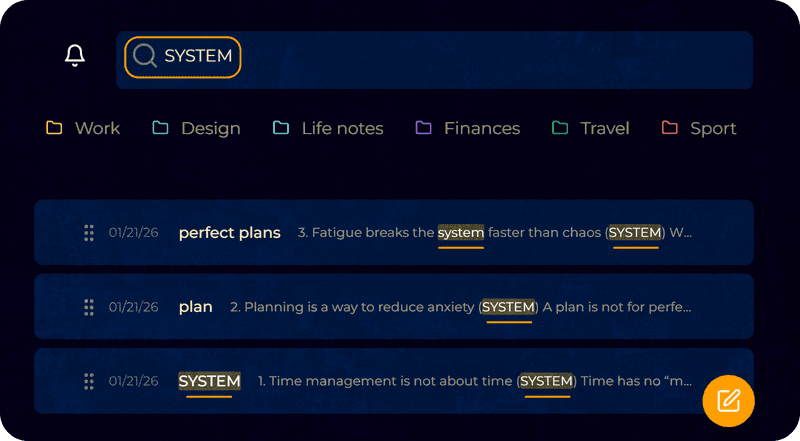
Recherche und Fallnotizen, in Sekunden wiedergefunden
Schreiben Sie zu einem Fall, einer Norm oder einem Präzedenzfall, und finden Sie es per Volltextsuche wieder. Der Editor bietet Überschriften, Listen und Betonungen, dieselbe Gliederung wie in einem Schriftsatz.
- Volltextsuche über alle Notizen
- Ein richtiger Editor mit Überschriften und Listen
- Aufgabenlisten für das, was noch offen ist
- Sichert beim Schreiben, verloren geht nichts
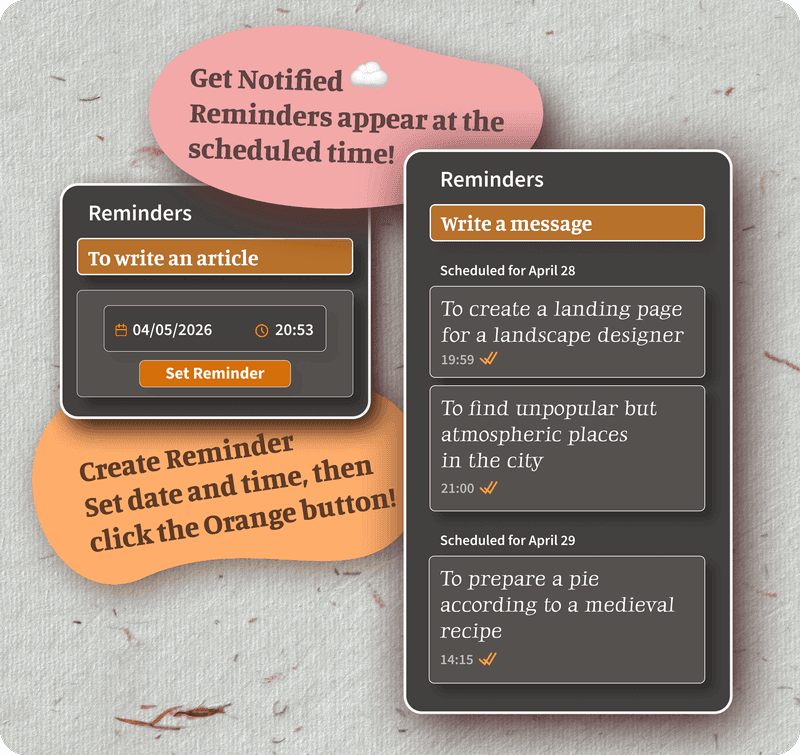
Fristen, mit Erinnerung daran
Setzen Sie eine Erinnerung auf jede Notiz oder Aufgabe. Die Benachrichtigung kommt an den Rechner oder ans Telefon, wenn eine Einreichung oder ein Nachfassen ansteht. Das Board gibt den Sachen, die Sie selbst führen, einen sichtbaren Platz.
- Erinnerung auf jeder Notiz und jeder Aufgabe
- Ein Kanban-Board für selbst geführte Sachen
- Benachrichtigungen am Rechner und am Telefon
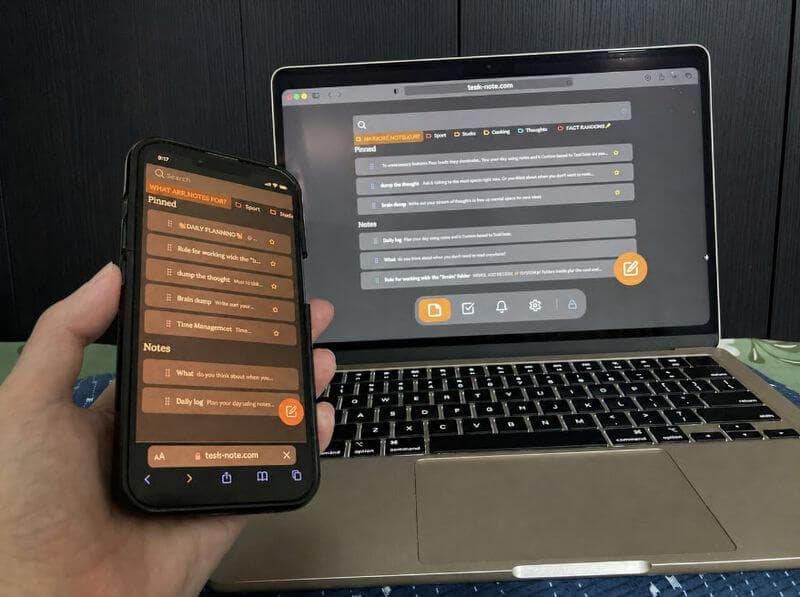
- Dieselben Notizen auf allen Ihren Geräten
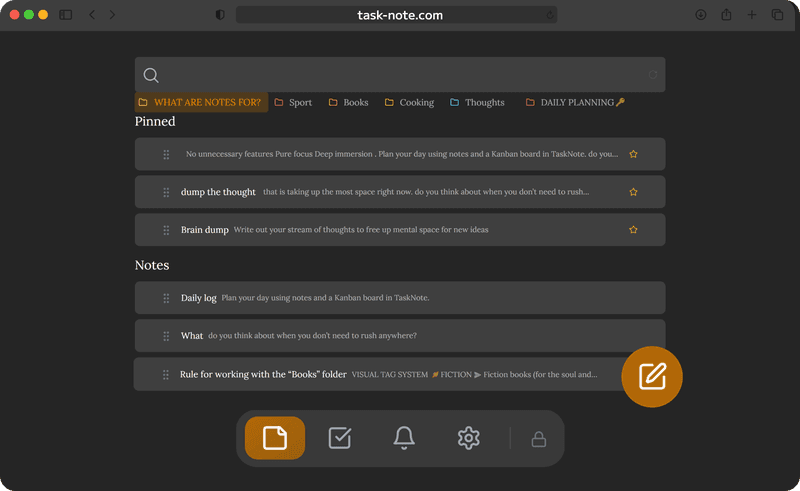
Läuft ohne Netz, Gericht und Bahn eingeschlossen
Gerichtssäle, Geschäftsstellen und Reisen haben eines gemeinsam: unzuverlässigen Empfang. TaskNote hält jede Notiz auf Ihrem Gerät, Sie lesen und schreiben also auch ohne Verbindung. Sobald Sie wieder online sind, gleicht sich alles von selbst ab.
- Alle Notizen ohne Verbindung verfügbar
- iPhone, Android, Mac, Windows
- Abgleich von selbst nach dem Wiederverbinden
- Der Zugriff auf Ihre Notizen hängt nie an der Cloud
Fragen von Juristinnen und Juristen
Taugt das für vertrauliche juristische Notizen?
Es ist für persönliche Notizen gebaut: Recherche, Fallzusammenfassungen, Nachschlagewerte, also das, was sonst im privaten Notizbuch stünde. Es ist kein Aktenverwaltungssystem und kein zugelassener Aufbewahrungsort. Bei wirklich geschützten Inhalten entscheidet die Richtlinie Ihrer Kanzlei.
Wie privat sind die Notizen?
Sie werden vor dem Abgleich auf Ihrem Gerät mit AES-256-GCM verschlüsselt. Wir können sie nicht lesen. Ohne Ihren Schlüssel macht daraus weder eine beschäftigte Person noch eine behördliche Anfrage noch eine Datenpanne wieder Text.
Wird etwas an Dritte weitergegeben?
Nein. Nichts wird verkauft und nichts weitergereicht. Die Notizen sind verschlüsselt und für uns unlesbar, über ihren Inhalt läuft keine Auswertung.
Darf ich es am Arbeitsrechner ohne IT nutzen?
Technisch ja, es läuft in jedem Browser, ohne Installation und ohne Administratorrechte. Ob Sie sollten, sagt Ihnen die Nutzungsrichtlinie Ihrer Kanzlei.
Ist es für private Nutzung kostenlos?
Der Kern schon: Notizen, Board, Erinnerungen und Verschlüsselung, ohne Kartendaten.
Funktioniert es ohne Verbindung?
Ja. Die Notizen liegen auf Ihrem Gerät, Lesen und Schreiben brauchen also kein Netz. Änderungen gehen hoch, sobald Sie wieder verbunden sind.
Die Notiz-App für Juristinnen und Juristen, bei der Ihre Notizen Ihre bleiben
Mit Ihrem eigenen Schlüssel verschlüsselt, offline verfügbar, samt Erinnerungen. Kostenlos zu beginnen, nichts zu installieren.
Kostenlos startenKostenloser Tarif · Ohne Kartendaten · Windows, Mac, iPhone, iPad, Android