Notiz-App fürs iPhone, die wirklich privat ist
Schreiben, ordnen und verschlüsseln, ohne etwas einer Cloud anzuvertrauen. Jede Notiz wird auf dem Telefon selbst verschlüsselt, bevor sie abgeglichen wird.
Mit Google oder einer beliebigen E-Mail anmelden und sofort loslegen. Der Kern ist kostenlos. Keine Kartendaten, nichts aus dem App Store zu laden.
Kostenloser Tarif · Ohne Kartendaten · iPhone, iPad, Mac, Android, Windows
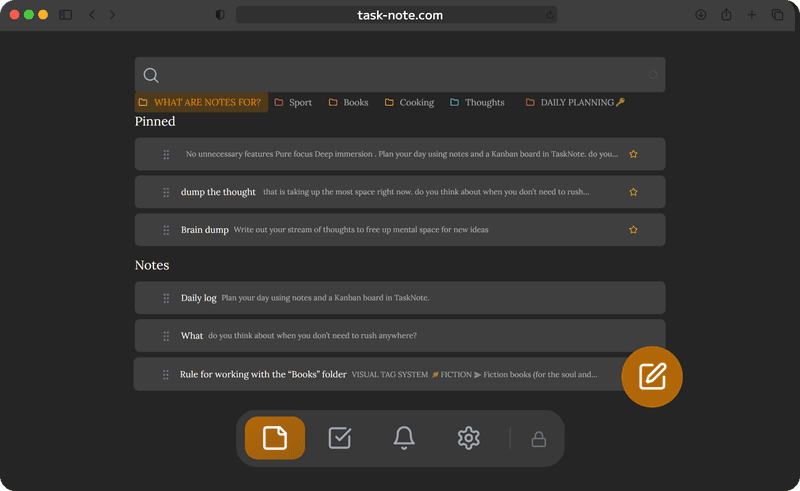
Zum Home-Bildschirm hinzufügen, ganz ohne App Store
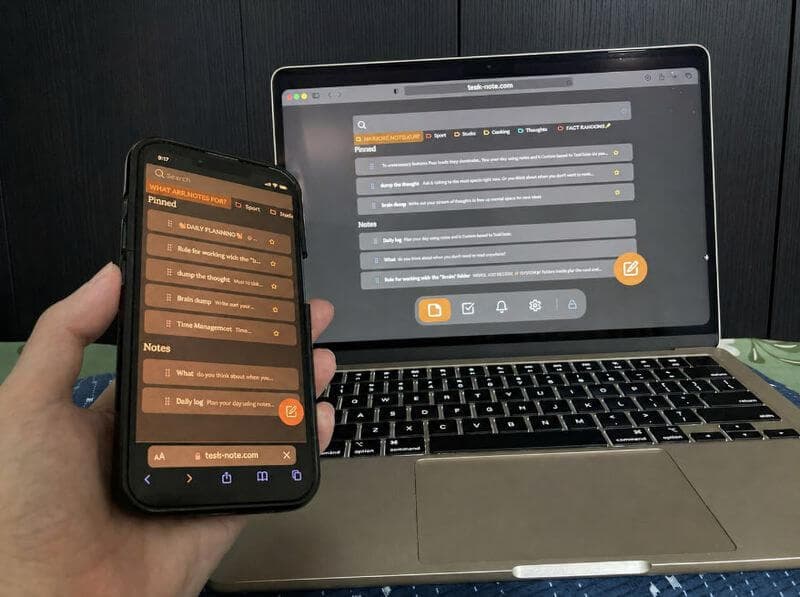
In Safari öffnen und zum Home-Bildschirm hinzufügen. Sie bekommen ein Symbol, das ohne Browser drumherum startet. Nichts zu laden, keine Updates im Blick zu behalten, kein Speicher belegt.
- Läuft in Safari und Chrome auf dem iPhone
- Auf dem Home-Bildschirm verhält es sich wie eine App
- Kein Download, keine Prüfung abzuwarten
- Immer die aktuelle Fassung, ohne Zutun
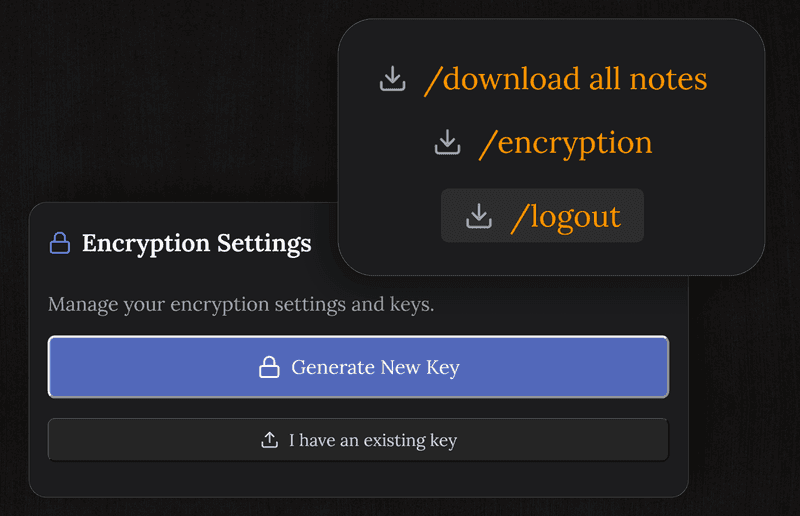
Privater als Apple Notizen
Apple verschlüsselt nur die Notizen, die Sie einzeln sperren. Hier wird jede Notiz von selbst verschlüsselt, mit einem Schlüssel, den wir nie halten, also kann sie weder Apple noch wir lesen. Außerdem reicht es bis Android und Windows, was Apple Notizen nicht tut.
- Jede Notiz verschlüsselt, ohne etwas einzuschalten
- Läuft auch unter Android, Windows und macOS
- Nichts an iCloud gebunden
- Erinnerungen inbegriffen, keine zweite App nötig
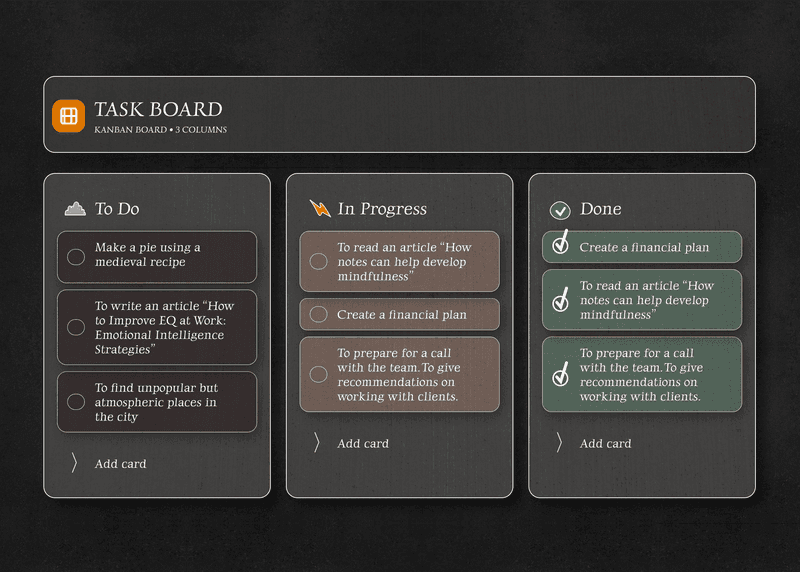
Notizen und Board, am selben Ort auf dem Telefon
Über ein Vorhaben schreiben, dann zum Board wechseln und es durch offen, in Arbeit und fertig ziehen. Keine zweite App, die man in Einklang halten muss, und alles auf einem geschützten Arbeitsplatz.
- Das ganze Board auf dem Telefon, im kostenlosen Tarif
- Ein richtiger Editor gleich daneben
- Erinnerungen, die Bescheid geben
- Alles auch ohne Verbindung verfügbar
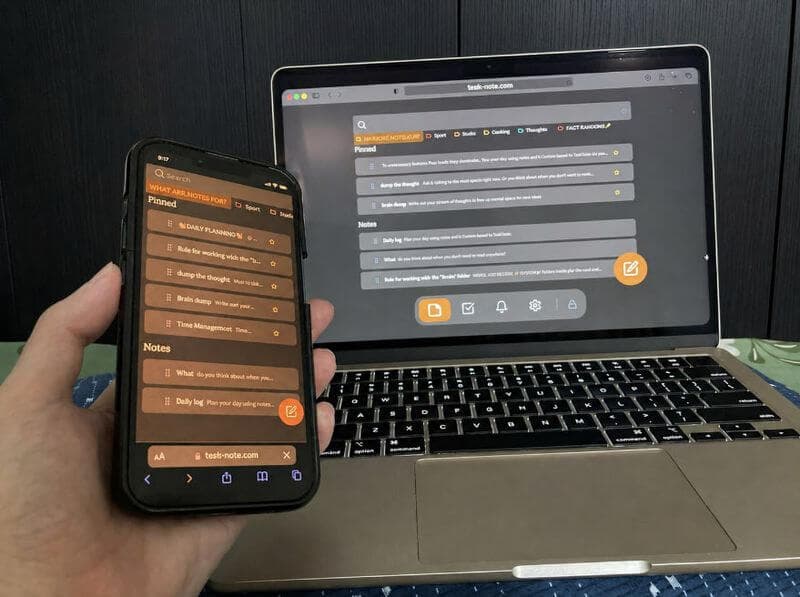
Gleicht auch mit Android und Windows ab
Apple Notizen bleiben bei Apple. Das hier nicht. Ein Arbeitsplatz über iPhone, iPad, Mac, Android, Windows und jeden Browser, ohne dass Ihre Notizen entscheiden, was Sie als Nächstes kaufen.
- iPhone, iPad, Mac, Android, Windows
- Änderungen erscheinen unterwegs auf den anderen Geräten
- Keine Apple-ID nötig
- Ein Konto deckt sie alle ab
Lieber auf einem Android-Telefon? Es gibt eine Seite zur Notizen-App für Android
Fragen zum iPhone
Ist es auf dem iPhone kostenlos?
Der Kern schon: Notizen, Board, Erinnerungen und Ende-zu-Ende-Verschlüsselung, ohne Kartendaten.
Muss ich etwas aus dem App Store laden?
Nein. Es läuft in Safari oder Chrome. Aus Safari zum Home-Bildschirm hinzugefügt, bekommt es ein Symbol und ein eigenes Fenster, ganz ohne Installation.
Worin unterscheidet es sich von Apple Notizen?
Hier ist jede Notiz verschlüsselt, nicht nur die von Hand gesperrten. Es gibt ein Board, Erinnerungen sind dabei, und es gleicht mit Android und Windows ab, statt bei Apple zu bleiben.
Läuft es ohne Netz?
Ja. Die Notizen liegen auf dem Telefon, Lesen und Schreiben brauchen keine Verbindung. Änderungen gehen hoch, sobald Sie wieder online sind.
Sind meine Notizen verschlüsselt?
Ja, auf dem Telefon selbst, vor jedem Abgleich. Der Schlüssel verlässt Ihr Gerät nicht, wir können die Inhalte also nicht lesen.
Kann ich mit Windows oder Android abgleichen?
Ja. Ein Konto deckt iPhone, iPad, Mac, Windows, Android und jeden Browser ab. Genau das können Apple Notizen nicht.
Die Notiz-App fürs iPhone, deren Verschlüsselung immer läuft
Private Notizen, ein Board und Erinnerungen, kostenlos zu beginnen. Nichts aus dem App Store zu holen.
Kostenlos startenKostenloser Tarif · Ohne Kartendaten · iPhone, iPad, Mac, Android, Windows